Key takeaways
- A genuinely usable free AI presentation maker in 2026 is ChatSlide (30 credits/month that refresh), Slidesgo (3 AI decks/month), or Napkin AI (generous free tier) — these renew, so they survive real use.
- Gamma’s 400 free credits look generous but never refill; SlidesAI’s 12 free decks reset only once a year. Both are one-shot pools, not ongoing free plans.
- Beautiful.ai has no free plan at all — 14-day trial only. If a roundup lists it as “free,” it is counting a trial.
- The most common free-limit trap is the export paywall: your deck is ready but downloading it as an editable .pptx costs money. Always check the export column first.
- Match the tool to the job: students and teachers should pick renewing free tiers; freelancers selling client decks need real PPTX export on the free tier.
Table of Contents
- What Actually Counts as a Free AI Presentation Maker
- 7 Best Free AI Presentation Makers for 2026
- Free AI Presentation Maker Comparison Table
- The Free-Limit Trap: What “Free” Really Gets You
- Which Free AI Presentation Maker Should You Pick?
- FAQs
- Bottom Line
Every student, teacher, and freelancer has the same need: a free AI presentation maker that turns notes into slides without asking for a credit card. The problem is that “free” means wildly different things across tools. Some give you a monthly allowance you can genuinely rely on. Others hand you a one-time credit pool that quietly runs dry. And a few are just paid tools wearing a free-trial costume.
This guide is different from the usual roundups: every tool here is judged purely on its free tier, ordered from most to least generous, with the free-limit truth spelled out for each — renewals, export paywalls, and signup catches. All limits below come from each vendor’s own pricing pages, checked October 2026.
What Actually Counts as a Free AI Presentation Maker
A free AI slide maker earns the label only if you can go from an idea to a finished, downloadable deck without paying. That sets a low bar many tools fail: a free generator that only lets you look at your slides in a browser, or exports a watermarked PDF, is not really free.
Three tests decide it:
- The renewal test. Do the free credits come back? A monthly refresh (ChatSlide) or yearly reset (SlidesAI) is a real plan. A one-time pool (Gamma’s 400 credits, Canva’s ~10 AI uses) is an extended trial, whatever the homepage claims.
- The export test. Can your finished deck leave as an editable PowerPoint, a real PDF, or at minimum a shareable link? If the free tier locks exports, the tool is a demo, not a product.
- The signup test. No credit card on the free tier is a good sign. A “free” plan that demands card details upfront is designed to convert you, not serve you.
Run every candidate through these three tests and the marketing fog clears fast.
7 Best Free AI Presentation Makers for 2026
Ordered by free-tier generosity — renewing allowances first, one-time pools next, trial-only last.
1. ChatSlide — the monthly-refresh free plan
ChatSlide has the most genuinely usable free plan in this category: 30 credits that refresh every month, no credit card required. That is enough for a couple of real decks monthly, indefinitely — something no other tool on this list offers at zero cost. It also wins on input flexibility: PDFs, Word documents, research papers, and YouTube URLs all become decks, with speaker notes and even AI-narrated video output.
Best for: recurring document-to-deck work without paying anything · Free tier: 30 credits, refreshed monthly, no card required · Catch: paid plans ($14.90/month) cost more than Gamma or Canva equivalents if you outgrow the free tier.
2. Napkin AI — the generous free AI slide maker for diagrams
Napkin AI does something the others do not: it turns text into clean diagrams, flowcharts, and visual explainers. It is not a full deck builder — think of it as the visual half of your presentation. The free tier is generous, letting you generate and export visuals (PNG/SVG) you paste straight into slides, and it covers the single weakest point of AI decks: ugly default charts and diagrams.
Best for: making the data-visualization slides that AI tools usually butcher · Free tier: generous free plan with visual exports · Catch: not a standalone deck builder — pair it with a slides tool; you assemble the deck yourself.
3. Slidesgo AI — real editable PPTX downloads on the free tier
Slidesgo gives you 3 AI-generated presentations per month on the free tier — and critically, they download as genuinely editable PowerPoint files. That is rare at this price point. Behind it sits an 800+ template library, so you can also build manually when the AI allowance runs out. Three decks a month covers most students’ and casual users’ entire semester rhythm.
Best for: students who need real .pptx files they can edit offline · Free tier: 3 AI presentations/month · Catch: the monthly cap is strict, and heavier AI customization features sit on paid tiers.
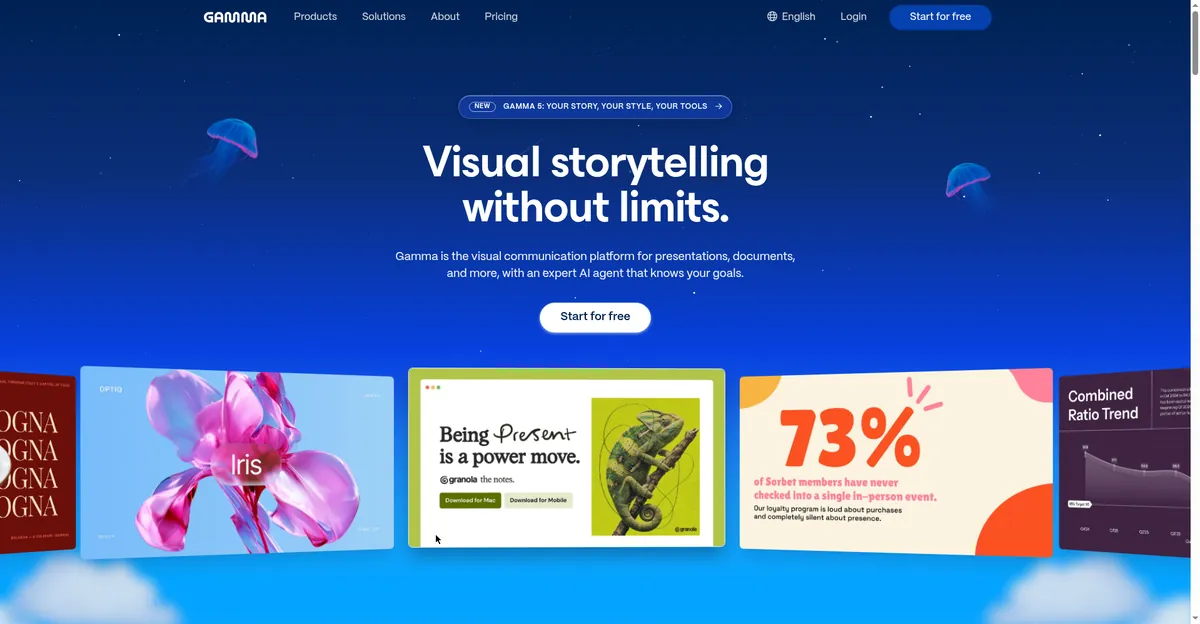
4. Gamma — the biggest free starter pool, but it never refills
Gamma is the fastest prompt-to-deck tool tested in 2026 — a full card-style deck from one prompt in under three minutes — and its signup offer is the biggest single free allowance in the category: 400 credits (roughly ten generations at up to 10 cards per prompt). Exports cover PDF, PPTX, and web links. The honest reading: this is a long trial, not a plan. Once the credits are gone, they never come back, and free decks carry Gamma branding.
Best for: one big important deck — a pitch, a thesis defense — built fast · Free tier: 400 credits at signup, no credit card · Catch: credits never refill; free decks are Gamma-branded; PPTX export may need layout cleanup.
5. SlidesAI — the free AI presentation maker that lives in Google Slides
SlidesAI is the only serious option that generates decks natively inside Google Slides (with a PowerPoint add-in too). If your school or team runs on Google Workspace, this matters: no copying between apps, no conversion breakage. The free Basic plan — 12 presentations per year, 2,500 input characters each, 120 AI credits per year — genuinely covers a light user for a full year. It claims 3.7 million presentations created and 14 million installs.

Best for: students and teachers who refuse to leave Google Slides · Free tier: 12 presentations/year, 120 AI credits/year · Catch: the free allowance resets yearly, not monthly; document upload needs a paid plan.
6. Canva Magic Studio — the free AI presentation maker with the template ocean
Nobody matches Canva’s template and asset library, and Magic Design gives free-account users roughly 10 AI generations to play with. For visually ambitious decks you will edit heavily anyway, that starter allowance plus unlimited manual design is workable. The catch list is longer here than elsewhere: the AI allowance is small and shared across all Magic Studio surfaces, the genuinely useful AI presentation features sit on paid tiers, and PPTX downloads can shift fonts and layouts.
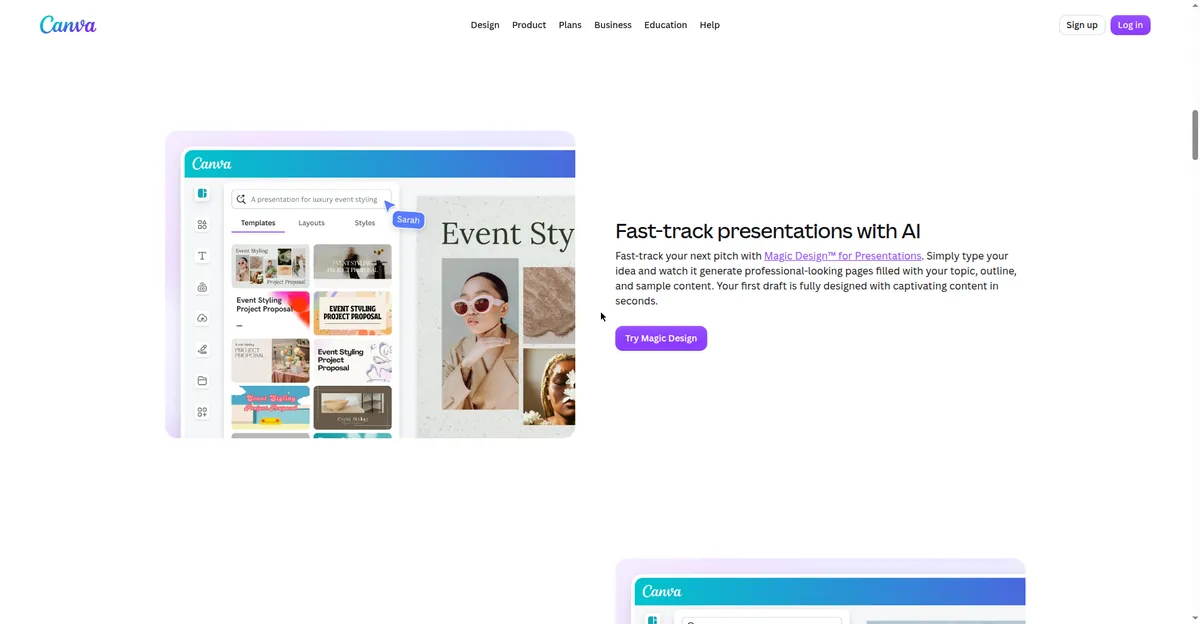
Best for: design-heavy decks where templates matter more than generation · Free tier: free account with ~10 Magic Design AI uses · Catch: small one-time AI allowance; AI presentation features are mostly premium; exports may need manual fixes.
7. Beautiful.ai — the “free” AI presentation maker that isn’t free
Including Beautiful.ai is a deliberate honesty call: it tops many “free AI presentation maker” roundups, but it has no free plan. What you get is a 14-day trial, then plans start at $12/month. It is here so you know exactly that — because discovering the trial-only truth after investing an afternoon hurts. The tool itself is strong for corporate decks, with smart slides that auto-fix layouts as you type, but do not mistake it for a free option.
Best for: corporate teams with a budget who need layout guardrails · Free tier: none — 14-day trial only · Catch: it is not free; $12/month starting price, the priciest casual option here.
Free AI Presentation Maker Comparison Table
| Tool | Free allowance | Renews? | Free exports | Best for |
|---|---|---|---|---|
| ChatSlide | 30 credits | Monthly | PPTX, Keynote, PDF, MP4 + speaker notes | Recurring free deck-making |
| Napkin AI | Generous free tier | Yes (ongoing) | PNG/SVG visuals | Diagrams and flowcharts |
| Slidesgo AI | 3 AI decks | Monthly | Editable PPTX | Real .pptx files, students |
| Gamma | 400 starter credits | Never (one-time) | PDF, PPTX, web link | One big deck, fast |
| SlidesAI | 12 decks/year, 120 credits | Yearly | Via Google Slides | Google Slides workflows |
| Canva Magic Studio | ~10 AI uses | Never (one-time) | PPTX (layouts may shift) | Visual, template-heavy decks |
| Beautiful.ai | None — 14-day trial | N/A | Trial only | Corporate decks (paid) |
*Allowances from each vendor’s pricing/help pages, checked October 2026. Free tiers change often — verify before starting a big project.*
The Free-Limit Trap: What “Free” Really Gets You
Almost every complaint about a free AI slide maker traces back to one of three traps. Knowing them by name saves you from learning them by experience.
Trap 1: The one-time pool disguised as a plan. Gamma’s 400 credits and Canva’s ~10 AI uses look abundant on the pricing page, but they never come back. Burn them on test decks and your “free” tool is suddenly asking for money mid-semester. Treat one-time pools as trials: use them for the one deck that matters, not for experiments.
Trap 2: The export paywall. This is the nastiest one. You spend an hour perfecting a deck, then discover the download button is a paid feature — or the free export is a watermarked PDF your professor will not accept. Slidesgo and ChatSlide are honest here (real PPTX on free tiers); with others, check the export column of the table above before you start, not after.
Trap 3: The signup-to-card funnel. A “free” tier that requires a credit card is designed to bill you the moment you slip past the trial edge — Beautiful.ai’s 14-day trial is the textbook case. ChatSlide’s no-card free plan is the standard to measure against: if a tool truly gives value away free, it does not need your card number.
One more quiet trap worth naming: watermarked branding. Gamma’s free decks carry its logo. For a class assignment that is fine; for a client-facing freelance deliverable it is not. If you plan to sell deck-making services as a freelancer, factor branding removal into your costs — a branded free deck can cost you a client.
Which Free AI Presentation Maker Should You Pick?
Skip “best overall” — match the tool to your situation:
- Student on a $0 budget? ChatSlide’s monthly refresh plus Slidesgo’s 3 decks/month cover a whole semester. Pair them with these free AI tools for students for the rest of your workflow.
- Teacher making weekly lessons? SlidesAI inside Google Slides — the yearly free tier plus native editing keeps everything in one place.
- One important pitch deck? Gamma. Burn the 400-credit starter pool on the single deck that matters; it is the fastest prompt-to-deck tool tested.
- Freelancer doing client work? You need real editable PPTX on the free tier — ChatSlide or Slidesgo — and no watermarked branding on client-facing files.
- Applying for jobs and need slides plus documents? Gamma or SlidesAI for the deck, and our AI cover letter generator guide for the application package.
- Diagrams and charts are the hard part? Napkin AI for the visuals, pasted into whatever slides tool you already use.
A practical testing method: give two finalists the same one-paragraph prompt and compare the outputs side by side. The tool whose draft needs the least fixing is your winner — AI generation that needs an hour of repair was never free.
FAQs
Is there a completely free AI presentation maker with no catch?
The closest honest answers are ChatSlide (30 credits/month, refreshes, no card) and Napkin AI (generous ongoing free tier). No tool gives unlimited generation for free — every plan has a cap somewhere. The realistic goal is a free tier whose cap you never hit, not a cap that does not exist.
Which free AI presentation maker gives real PowerPoint downloads?
Slidesgo (editable PPTX on the free tier), ChatSlide (PPTX plus Keynote, PDF, and MP4), and SlidesAI (through Google Slides, exportable to .pptx). Gamma exports PPTX too, though converted layouts can need cleanup. Beautiful.ai gates exports behind its paid plans.
Can I make presentations with AI for free without signing up?
Most tools require a free account to track your allowance. Gamma, ChatSlide, Slidesgo, SlidesAI, and Canva all offer free accounts without credit cards. Fully anonymous, no-signup AI generation is rare — free accounts are how the allowance is enforced.
Is Gamma’s free plan actually free forever?
Gamma’s 400 starter credits cost nothing and need no credit card, but they never refill. Once used, generating more requires a paid plan. Think of it as a long trial: generous for one big project, not a permanent free plan.
What’s the best free AI slide maker for students?
ChatSlide and Slidesgo top the list for students — monthly-renewing free allowances with real PPTX export, no credit card. SlidesAI’s 12 free decks per year also comfortably covers a school year for light users.
Do free AI slide makers put watermarks on my slides?
Some do. Gamma’s free decks carry Gamma branding, and Canva’s free exports may include Canva marks on premium elements. ChatSlide and SlidesAI do not watermark on the free tiers listed here. If the deck goes to a client or a formal review, check the export preview before you rely on it.
Bottom Line
The best free AI presentation maker in 2026 is the one whose free tier matches how often you actually make decks. ChatSlide’s monthly credit refresh is the only genuinely recurring free plan; Slidesgo gives students real PPTX files three times a month; Gamma’s 400 credits are perfect for one big important deck but never come back; and Beautiful.ai, despite appearing on “free” lists everywhere, is a 14-day trial in disguise. Pick by renewal first, export second, and never build a deck in a tool before confirming your finished work can leave it for free.
*Freshness note: Free allowances, renewal rules, and export policies verified against vendor pricing pages October 2026. Free AI presentation maker tiers change frequently — recheck limits before starting a big project.*