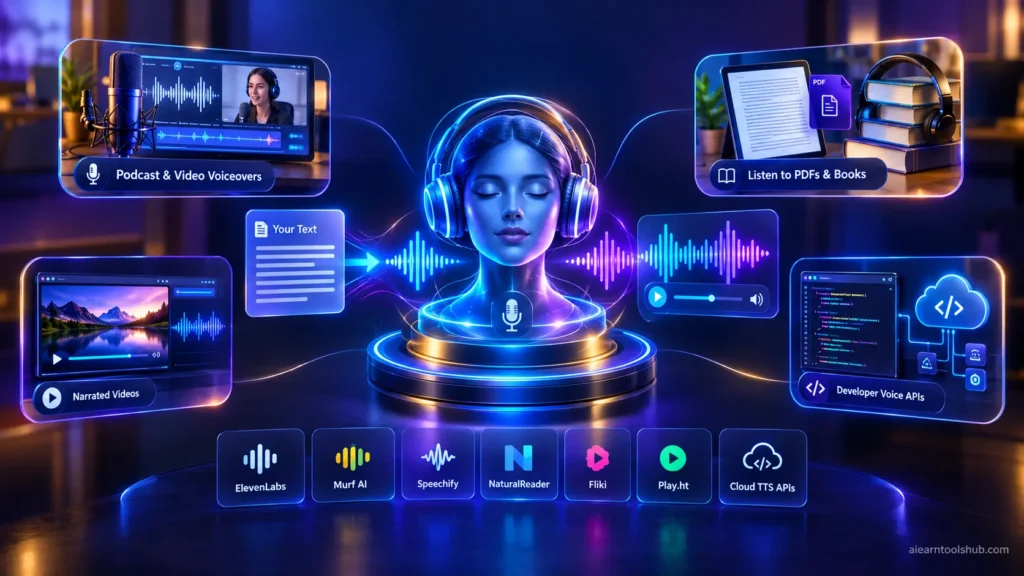
AI text to speech turns written text into natural-sounding spoken audio using neural voice models. For most people the best starting point is ElevenLabs for realistic voices, NaturalReader or Speechify for listening to documents, and Murf for polished voiceovers, and all of them offer free plans or free access.
Picture a student in Chicago who wants to listen to lecture notes on the bus, a YouTuber in London who needs a voiceover without renting a studio, a teacher in Toronto turning handouts into audio, and a developer in Sydney adding voices to an app. All of them search for AI text to speech, and each needs a different tool.
This guide compares seven AI text to speech tools by job, with prices, limits, language support, and the commercial-use rules that trip people up. Prices are US list prices checked on October 8, 2026 from recent pricing guides and vendor pages. Sources disagree on several plans, so I give ranges and tell you where to verify.
Key takeaways
- AI text to speech tools split into three jobs: realistic voices, document reading, and developer APIs.
- ElevenLabs’ free plan gives 10,000 credits a month, roughly 10 minutes of audio, and paid plans start at about $5.
- Free plans are usually personal-use only. Check commercial rights before you monetize any audio.
- Language and accent coverage varies by tool, so test the exact voice you plan to publish.
- Always listen to the full audio before publishing, because names and numbers are often mispronounced.
How AI Text to Speech Works (and What It Gets Wrong)
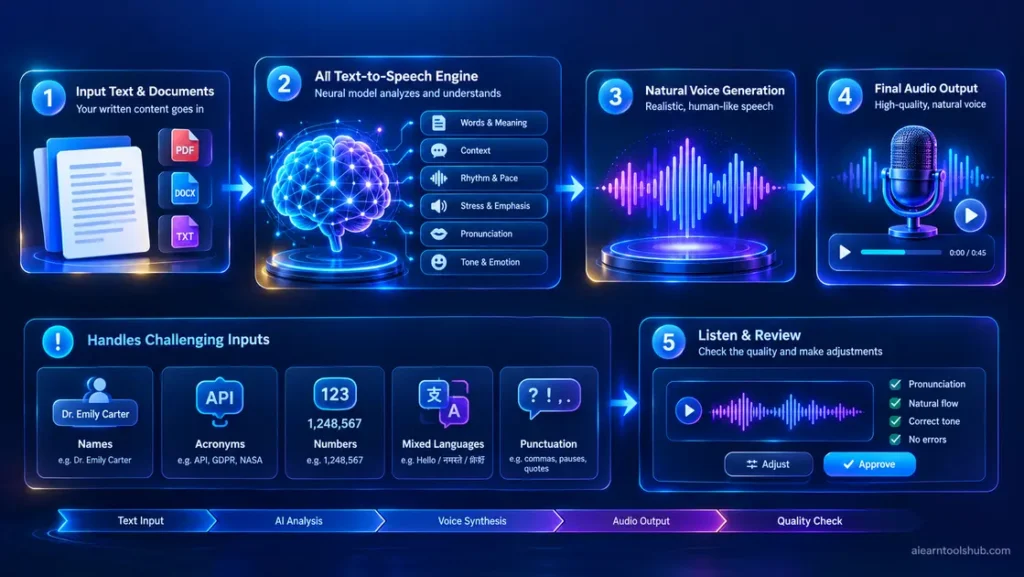
AI text to speech uses neural networks trained on recorded human speech. The model reads your text, predicts rhythm, stress, and tone, and generates audio. Better models handle emotion and context, which is why modern voices sound far less robotic than older ones.
They still make mistakes. Names, acronyms, long numbers, mixed languages, and poetry are the usual trouble spots. Treat the first export as a draft and listen to all of it.
AI Text to Speech Tools at a Glance
| Tool | Best for | Free option | Paid from |
|---|---|---|---|
| ElevenLabs | Most realistic voices | Yes, 10,000 credits (about 10 minutes) per month | About $5 per month annually, $6 monthly |
| Murf AI | Studio voiceovers | Limited downloads may be restricted. | About $19 to $29 per month |
| Speechify | Listening to articles and books | Yes, basic voices | $139 per year (about $11.58 per month) |
| NaturalReader | Reading PDFs and documents | Yes, with daily limits | About $10 per month |
| Fliki | Voice plus video | Yes, with limits | About $28 per month |
| Play.ht | Developers and long-form audio | Yes, limited | About $31 to $39 per month |
| Cloud APIs (Polly, Azure, Google) | Apps and large volumes | Small free allowances | Pay per character |
Prices vary by billing period and region. Confirm on each vendor’s page before you pay.
7 Best AI Text to Speech Tools
1. ElevenLabs: The Most Realistic Voices
ElevenLabs is the benchmark for realistic AI text to speech. Its voices carry emotion and pacing that many rivals still lack, and it offers voice cloning and dubbing across many languages. The free plan gives 10,000 credits per month, roughly 10 minutes of audio, but it excludes commercial use and asks you to credit ElevenLabs. The starter is about $5 per month on annual billing ($6 monthly) and includes a commercial license. The creator is about $22, and the pro is $99.
Credits run out quickly on long scripts, so estimate your monthly audio before choosing a plan. Check the ElevenLabs pricing page for current credits and terms. Pick it when voice quality matters more than price.
2. Murf AI: A Studio for Voiceovers
Murf is a voiceover studio rather than a simple reader. You edit a script, adjust pauses and emphasis, and sync the audio to slides or video. Free access is limited and may not allow downloads, and paid plans run from about $19 to $29 per month depending on billing.
It suits marketers and course creators who produce polished voiceovers regularly. If you only want to listen to articles, it is more than you need.
3. Speechify: Built for Listening
Speechify is designed for reading aloud: PDFs, web pages, books, and even scanned pages. The free plan offers basic voices at up to 1.5x speed. Premium is listed at $139 per year, about $11.58 per month, or around $29 on monthly billing, and adds 1,000+ voices and 60+ languages and speeds up to 5x.
Students who read a lot will get the most from it. See our list of the best AI tools for students in 2026 for more study helpers.
4. NaturalReader: Documents and Study Material
NaturalReader reads PDFs, Word files, and web pages aloud with text highlighting, and it offers a browser extension and dyslexia-friendly presets. A free plan with daily limits exists, and paid plans start at about $10 per month.
The personal plans are for personal use only. If you publish the audio, you need its separate commercial plan.
5. Fliki: Voice and Video Together
Fliki turns text into narrated video, so scripts, stock visuals, and voices live in one place. It lists more than 80 languages and several voice engines to choose from. It has a free plan with limits, and paid plans start around $28 per month.
It works well for creators who want a fast first draft of a narrated video.
6. Play.ht: For Developers and Long-Form Audio
Play.ht takes an API-first approach, so developers can add voices to apps, and it also has a web studio for long-form audio such as podcasts. It has a free tier, and paid plans are listed from about $31 to $39 per month. Choose it if you are building something, not just making a one-off recording.
7. Cloud APIs: Amazon Polly, Microsoft Azure and Google Cloud
Developers can also use cloud services that charge per character instead of per month. Amazon Polly, Microsoft Azure Speech, and Google Cloud Text-to-Speech cover many languages and voices, and consumer tools such as Fliki list Microsoft’s neural engine among their voice options. They give you control and low cost at scale, but there is no friendly studio. Check each provider’s current price list and free allowance.
Which AI Text to Speech Tool Fits You?
| If you want to… | Start with |
|---|---|
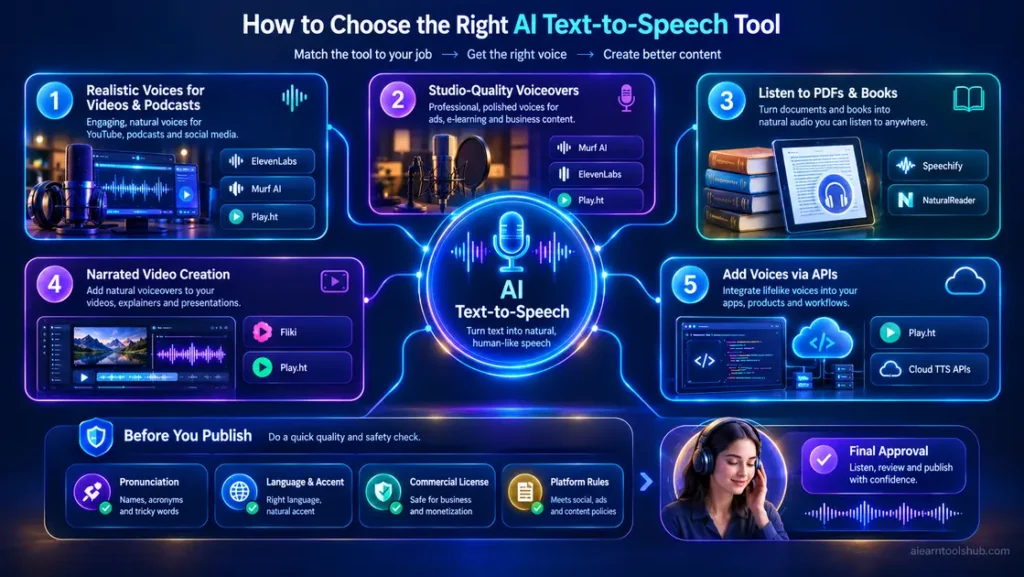
| Get the most realistic voice for videos or podcasts. | ElevenLabs |
| Edit a script and produce studio-style voiceovers. | Murf AI |
| Listen to articles, PDFs, and books on the go | Speechify or NaturalReader |
| Make a narrated video from a script. | Fliki |
| Add voices to an app. | Play.ht or a cloud API |
| Read casually for free. | The built-in reader on your phone or computer |
AI Text to Speech in Other Languages: What to Check
Most major tools support many languages, but coverage and quality are not equal. ElevenLabs lists dozens of languages, Speechify lists 60+, and Fliki lists 80+. A long language list does not guarantee a good voice in every one of them.
If you publish for an international audience, check these before you commit:
- Pick the exact accent. US, UK, and Australian English sound different, as do Canadian and European French or Latin American and European Spanish.
- Test names and loanwords. Place names, brand names, and foreign words are where voices slip.
- Check your plan’s voice list. Some languages or premium voices are limited to paid tiers.
- Avoid mixed-language sentences unless you have tested them, because voices often switch accents awkwardly.
- Listen at normal speed. Slowing or speeding up audio hides errors.
Free vs Paid Plans: Commercial Rights Explained
This is where people get caught. Free plans are generally for personal use only, and recent reviews report that no major tool offers commercial rights on its free plan. ElevenLabs’ free plan, for example, excludes commercial use and asks for attribution, and recent pricing guides list its Starter plan as the first with a commercial license. Terms differ by tool and change over time, so read the vendor’s current terms before you use audio in monetized videos, courses, or client work.
Two more rules to follow:
- Only clone voices you own or have written permission to use. Cloning someone’s voice without consent is an ethical and legal risk.
- Read platform policies. YouTube and ad networks have rules on synthetic voices and repetitive, mass-produced content, and they change. Check the current policy before you monetize.
For ideas on turning audio and content into income, see our guide on using ChatGPT for making money online.
How to Test AI Text to Speech Before You Pay
Do not judge any tool by its marketing demo. Test it with your own content:
- Paste the same short script into two or three tools on their free plans.
- Add one sentence in your own language if you need more than English.
- Listen to every second at normal speed and note mispronunciations.
- Check export limits and read the commercial terms.
A good test script packs in the usual problem cases:
Dr. Aisha Khan paid $1,250.50 on 3 March 2026 for the NASA data course in Toronto. Was it 38°C at 4:30 p.m.? The CEO said, "Read the FAQ, then email support@example.com."For a broader look at tools that save time, see our guide to AI productivity tools.
Common Mistakes to Avoid
Most disappointment with AI text to speech comes from a few avoidable habits.
- Publishing without listening. Mispronounced names and numbers are easy to miss in a script and obvious in audio.
- Ignoring the license. A free plan’s audio can get a monetized video flagged or demonetized.
- Paying for credits you won’t use. Estimate your minutes of audio per month first.
- Choosing by voice demo. Demos use perfect text. Test your own messy scripts.
Bottom Line: Which AI Text to Speech Tool to Start With
If voice quality is your priority, start with ElevenLabs’ free plan. If you mainly want to listen to documents, try NaturalReader or Speechify. If you make narrated videos, look at Murf or Fliki, and if you build apps, look at Play.ht or a cloud API.
The right AI text to speech tool is the one that handles your own text well and has a license that matches how you will use the audio. Test first, read the terms, then pay.
AI Text to Speech: Frequently Asked Questions
What is the best free AI text to speech tool?
ElevenLabs offers the most realistic free voices, with 10,000 credits a month, about 10 minutes of audio, while NaturalReader and Speechify have free plans for listening to documents. Your phone and computer also include free built-in readers. Free plans usually limit usage and exclude commercial use, so check the terms before publishing.
Is AI text to speech free for commercial use?
Not on free plans. Recent pricing guides say ElevenLabs’ free plan excludes commercial use and requires attribution, and its Starter plan is the first with a commercial licence. Other tools differ, so read each tool’s current terms before using audio in monetized videos, courses or client work.
Does AI text to speech support other languages?
Yes. Most major tools support many languages: ElevenLabs lists dozens, Speechify lists 60+ and Fliki lists 80+. Quality and voice choice vary by language and accent, so test your own text, names and numbers before you publish.
How does AI text to speech work?
AI text to speech uses neural networks trained on recorded human speech. The model reads your text, predicts how it should sound, including rhythm and stress, and generates audio. Better models handle emotion and context, but they can still mispronounce names, numbers and unusual words.
Can I use AI voices for YouTube videos?
Often yes, but you need the right plan and must follow YouTube’s rules. Free plans usually exclude commercial use, and platform policies on synthetic voices and repetitive content change, so read the tool’s terms and YouTube’s current policy before monetizing.