AI productivity tools save time by handling the repetitive parts of work: drafting, note-taking, scheduling, ssearching,and moving information between apps. For most people the best starting stack is one general AI assistant, one meeting note-taker, and one scheduling tool, and all three can be started free.
The trouble is choice. Open any app store and you will find hundreds of AI productivity tools, each promising to give you back hours. A student in Lahore, a freelancer in Karachi, an analyst in Toronto, and a manager in London do not need the same ones, and buying them all is the fastest way to waste money.
This guide covers seven of the best AI productivity tools by job, with pricing, limits, and who each one suits. I picked tools that lead their category, publish clear pricing, and offer a free plan or free access. Prices are US list prices checked on October 8, 2026, from vendor pages and recent pricing guides, and they change often, so confirm before you pay. This is a research-based guide, not a lab test, which is why a 7-day test you can run yourself is included below.
Key takeaways
- Most people need only three AI productivity tools: a general assistant, a meeting note-taker, and a scheduler.
- Start on free plans and pay only when you hit a real limit.
- Notion’s own pricing page lists Plus at $10 and Business at $20 per seat per month, with its agent and AI meeting notes on Business.
- If you record meetings, tell everyone first, because consent rules differ by country and state.
- Treat every AI output as a first draft and check names, numbers, and facts.
What AI Productivity Tools Actually Do (and What They Don’t)
AI productivity tools fall into four jobs: writing and thinking help, meeting notes, calendar planning, and automation. Each one removes a specific chore. None of them fixes a messy process. If your tasks are unclear, an AI scheduler will only organize the confusion more neatly.
They also make mistakes. Assistants can state wrong facts with confidence, and transcription tools mishear names. Plan to review the output every time.
AI Productivity Tools at a Glance
| Tool | Best for | Free option | Paid from |
|---|---|---|---|
| ChatGPT, Claude, Gemini, Copilot | Writing, research, planning | Yes, free plans | About $20 per month |
| Notion AI | Notes, docs, team knowledge | Free plan with a limited AI trial | Plus $10 or business $20 per seat per month |
| Otter.ai | Live meeting transcripts | Yes, 300 minutes per month. | $8.33 per month billed annually |
| Fireflies.ai | Searchable meeting archive | Yes, with limits | About $10 to $18 per user per month |
| Motion | Auto-scheduling tasks | No permanent free plan | About $19 per seat per month |
| Reclaim.ai | Protecting focus time | Yes, the Lite plan | About $8 to $14 per month |
| Zapier | Connecting your apps | Check current allowance. | Usage-based |
Prices vary by billing period and region. Ranges come from recent pricing guides, so confirm on each vendor’s page.

7 Best AI Productivity Tools for Work and Study
1. General AI Assistants: ChatGPT, Claude, Gemini and Copilot
If you add only one of the AI productivity tools below, make it a general assistant. It drafts emails, summarizes long documents, explains hard topics and helps you plan your week. All four major options have free plans. The standard paid tiers cluster around $20 per month: ChatGPT Plus is $20, Claude Pro is $20 ($17 on annual billing), Google’s Gemini AI Pro is $19.99, and Microsoft 365 Premium is $19.99 with the Office apps bundled in.
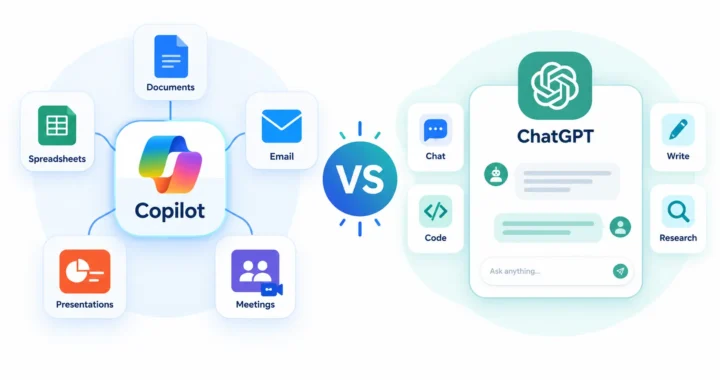
Pick by where you work, not by hype. Microsoft 365 users should look at Copilot, and our comparison of Microsoft Copilot vs ChatGPT explains the trade-offs. For a no-cost start, see our list of free AI tools like ChatGPT without limits. Results depend heavily on how you ask, so our guide to how to write AI prompts is worth ten minutes. You can confirm ChatGPT’s plans on OpenAI’s pricing page.
This suits almost everyone. The main risk is confident wrong answers, so verify names, numbers, and quotes.
2. Notion AI: Notes, Docs and Team Knowledge
Notion AI works inside the Notion workspace, where it can answer questions about your notes, draft pages, and take meeting notes. On Notion’s own pricing page, Free is $0, Plus is $10 per seat per month, and Business is $20 per seat per month. Notion Agent and AI Meeting Notes appear on Business, while Free and Plus include a trial of Notion AI.
AI use is metered with Notion credits, which Notion lists as free to try and then $10 per 1,000 monthly credits. Third-party guides disagree on what is bundled, so read Notion’s pricing page before you commit. On data, Notion states it will not use your data to train its models unless you opt in. Students and educators can get the single-member Plus plan free.
It only shines if your notes already live in Notion. Moving everything over just to try the AI is not worth the effort.
3. Otter.ai: Live Meeting Notes
Otter.ai joins your online meetings, transcribes them live, and produces a summary with action items. The basic plan is free with 300 transcription minutes per month. Pro costs $8.33 per month billed annually or $16.99 monthly and includes 1,200 minutes, with a 90-minute cap per meeting. Business runs for $19.99 per user per month billed annually or $30 monthly.
Two honest caveats. Transcripts are not perfect, and one recent hands-on review measured accuracy at around 85 percent, so names and numbers need checking. And if you record calls, tell everyone first.
4. Fireflies.ai: A Searchable Library of Your Meetings
Fireflies.ai also records and transcribes meetings, but it leans toward a searchable archive of past calls and integrations with tools such as Slack, Notion, Asana, HubSpot, and Salesforce. It has a free plan with limits. Paid plans start around $10 to $18 per user per month depending on billing, and business tiers cost more, so check its pricing page.
Choose it over Otter when you need to search months of meetings or push summaries into a CRM. If you only want notes from your own calls, one of the two is enough.
5. Motion: AI Task Planning
Motion automatically schedules your tasks around meetings and deadlines and reshuffles the plan when your day changes. Recent reviews list its AI plans at about $19 per seat per month for the entry plan and about $29 for the business plan, with no permanent free plan. That makes it the priciest tool here, so try a cheaper option first.
It suits people with many tasks and deadlines, such as freelancers juggling several clients. If you have a few meetings and a short to-do list, it is more of a tool than you need.
6. Reclaim.ai: Calendar Defense
Reclaim.ai also plans your calendar, but with a gentler approach. It protects focus time, schedules habits, and moves tasks around your meetings. It has a free Lite plan, and paid plans start at roughly $8 to $14 per month depending on tier and billing. It is built around Google Calendar, so check current support if you use another calendar.
Pick Reclaim for protecting your time and Motion for full task planning. You rarely need both.
7. Zapier: Connect Your Apps
Zapier moves information between apps without copying and pasting. A typical automation adds a row to a sheet and sends a Slack message whenever a form is submitted. Pricing depends on how much you automate, and the free allowance has changed over the years, so check Zapier’s current plans. If the idea of automated workflows is new, our explainer on AI agents vs chatbots shows where automation is heading.
It pays off only for tasks you repeat weekly. Automating something you do twice a year costs more time than it saves.
How to Build a Stack of AI Productivity Tools
The smartest way to use AI productivity tools is to combine a few that do different jobs instead of paying for overlapping ones. Here are sensible starting stacks.
| If you are… | Start with | Rough monthly cost |
|---|---|---|
| A student | Free assistant, Notion free (Plus is free for students), Otter Basic | $0. See our best AI tools for students. |
| A freelancer | Assistant, Reclaim Lite, Otter Basic | $0 on free plans, or roughly $35 to $50 if you pay for all three |
| An office worker in Microsoft 365 | Copilot plus Otter Basic | Depends on your employer’s license. |
| A team of 10 | Notion Business Plus is a one-meeting tool. | Notion alone is $200 per month at list price (10 seats at $20) |
For team budgets, our guides on AI tools for small business owners and AI tools for business go deeper.

Test AI Productivity Tools for 7 Days Before You Pay
Reviews cannot tell you whether AI productivity tools fit your own week. A short test can.
- List three repetitive tasks you did this week, such as email replies, meeting follow-ups, or weekly planning.
- Pick one tool for one task. Do not install five at once.
- Time the task for a few days without the tool, then a few days with it.
- Keep the tool only if it saves real minutes after you fix its mistakes.
A good first prompt for any assistant:
Here are my tasks for tomorrow: [paste list]. Put them in a realistic order, estimate the time each needs, and flag anything that depends on someone else.Privacy and Safety Rules for AI Productivity Tools
- Get consent before recording. Laws on recording calls differ between countries and states, so tell participants first.
- Keep confidential files out of personal accounts. Use the tools your employer or client has approved.
- Read the data settings. Notion, for example, says it does not train on your data unless you opt in. Check each vendor’s own policy.
- Check transcripts and summaries. A wrong number in meeting notes can travel a long way.
Common Mistakes to Avoid
Most disappointment with AI productivity tools comes from a few avoidable habits.
- Buying overlapping tools. Two meeting recorders or two schedulers rarely add value.
- Paying before testing. The free plans of most tools are enough to judge fit.
- Automating a broken process. Fix the workflow first, then add AI.
- Trusting output blindly. Review names, numbers, and claims every time.
Bottom Line: Which AI Productivity Tools to Start With
Start with one general assistant, add a meeting note-taker if you attend many calls, and add a scheduler only if your calendar is the real problem. Keep notes in Notion only if you already live there.
The best tools are the ones you open every day. Run the 7-day test, keep what saves real time, and cancel the rest.
AI Productivity Tools: Frequently Asked Questions
What are the best AI productivity tools?
The best AI productivity tools depend on the job: a general assistant such as ChatGPT, Claude, Gemini or Copilot for writing and research, Notion AI for notes and docs, Otter.ai or Fireflies.ai for meetings, and Motion or Reclaim.ai for scheduling. Most people need only three of them.
Are there free AI productivity tools that are actually useful?
Yes. Free plans from ChatGPT, Claude, Gemini and Copilot handle drafting and research, Otter.ai gives 300 transcription minutes a month, Reclaim.ai has a free Lite plan, and Notion has a free plan with a limited AI trial. Limits apply, so upgrade only after you hit them.
Which AI tool is best for meeting notes?
Otter.ai suits live transcripts and summaries of your own meetings, with a free plan of 300 minutes a month. Fireflies.ai suits teams that want a searchable archive and Slack or CRM integrations. Always tell participants you are recording and check the transcript for errors.
Can AI replace a personal assistant?
Not fully. AI handles repetitive tasks like drafting, transcribing and scheduling, but it cannot judge priorities, manage sensitive conversations or take responsibility for mistakes. Treat it as a way to get time back, not as a replacement for human judgment.
Are AI productivity tools safe for work data?
It depends on the tool and plan. Notion, for example, says it does not train its models on your data unless you opt in. Check each vendor’s data policy, avoid pasting confidential material into personal accounts, and use the tools your employer has approved.