AI Character Generator: 7 Best Free Tools for OCs (2026)
An AI character generator is a tool that turns a short description — a role, a look, a personality trait — into a finished original character (OC): a portrait, a profile, a backstory, or all three at once. The best free ones give you a usable character without a card or a long sign-up; the rest cap your monthly generations or charge for the features that actually matter, like keeping the same face across images.
Key takeaways
- Best all-round free AI character generator: CharacterGen — 10 free generations a month, including turnarounds, expressions and poses.
- Best for consistent characters: OCKeeper — 200 free credits a month, and your character keeps the same face across renders.
- Best for profiles and backstories (not just pictures): HelloWriter — a full character profile free, with no sign-up standing between you and it.
- Know the split: portrait generators make pictures, profile generators write the character — the best results come from using one of each.
- Last checked: October 2026. Free limits below are the ones shown on the tools’ own pages at that date; credit prices change, so check the button price before you generate.
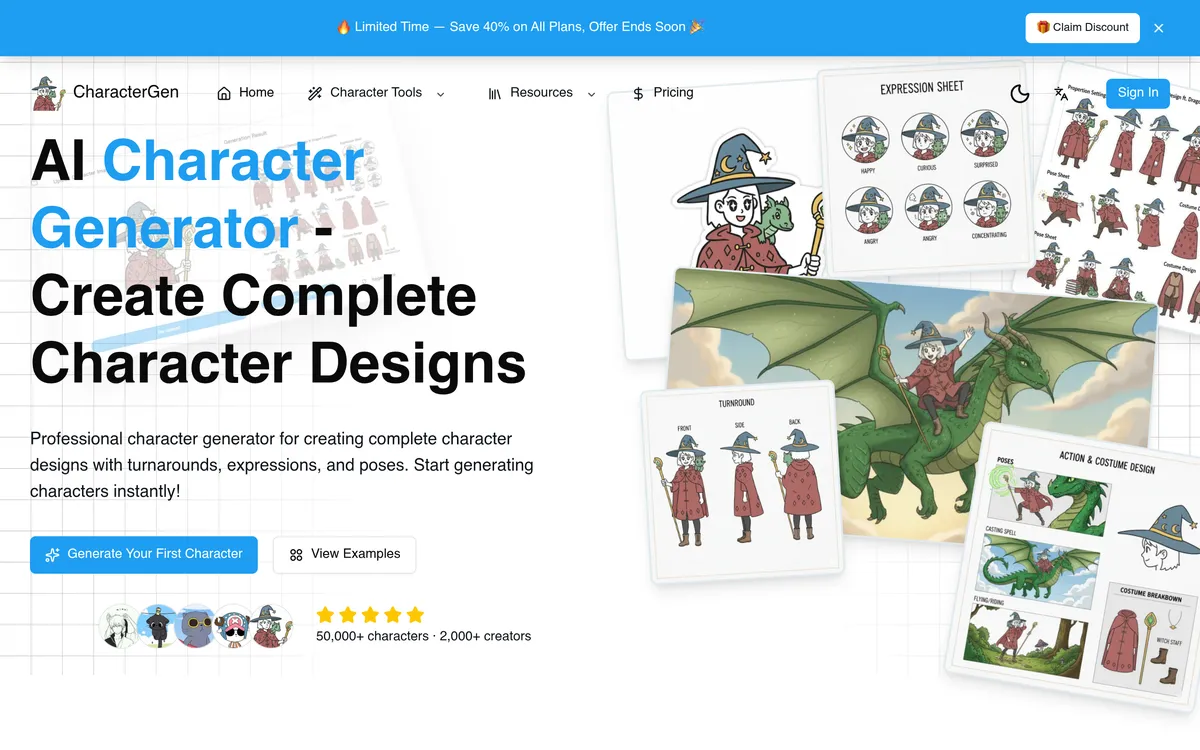
Table of Contents
- What is the best free AI character generator?
- Portrait or profile: which kind of AI character generator do you need?
- The 7 best AI character generators, compared
- How to keep your OC consistent across images
- A 10-minute OC workflow that actually works
- Frequently asked questions
- Bottom line
What is the best free AI character generator?
The best free AI character generator for most creators is CharacterGen, because its free plan includes 10 generations a month with the features that matter for real projects: full turnarounds, expressions and poses. Most free art tools give you a single image; CharacterGen gives you a complete design package — the front, side and back views plus expressions — which is what you need when a character has to appear in a comic, a game or a story more than once.
That distinction is the whole buying decision. A single pretty portrait is easy to get free anywhere. A character you can reuse — same face, same outfit, same colours, across ten images — is rare, and it is where the free tiers separate from each other. If your OC only needs one picture, almost any tool below will do. If your OC needs to survive a whole story, pick for consistency first and style second.
Portrait or profile: which kind of AI character generator do you need?
An AI character generator comes in two kinds, and you probably need to know which one you are looking at before you pick. Portrait generators (CharacterGen, OC Maker AI, OCKeeper, KusArt) make images: faces, outfits, poses, art styles. Profile generators (HelloWriter, and the prompt/backstory side of OCPersona) write the character: name, appearance, personality traits, backstory and story hook.
Writers usually need the profile first — a character with no backstory is just a face. Artists and game makers usually need the portrait first, then a short written sheet to keep the design consistent. The strongest workflow uses both: generate the profile in HelloWriter, then feed its description into CharacterGen or OCKeeper for the portrait, so the picture matches a character that already has a past, a motive and a secret.
The 7 best AI character generators, compared
Here is the honest free-tier picture for each AI character generator, with what is actually free and what costs money. “Free generations” means images or profiles you can make without paying; credit systems vary, so the number that matters is what you get for $0.
| AI character generator | Free tier | What you get free | Best for |
|---|---|---|---|
| CharacterGen | 10 generations/month | Turnarounds, expressions, poses | Complete character design packages |
| OC Maker AI | Free to try | Text-to-OC art, style presets, animation | Anime OCs and fan-community characters |
| OCKeeper | 200 credits/month, no card | Same-face renders across models | Consistent characters across a series |
| HelloWriter | Free profiles, no sign-up | Full profile: name, traits, backstory | Writers, D&D and roleplay characters |
| OCPersona | First creations free | Text-to-character, anime styles, backstories | Quick anime OCs and fan personas |
| OC Maker (app) | Core features free | Text-to-art OCs, commercial use | Simple, no-fuss OC art |
| KusArt | Free to start | Anime images, OCs, edits, motion | Anime-first creators |
1. CharacterGen — best complete AI character generator
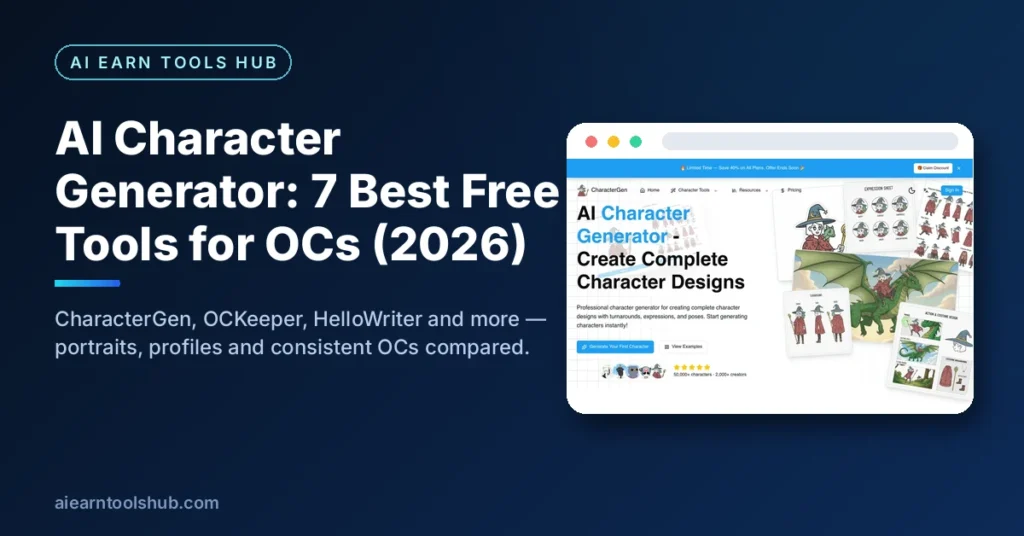
CharacterGen is a professional cartoon AI character generator focused on complete design packages rather than one-off images. Its free plan offers 10 generations per month, including full turnaround, expression and pose features — the package a novel, manga or game actually needs. Paid users can use generated characters for commercial creative work, and the tool supports both cartoon and realistic styles, chosen at generation time.
Its edge over general art tools is exactly that package thinking. Midjourney requires a paid subscription and gives you single images; DALL-E gives you single images with no turnarounds. CharacterGen is the only free option on this list that treats a character as a design system — front view, expressions, poses — instead of a single render. If you are building a character for a project rather than a single post, start here.
2. OC Maker AI — best for anime OCs and fandom characters
OC Maker AI is a free AI OC creator and anime character generator: describe your original character — species, hair, outfit, mood — and it generates polished character art in seconds, with style presets covering anime, chibi, Ghibli and pixel art, plus dedicated makers for fan communities like Naruto, Sonic, FNAF, Gacha, Warrior Cats and Pokémon. You can also edit an OC with a reference image — new outfit, pose or style — while the tool keeps your character consistent, and animate an OC into a video clip in one click.
The fan-community makers are the practical reason to try it. If your OC belongs to a fandom world, starting from a maker pre-filled with on-style prompts saves you from writing a long prompt from scratch and guessing the style. Just keep your OC original — built from scratch rather than copied from a trademarked character — and it stays yours to use.
3. OCKeeper — best for keeping one character consistent
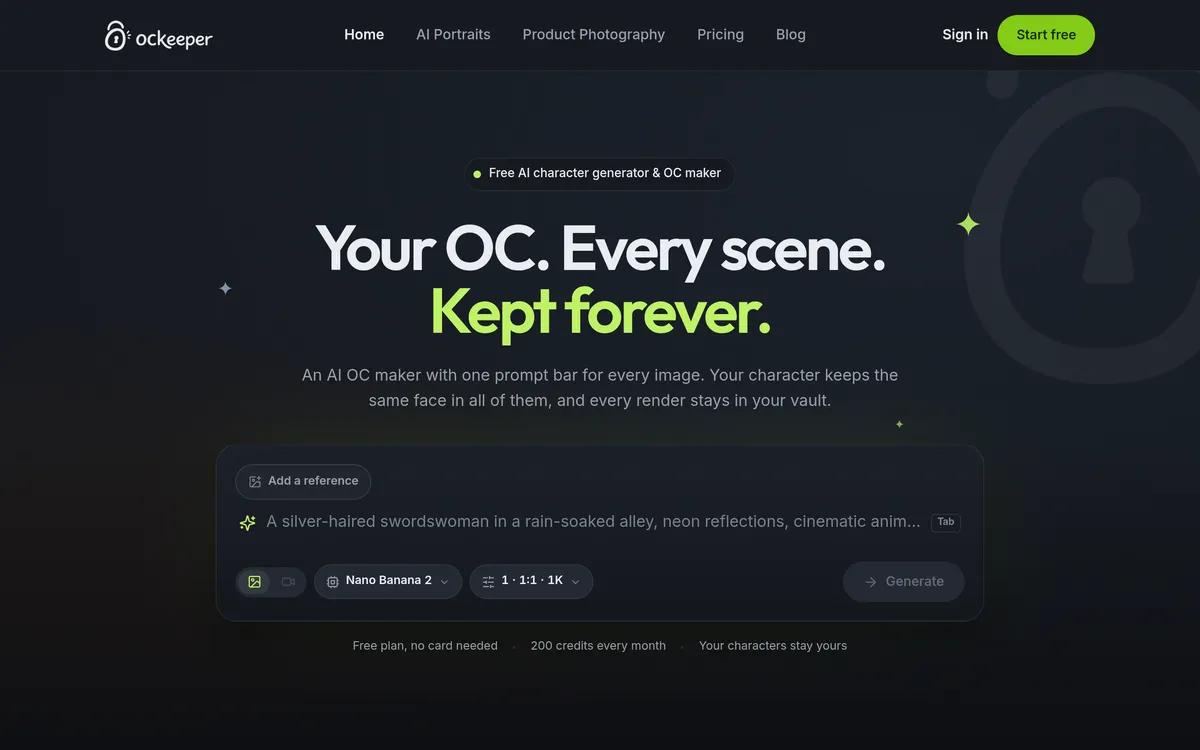
OCkeeper’s promise is in its tagline: your OC, every scene, kept forever. It is an AI OC maker with one prompt bar for every image, where your character keeps the same face in all renders and every render stays in your vault. The free plan needs no card and gives 200 credits every month, with every render priced up front — the cost sits on the button before you commit, so you never burn credits by accident.
That consistency system is what sets OCKeeper apart from a plain image generator. You can switch models mid-thread and the prompt, references and character key follow you across, with anything the new model cannot honour greyed out and explained rather than silently dropped. For a comic, a series or a VTuber persona — anywhere the same character must appear again and again — OCKeeper is the free tool most worth your 200 credits.
4. HelloWriter — best for character profiles and backstories
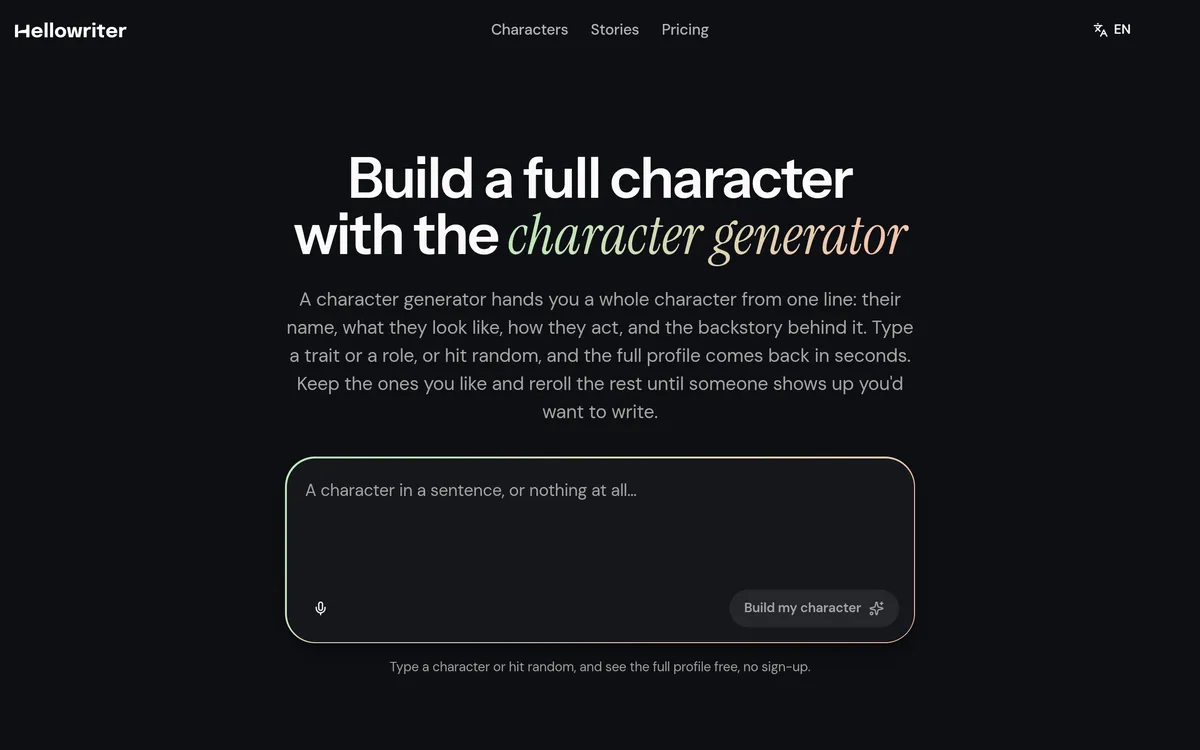
HelloWriter’s AI character generator turns one line into a full character profile: a name, an appearance, personality traits and a backstory with a story hook built in. Building a character profile is free, and no sign-up stands between you and it — you type a description or hit random, and the generator hands back a full profile in seconds. You only need a free account to save a character, draw their portrait or write their illustrated story, and there is no card to try it.
It is also explicit about the question every writer asks: can it make an OC? Yes — it works as an OC generator, building original characters from scratch, so fanfic writers can make someone new to drop into a favourite world, and every character comes back original-flavoured rather than modelled on an existing show or book. Characters you generate are yours to use, sell or publish however you like. If your story needs a character before it needs a picture, HelloWriter is the fastest free start.
5. OCPersona — best quick anime OC maker
OCPersona is a free character maker and AI OC generator: describe your idea and generate original characters, anime OCs and fan personas in seconds, with anime and original art styles, personas, backstories and refined prompts you can tweak. Your first creations are free, most characters render in under a minute in high resolution, and the tool promises no sign-up walls for those first creations.
Its strength is speed and breadth — pick a universe, from a Genshin-style world to a Hazbin-style cast, and the tool matches its signature look, while keeping the same face, outfit and colour language across regenerations. That makes OCPersona a good second tool: generate fast, keep the ones that work, and take your best character into CharacterGen or OCKeeper when you need a full design package.
6. OC Maker (app) — best simple, no-fuss OC art
OC Maker is an AI-powered character generator that transforms a character concept into visual artwork using AI: describe your character’s appearance and personality, and it generates unique artwork in seconds, with no drawing skills needed. Its core features are completely free, it works on mobile and PC, and every character you create belongs entirely to you — the platform claims no rights over your original characters, for commercial or personal projects.
There is less here than in CharacterGen or OCKeeper — no turnarounds, no vault, no model switching — and that is the point. If you want one good OC image quickly, on your phone, without learning a new tool’s system, OC Maker is the lowest-friction option on this list. Use it for single images; use the tools above it for characters that need to last.
7. KusArt — best anime-first AI character generator
KusArt is a free AI anime generator for characters, images and motion in one place: start with the anime image generator, shape a reusable cast in the original character generator, then refine or animate it without switching tools. It covers the full anime pipeline — image, OC, edit and video — with prompts, references and results staying connected, so you can keep building instead of starting over.
KusArt wins for anime-first creators because the whole workflow lives in one tool. A character that starts as an image can become a reusable OC, get edited (clothing, pose, expression, lighting) while preserving its identity, and then be animated — without exporting between three different apps. If your style is anime and your output includes motion, KusArt is the free tool to try first.
How to keep your OC consistent across images?
Keeping an OC consistent is the hardest part of using an AI character generator, and it comes down to three habits. First, write a character sheet before you generate: fixed face, hairstyle, outfit, colours and one signature detail, written in the same words every time. Second, reuse that exact description — or better, a reference image — for every new render, instead of re-describing the character from scratch. Third, use a tool built for consistency (OCKeeper’s character key, OC Maker AI’s reference edit, OCPersona’s consistent-design mode) rather than a plain image generator that treats every prompt as a new character.
The common failure is changing the description between images: “silver-haired swordswoman” in one prompt becomes “grey-haired warrior woman” in the next, and the tool quite reasonably draws two different people. Lock the words, lock the reference, and your OC survives the whole story.
A 10-minute OC workflow that actually works
Here is a workflow that uses the free tiers above without paying anything. Minute 0–2: open HelloWriter, type one line — a role and a flaw, like “a retired pirate who cannot swim” — and take the full profile it returns, keeping the name, traits and secret. Minute 2–5: paste that profile’s appearance into CharacterGen and generate the turnaround, so you have the face from every angle. Minute 5–8: take your favourite view into OCKeeper as a reference and generate two more scenes — the same character, different poses — to test consistency. Minute 8–10: save the character sheet (description + reference image + backstory) in one place, because the sheet is what makes the next ten images match the first three.
If you are building characters for a story rather than a single image, our guides to the AI story generator and the AI dungeon master tools show how to put a finished OC into a playable story, and the free tools library collects the rest of the site’s free resources.
Frequently asked questions
Is there a completely free AI character generator?
Yes. HelloWriter builds full character profiles free with no sign-up, CharacterGen gives 10 free generations a month, and OCKeeper gives 200 free credits a month with no card. Completely free means usable without paying — the caps are monthly generations or credits, not a paywall on your first character.
What is the best AI character generator for OCs?
For a complete OC design package, CharacterGen is the best free pick because it includes turnarounds, expressions and poses. For keeping the same OC consistent across many images, OCKeeper is the best free pick because its character key carries across renders. For a written OC with a backstory, HelloWriter is the best free pick.
Can I use AI-generated characters commercially?
It depends on the tool, so check its terms. HelloWriter says characters you generate are yours to use, sell or publish however you like, OC Maker says the same, and CharacterGen allows commercial use for paid users. The safe rule is: build your OC from scratch rather than copying a trademarked character, and confirm the tool’s commercial terms before you sell anything.
How do I make an anime OC with AI?
Describe your anime OC in one sentence — species, hair, outfit, mood — in an anime-first tool like OC Maker AI, OCPersona or KusArt, pick a style preset (anime, chibi or Ghibli), and generate. Then refine with a reference edit: keep the image you like and change only the part that is not working, so the character stays recognisable.
What is the difference between a character generator and an AI art tool?
AI art tools generate single images, while character generators create complete design packages — turnarounds, expressions and poses — for projects that need character consistency, like novels, manga and games. A single illustration suits the first; a reusable character needs the second.
Can AI character generators replace illustrators?
Not completely. They work well for quick drafting, for references to hand to an illustrator, and for budget-limited indie creators. Professional illustration still needs human artists for original, polished, fully consistent work — a character generator is an efficiency tool, not a replacement.
Bottom line
Start with HelloWriter for the profile, CharacterGen for the design package, and OCKeeper when the same character has to appear again and again — all three are genuinely usable free, and together they cover the whole OC workflow from first idea to finished cast.
Last checked: October 2026. Free limits and credit prices change — check the price shown on the tool’s own button before you generate. For more creators’ tools, see our free tools library.