Key takeaways
- An AI quiz generator turns your notes, PDFs, or lecture videos into practice tests in minutes — the fastest way to switch from passive re-reading to active recall.
- Quizgecko is the best all-in-one study bundle (quiz + flashcards + podcast from one upload); QuizWhiz has the smartest practice loop, with skill scoring and auto-generated retry quizzes.
- Studying from YouTube lectures? NoteGPT is the only tool here that builds quizzes straight from a video URL.
- Teachers should look at QuestionWell (standards-aligned, exports to Kahoot/Canvas/Google Forms) or MagicSchool AI (free forever tier, 80+ teacher tools).
- Every AI quiz generator below has a usable free tier — but always review AI-written questions before trusting them; accuracy varies by topic.
Table of Contents
- What Makes a Good AI Quiz Generator
- 7 Best AI Quiz Generators for 2026
- AI Quiz Generator Comparison Table
- How to Turn Your Notes Into a Quiz in 10 Minutes
- Which AI Quiz Generator Should You Pick?
- FAQs
- Bottom Line
Re-reading your notes a third time feels productive. It mostly isn’t — research on the testing effect keeps showing that quizzing yourself beats re-reading by a wide margin, with some studies putting the retention lift at 20–50%. The problem was always the effort: writing your own practice questions takes longer than the studying itself. That’s exactly what an AI quiz generator fixes. Paste in your notes, upload a PDF, or drop in a YouTube lecture link, and you get a ready-made practice test in under a minute.
Every AI quiz generator below was checked live in October 2026, with free-plan limits spelled out — the detail most roundups skip.
What Makes a Good AI Quiz Generator
Judge any AI quiz generator on five things:
- Flexible input. Pasted text is the minimum. Better tools accept PDFs, Word docs, photos of handwritten pages, webpages, and YouTube videos.
- Multiple question types. MCQs alone get stale. Look for true/false, fill-in-the-blank, short answer, and scenario questions that test understanding, not memory.
- A real free tier. “Free” should mean you can actually study — several quizzes a month — not one teaser behind a signup wall.
- Export and sharing. Students want PDF/print; teachers want Google Forms, Kahoot, Canvas, or Moodle export.
- A practice loop. The best tools score you, find weak spots, and generate follow-up quizzes automatically.
7 Best AI Quiz Generators for 2026
1. Quizgecko — best all-in-one study bundle
Quizgecko turns one upload into a full “AI lesson”: quiz plus flashcards, podcast-style audio, and study notes. Feed it a PDF, pasted text, a webpage, video, or just a topic, and pick from 10+ question types with auto-grading and a Mastery Score that tracks progress. It works in 50+ languages.
Free gives you one AI course per month (10k tokens) on the basic model — enough to test the workflow on a real chapter. Paid Plus/Ultra tiers raise limits and add LMS export; check the pricing page for current rates.
Best for: quiz + flashcards + audio from a single upload · Free tier: 1 AI course/month · Catch: thin for heavy exam-season use.
2. QuizWhiz — smartest practice loop
QuizWhiz is built around how studying works: it scores your skill per topic, auto-generates a Focused Quiz for anything under 70%, and unlocks a harder Level Up Quiz past 80%. Inputs cover notes, PDFs (up to 10 MB), text, and URLs, with five question types including multi-part Scenario questions nobody else here offers.
You get 10 one-time signup credits (about one 30-question quiz each), and practice plus retakes are unlimited and free. Paid plans start at $14/month for 1,000 credits. Exports: PDF, DOCX, TXT, Markdown, JSON.
Best for: students who want the quiz to adapt to weak spots · Free tier: 10 credits + unlimited practice/retakes · Catch: credits are one-time; heavy use needs a plan.

3. QuestionWell — best for teachers
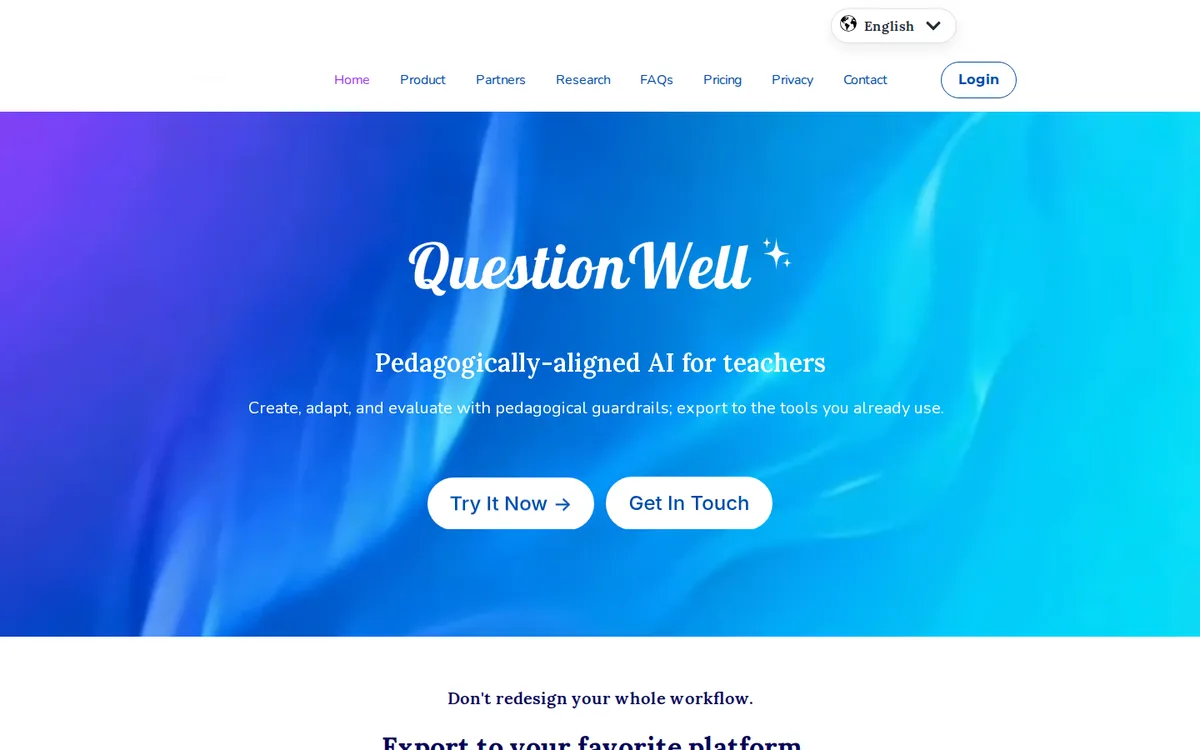
QuestionWell is the teacher-first pick: generate questions from text or video, aligned to learning standards and Bloom’s taxonomy, then export anywhere — Kahoot, Quizizz, Canvas, Gimkit, Blooket, Google Forms, or Word. It also generates AI readings and vocabulary lists.
The free tier is genuinely unlimited on question sets (MCQ-only, ~1,000-word reading limit per generation). Paid plans run about $7/month or $70/year, adding fill-in-the-blank and short-answer types.
Best for: standards-aligned, exportable class quizzes · Free tier: unlimited MCQ sets · Catch: thinner student self-study features.
4. Conker — cheapest paid plan
Conker keeps it simple: paste a topic or reading, pick a grade level, get a classroom-ready quiz with time limits, differentiated questions, and a built-in read-aloud accessibility feature — the only one on this list with it. Share via link or export to Google Forms or Canvas.
Free lets you share 5 quizzes (50 responses, 10 questions each, 1,200-word readings). Paid plans are the cheapest here: $3.99/month Basic, $5.99/month Pro, with unlimited quizzes and responses.
Best for: budget-conscious teachers who need accessibility · Free tier: 5 shareable quizzes, 50 responses · Catch: fewer input types than the student tools.
5. Revisely — best free file uploads
Revisely accepts the widest free uploads: PNG, JPG, PDF, DOCX, PPTX — photos of handwritten notes and textbook pages included. It generates graded MCQ and short-answer quizzes plus flashcards and notes from the same document, with an Exam Mode that simulates real test conditions and Anki export on paid plans.
Free users get 3 AI flashcard decks, 5 document pages per upload (25k characters), 25 Exam Mode answers, and 5 AI chats a day. Paid plans start from around $3/month billed annually.
Best for: studying from photos of handwritten notes or slides · Free tier: generous upload and chat allowances · Catch: confirm current pricing on the site.
6. NoteGPT — best for YouTube lectures
NoteGPT’s killer feature is unique here: paste a YouTube lecture URL and it summarizes the video, then generates quizzes, flashcards, mind maps, and an AI podcast from it. It also handles PDFs, webpages, and uploaded audio, with multi-AI chat for follow-ups.
The free tier is the most generous on this list — 15 AI quotas a month, no credit card. Paid plans: $9.99/month Pro, $29/month Unlimited.
Best for: students who study from video lectures · Free tier: 15 quotas/month, no card · Catch: simpler question types than QuizWhiz.
7. MagicSchool AI — best free teacher toolkit
MagicSchool AI is an 80+ tool platform for teachers, and its Quiz Maker sits inside a workflow covering lesson plans, rubrics, exit tickets with real-time summaries, and parent emails. It’s FERPA/COPPA compliant, exports to Google and Microsoft formats, and reports 6M+ educators signed up across 160 countries.
The free tier is $0 forever — all 80+ tools with generation limits. Plus is $12.99/month or about $8.33/month billed annually.
Best for: teachers who want quizzes inside a full toolkit · Free tier: free forever with limits · Catch: student self-study isn’t its focus.
Worth knowing: Quizlet’s Magic Notes turns pasted text or PDFs into flashcards, summaries, and practice tests — but AI generation needs Quizlet Plus ($35.99/year). If you already live in Quizlet it’s convenient; otherwise the free tiers above give you more.
AI Quiz Generator Comparison Table
| Tool | Best for | Quiz from | Free tier | Paid from |
|---|---|---|---|---|
| Quizgecko | All-in-one study bundle | PDF, text, URL, video, audio | 1 AI course/month | Check pricing page |
| QuizWhiz | Adaptive practice loop | Notes, PDF, text, URL | 10 credits + unlimited practice | $14/mo |
| QuestionWell | Teachers, standards-aligned | Text, video | Unlimited MCQ sets | ~$7/mo |
| Conker | Budget + accessibility | Topic, reading | 5 quizzes, 50 responses | $3.99/mo |
| Revisely | Photo/handwritten notes | PNG, JPG, PDF, DOCX, PPTX | 3 decks, 5 pages/upload | ~$3/mo annual |
| NoteGPT | YouTube lectures | YouTube URL, PDF, audio | 15 quotas/month | $9.99/mo |
| MagicSchool AI | Teacher toolkit | Topic, assignment | Free forever (limits) | $12.99/mo |
How to Turn Your Notes Into a Quiz in 10 Minutes
- Clean the input. Paste chapter notes or upload the PDF. Trim headers and page numbers — cleaner input means better questions.
- Pick mixed question types. MCQ + true/false + short answer. Pure MCQs test recognition; short answers test recall, which is what exams reward.
- Generate, then review. Read every AI-written question. Fix wrong answer keys on the spot — AI slips most on dates, formulas, and tricky distractors. The review pass itself is good studying.

Which AI Quiz Generator Should You Pick?
Studying from notes or a textbook? → Quizgecko for the full bundle, QuizWhiz for the adaptive retry loop.
Studying from YouTube lectures? → NoteGPT — nothing else here takes a video URL directly.
Working from photos of handwritten notes? → Revisely, for unmatched free upload flexibility.
A teacher building class quizzes? → QuestionWell for standards-aligned exports; MagicSchool AI for the whole free toolkit; Conker on a tight budget.
For the rest of your study stack, see our best free AI tools for students roundup, our free AI paraphrasing tools guide, and our lecture-notes-to-slides workflow.
FAQs
Is there a free AI quiz generator?
Yes. NoteGPT gives 15 free AI quotas a month with no card, QuizWhiz gives 10 signup credits plus unlimited free practice and retakes, and MagicSchool AI is free forever for teachers. Quizgecko’s free tier is thinner — one AI course a month — but enough to test the workflow.
Can AI generate a quiz from a PDF?
Yes — Quizgecko, QuizWhiz (PDFs up to 10 MB), Revisely, and NoteGPT all accept PDF uploads. Caveat: scanned, image-only PDFs may need text extraction or OCR first.
Can AI make a quiz from a YouTube lecture video?
NoteGPT is the only tool here that takes a YouTube URL directly and builds a quiz from the lecture. Quizgecko also accepts video input. If your course lives on YouTube, start with NoteGPT.
Which AI quiz generator is best for teachers?
QuestionWell for standards-aligned quizzes exporting to Kahoot, Canvas, Quizizz, and Google Forms; MagicSchool AI for quizzes inside a complete free teaching toolkit; Conker for the cheapest paid plan with read-aloud accessibility.
Do AI-generated quiz questions need checking?
Always review before trusting them. Accuracy varies by topic, and answer keys slip most on dates, formulas, and nuanced distractors. Treat the AI as a fast first draft and yourself as the editor.
Bottom Line
An AI quiz generator is the closest thing to a free personal tutor that drills you: Quizgecko for the all-in-one bundle, QuizWhiz for the adaptive practice loop, NoteGPT for YouTube lectures, Revisely for handwritten notes, and QuestionWell or MagicSchool AI when you’re the teacher. Generate the quiz, review every question, re-test your misses — that workflow turns a 10-minute setup into real exam gains.
*Freshness note: Tools, pricing, and free tiers checked October 2026.*