
The difference between a video people finish and one they abandon in twenty seconds is almost never the camera. It’s the script. Learning to make YouTube scripts with AI gives beginners a real shortcut: a structured, retention-aware first draft in minutes, which you then shape with your own knowledge and personality.
This tutorial covers the full process—from video idea to a finished, film-ready script—using free AI tools, with copy-paste prompts at every step. It works for faceless channels and talking-head videos alike.
Key takeaways
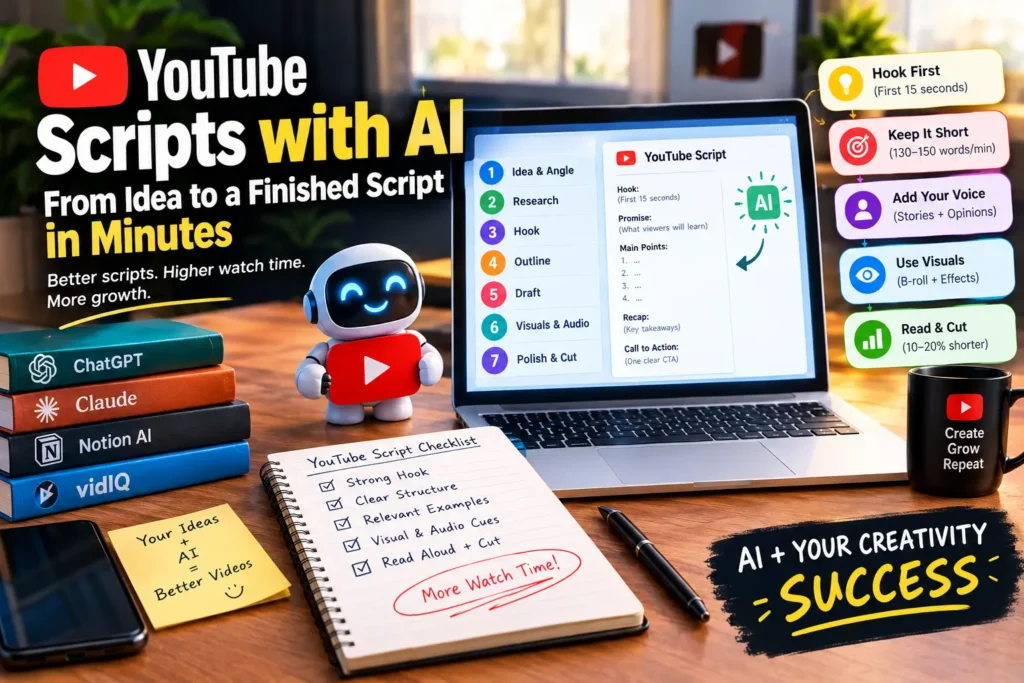
- YouTube scripts with AI start with the hook, not the intro — the first 15 seconds decide whether viewers stay.
- The winning structure: hook → promise → 3–5 tight points → recap → one clear call to action.
- AI writes the draft; you add stories, opinions, and specifics — that’s what keeps a script from sounding generic.
- Read the final script aloud and cut 10–20% — written words and spoken words are different things.
Why Scripts Matter More Than Gear on YouTube
YouTube’s algorithm rewards one thing above all: watch time. A creator with a phone and a tight script will outperform a creator with a $2,000 camera and no plan, every time. The script controls pacing, curiosity spikes, and whether the viewer reaches the end.
Beginners resist scripting because it feels slow. That’s the exact problem YouTube scripts with AI solve—the AI handles structure and wording speed while you supply the ideas. YouTube’s own Creator Academy scripting lesson makes the same point from the platform’s side: plan the story first, then shoot.
What You Need Before You Make YouTube Scripts with AI
Five minutes of prep saves thirty minutes of regenerating. Gather these first:
- One video idea in one sentence. “5 free AI tools for students” beats “some AI stuff.”
- Your target viewer. Beginner, intermediate, or expert? It changes every explanation.
- The video’s job. Teach, entertain, persuade, or document? Each needs a different structure.
- Length target. Rough rule: 130–150 spoken words per minute. A 10-minute video needs about 1,300–1,500 words.
- Your angle. What do you know about this topic that most videos don’t say? AI can’t give you this part.
How to Make YouTube Scripts with AI: The 7-Step Process
Follow in order. A 10-minute script takes about 45–60 minutes once you’ve done it twice.
Step 1: Lock the video idea and angle.
Don’t ask the AI for random “video ideas.” Bring yours and ask it to stress-test: “Here are 3 ideas for my [niche] channel. For each, tell me who would click, what the promise is, and what could make it flop.” Pick the one with the clearest promise.
Step 2: Research what already ranks.
Search your topic on YouTube and open the top 5 videos. Note their titles, how they open, and what commenters keep asking for—comments are free market research. Feed the AI a one-paragraph summary: “Top videos cover X and Y, but viewers keep asking about Z.” Your script now fills a gap competitors missed.
Step 3: Generate the hook first.
The hook—the first 15 seconds—is the highest-leverage part of any script. Write it before anything else:
Write 5 opening hooks (under 25 words each) for a YouTube video titled
"[title]" aimed at [audience]. Each must create an open loop — a question
or promise the viewer must keep watching to resolve. No greetings, no
"welcome back to my channel."
Pick one, and move your channel intro to after the hook. Introductions never open the video.
Step 4: Build the outline before the draft.
A full script generated in one shot rambles. Get the skeleton right first:
Create a detailed outline for a [length]-minute YouTube video on [topic].
Structure: hook, 3-5 main points in logical order, a re-hook between
sections, recap, single call to action. Under each point, list the key
fact or example it must contain.
Review it like an editor and cut the weakest point. Three strong points beat five padded ones.
Step 5: Draft one section at a time
Generate the script section by section from your approved outline—this keeps tone consistent and lets you inject your own stories between generations. Instruct the AI: “Write this as spoken word—contractions, short sentences, no bullet points in the narration.”
Step 6: Add visual and audio cues
A script is also a shooting plan. Mark every point where the viewer should see something: “[B-ROLL: screen recording]”, “[ZOOM: emphasize this number]”, “[MUSIC: dip under narration].” Ask the AI to suggest these per section. This is what separates amateur videos from watchable ones—and it makes editing far faster. Our guide to AI video editing tools for beginners pairs well with this workflow.
Step 7: Read aloud and cut 10–20%
Read the whole script out loud with a timer. You’ll catch awkward phrases and sections that felt important while writing but bore you while speaking. Cut them. Most first drafts shrink 10–20% here—and every cut raises retention.
The Best AI Tools for YouTube Scripts with AI
One good tool covers 90% of this workflow. Each of these has a distinct strength.
ChatGPT—the default workhorse
The most versatile free option for YouTube scripts with AI: strong at hooks, outlines, and tone rewrites. Keep one running chat per video so it remembers your topic, audience, and style across all seven steps. New to AI writing? Start with our free AI writing tools roundup.
Claude—the best long-form drafter
Claude handles long context gracefully—useful when your outline plus research notes get big. Its drafts tend to sound more natural on first pass, so there’s less to fix in step 7. The free tier covers several scripts a week.
Notion AI—scripts where your channel lives
If you plan content in Notion, Notion AI drafts scripts inside the same pages as your content calendar and research. Less tab-switching; outlines, scripts, and publishing checklists stay together.
vidIQ—idea and title research
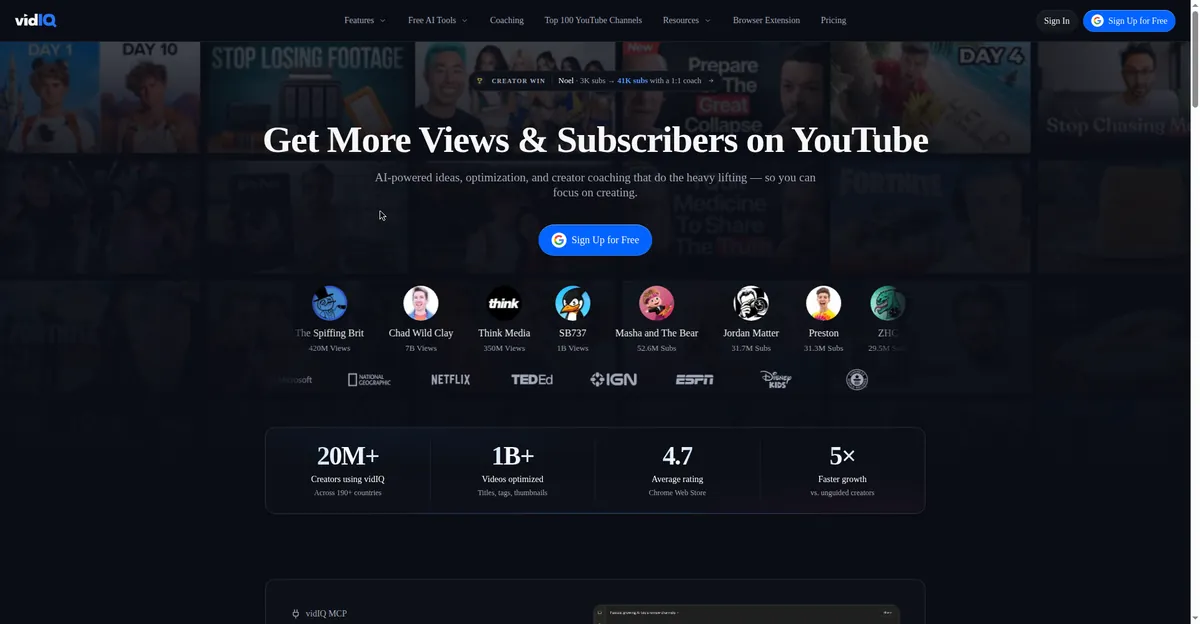
VidIQ isn’t a scriptwriter—it’s the research half. It shows trending titles and topics in your niche, which feeds step 2 directly. Validate the idea before spending an hour scripting it.
3 Copy-Paste Prompt Templates
Template 1 — Hook generator:
Write 5 YouTube hooks (under 25 words each) for a video titled "[title]"
for [audience]. Styles: one question hook, one bold claim, one story
tease, one "mistake to avoid" hook, one curiosity gap. No greetings.
Template 2 — Section drafter:
Using this outline section — [paste one section] — write the spoken
script, about [word count] words. Conversational, like explaining to a
smart friend. Include one concrete example or number. End with a one-line
bridge into [next topic].
Template 3 — Retention pass:
Here is my finished YouTube script: [paste script]. Act as a ruthless
editor. Flag: 1) sentences a viewer would skip, 2) repeated points,
3) spots needing a re-hook or pattern interrupt. Suggest specific cuts.
5 Mistakes That Kill Retention (Even with AI Help)
- Opening with your channel intro. “Hey guys, welcome back” loses new viewers instantly. Hook first, and introduce yourself after earning 30 seconds.
- Publishing the AI’s first draft. AI writes competent, forgettable scripts. Your stories and specifics are the only parts viewers remember—add them deliberately.
- No pattern interrupts. Even great words get boring. Plan a visual change, example, or question every 30–60 seconds.
- Five calls to action. “Like, subscribe, comment, share” means the viewer does nothing. One CTA per video.
- Skipping the read-aloud test. Written English and spoken English are different languages. If you don’t read it aloud, viewers hear every awkward sentence.
For faceless channels, narration matters as much as the script—our AI text-to-speech guide covers turning a finished script into natural voiceover.
FAQ
Can I use AI to write my entire YouTube script?
You can, but don’t publish it untouched. AI gives structure and speed; the parts that make viewers stay—your examples, opinions, stories—come from you. Treat YouTube scripts with AI as a 70% draft you finish, not a finished product.
Do I need to disclose AI writing assistance?
YouTube requires disclosure for realistic AI-generated content (synthetic voices or faces), not writing help. A script drafted with AI and performed by you needs no label. A fully AI-voiced video is different—check YouTube’s current synthetic content policy.
How long should a YouTube script be?
Plan 130–150 words per minute. A 5-minute video needs roughly 650–750 words; a 10-minute one needs 1,300–1,500. Beginners should start with 5–8 minute scripts—shorter is easier to keep tight.
What’s the best free AI tool for YouTube scripts?
ChatGPT’s free tier handles this whole workflow. Claude’s free tier is arguably better for long-form drafting. Either is enough to make YouTube scripts with AI at a professional level without spending anything.
Will AI-written scripts hurt my channel’s growth?
No—viewers judge the video, not the writing process. What hurts growth is generic, low-effort content, whoever wrote it. A well-edited AI-assisted script with real insight beats a lazy human-written one every time.
Bottom Line
Making YouTube scripts with AI isn’t about replacing creativity—it’s about removing the friction between your idea and a finished script. Hook first, outline before drafting, generate section by section, mark your visuals, then read aloud and cut hard. Do that consistently, and scripts stop being the bottleneck. The camera you already own is enough; the script is the upgrade.
Last updated: October 13, 2026. Tool features and YouTube’s policies change—verify current details on the official sites before you rely on them.

[…] stock photos; YouTube thumbnails with bold compositions that read at small sizes (our guide to making YouTube scripts with AI pairs well here); product mockups for online sellers, cleaned up with a free AI background remover; […]
[…] as inauthentic, and synthetic media must be labeled. This is a 6–12 month play. Our tutorial on making YouTube scripts with AI covers the retention structure that actually […]