Key takeaways
- The best free AI music generator for most creators is Mubert: 25 tracks a month free, but only 5 downloads a month and only for non-commercial use, with credit to Mubert required.
- Beatoven.ai is the best AI music generator for video creators: it shapes the music to your video’s timeline, and its free tier gives 5 downloads a month.
- Soundraw and Ecrett Music let you preview and customise tracks free, but neither gives you a publishable download without paying — do not build a monetised video on their free tiers.
- AIVA is the pick for cinematic and game scores: 3 free downloads a month, up to 3 minutes each, in MP3 and MIDI.
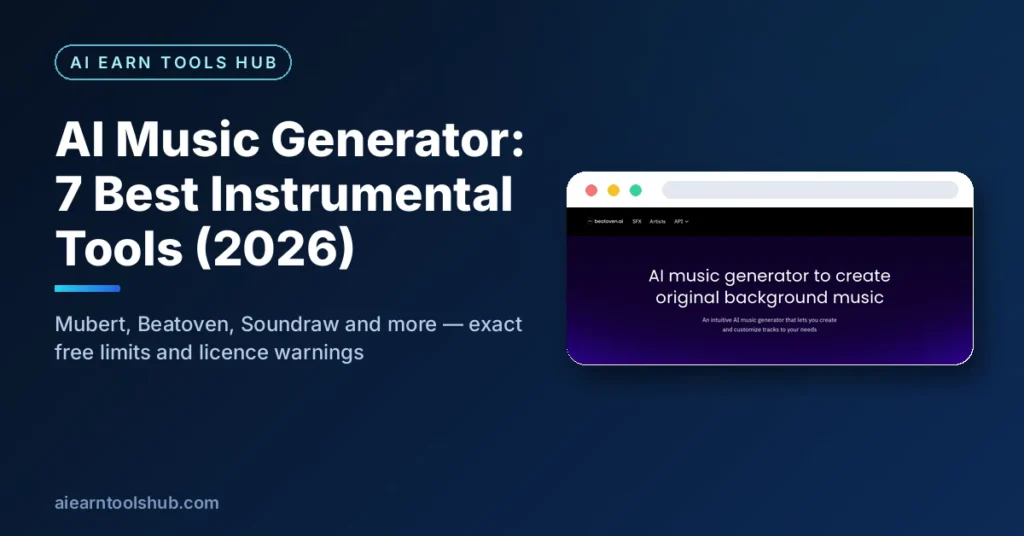
An AI music generator is a tool that composes original instrumental music from a short description — a mood, a genre, a tempo, a scene — so you can score a video, podcast, game, or presentation without hiring a composer or licensing a stock track. This article is about instrumental and background music only. If you want full songs with lyrics and vocals, read our AI song generator guide instead: the tools, prices, and licences there are completely different, and mixing the two up is how creators end up with a vocal track they cannot use.
Below: verified free limits for 7 tools, a head-to-head table, the licence trap most beginners fall into, and a 10-minute workflow for scoring a video.
Table of Contents
- What is an AI music generator?
- What is the best free AI music generator?
- The 7 best AI music generator tools for 2026
- Which AI music generator should you pick?
- How to score a video with an AI music generator in 10 minutes
- FAQ
- Bottom line
Last checked: October 2026
What is an AI music generator?
An AI music generator is software that turns a text prompt or a set of choices — genre, mood, tempo, instruments, duration — into an original piece of music. For background use, the important kind is the instrumental generator: it produces music with no vocals, designed to sit under speech or visuals rather than compete with them. Tools in this article generate tracks from 10-second stingers to 25-minute pieces, and most let you adjust the structure, swap instruments, or change the intensity at different points in the track.
The difference between a song generator and an AI music generator for background use matters for licensing too. Song generators usually sell you a song; background generators sell you a licence to use a track inside a video, podcast, or game. Those are different rights, and the free tier of almost every tool here restricts commercial use, even when generation itself is free.
What is the best free AI music generator?
Mubert, for most people. Its free tier gives you 25 generated tracks a month and 5 MP3 downloads a month, which is enough to score a few videos while you learn what style fits your channel. The catch is the licence: the free tier is for personal, non-commercial use only, and you must visibly credit Mubert. If your video is monetised, or it is client work, the free tier does not cover you — you need a paid plan. That honest trade-off — generous free generation, strict free licence — is the pattern across this whole list, and it is the single most important thing to check before you publish anything.
The 7 best AI music generator tools for 2026
| Tool | Free limit | Best for | Starting paid price |
|---|---|---|---|
| Mubert | 25 tracks/mo, 5 downloads/mo | Best free all-rounder | Creator from ~$11.69/mo |
| Beatoven.ai | 5 downloads/mo | Video timeline scoring | Creator from $6/mo |
| Soundraw | Preview and customise only, no download licence | Editing control | Creator $16.99/mo |
| AIVA | 3 downloads/mo, up to 3 min | Cinematic and game scores | Standard €11/mo |
| VEED | Free to try, 20-second loops | Shorts and stingers | Check VEED pricing |
| Ecrett Music | Preview downloads only | Scene, mood, and genre picking | Individual $4.99/mo billed annually |
| AIMusic | 15 free credits/day | Daily free generation | Check AIMusic pricing |
1. Mubert — best free AI music generator
Mubert Render generates royalty-free instrumental tracks from a text description, built on samples contributed by real musicians. Pick a mood, genre, or activity, set a duration, and it composes a track in about 10 to 30 seconds.
- Free limit: 25 tracks a month, 5 MP3 downloads a month, limited duration, personal non-commercial use only, with visible credit to Mubert required.
- Paid: Creator from around $11.69 a month (500 tracks, no attribution), Pro from around $32.49 a month for commercial use.
- Watch out: you never own the music itself, and no tier allows registering tracks in Content ID or releasing them on Spotify or Apple Music as standalone songs. Mubert tracks are for use inside videos and projects, not for distribution as music.
2. Beatoven.ai — best AI music generator for video creators
Beatoven.ai is built around video: its Maestro model generates royalty-free background music from a text description, and its timeline feature lets the music’s mood follow different sections of your video — calm for the intro, energetic for the demo, soft for the outro. It is also Fairly Trained certified, meaning the musicians whose work trained the model are compensated.
- Free limit: 5 downloads a month in MP3 format, personal use; sources differ on whether the free tier is counted in generations or minutes, so check the current pricing page before you rely on it.
- Paid: Creator from $6 a month (15 minutes of downloads), Visionary from $10 a month (30 minutes), with stem control and video generation on paid tiers.
- Watch out: Beatoven.ai is instrumental only — no lyrics or vocals. If you need a sung song, you need a different tool entirely.
Beatoven.ai — timeline-aware background music that follows your video’s sections.
3. Soundraw — best AI music generator for editing control
Soundraw is the control freak’s choice: generate a track from genre, mood, and theme, then edit it section by section — change instruments, adjust melody intensity, change the key, and reshape the structure. Tracks run from 10 seconds to 5 minutes, which covers intros, background beds, and full podcast themes.
- Free limit: a free account lets you generate, preview, and customise tracks, but it grants no download licence at all. You cannot legally publish or monetise anything made on the free tier.
- Paid: Creator from $16.99 a month (or $11.04 a month billed annually) for unlimited downloads and commercial background-music use.
- Watch out: Soundraw’s free tier is a demo, not a free plan. Treat it as a way to test the editor, then pay before you publish.
4. AIVA — best AI music generator for cinematic scores
AIVA (Artificial Intelligence Virtual Artist) composes instrumental music in over 250 styles, with a strength in cinematic, classical, and emotional scores. Its standout feature is MIDI export on every plan: you can open a generated composition in any music software and edit the notes themselves, not just the audio.
- Free limit: 3 downloads a month, tracks up to 3 minutes, MP3 and MIDI formats, non-commercial use only, with credit to AIVA required.
- Paid: Standard from €11 a month billed annually (15 downloads a month, limited monetisation on YouTube, Twitch, TikTok, and Instagram); Pro from €33 a month billed annually (300 downloads a month, full copyright ownership, WAV export).
- Watch out: on the free and Standard plans, AIVA keeps the copyright. Only Pro transfers full copyright to you. For a film or game score you plan to own outright, that distinction matters.
AIVA — the best AI music generator for cinematic scores, with MIDI export on every plan.
5. VEED — best AI music generator for Shorts and stingers
VEED’s AI music generator is the fastest tool here: describe the sound you want, tick Instrumental if you do not want vocals, and it writes a 20-second loop in about 20 seconds, built on Riffusion. Because it lives inside VEED’s video editor, you can drop the track straight into your edit without downloading and re-uploading anything.
- Free limit: free to try with no credit card required; the free output is a short loop, so it suits hooks, intros, and stingers rather than full-length background beds.
- Paid: check VEED’s current pricing in your region, as it charges by market and currency.
- Watch out: 20 seconds is a loop, not a song. For a 10-minute video you will need to loop it, layer it, or generate several variations — and looping a short phrase audibly is the fastest way to make a video feel cheap.
6. Ecrett Music — best AI music generator for scene and mood picking
Ecrett Music skips free-text prompting: pick a scene, a mood, and a genre from its lists — 8 genres including lo-fi hip hop, acoustic, cinematic, and EDM — and it composes a track. You can then adjust the melody, backing, bass, and drums, toggle structure blocks on and off, and even upload your own video to preview whether the track fits your footage before you commit.
- Free limit: free accounts can download preview music and manage created tracks, but not download publishable, licensed music.
- Paid: Individual from $4.99 a month billed annually (unlimited royalty-free downloads, YouTube monetisation included); Business from $14.99 a month billed annually (licence covers the company).
- Watch out: Ecrett Music is for music inside videos, games, and podcasts — never for sharing or distributing the generated tracks as standalone music files.
7. AIMusic — best AI music generator for daily free credits
AIMusic’s creator tool works in two modes: Simple mode, where you describe the music in words, and Custom mode, where you add your own lyrics or switch on Instrumental for music only. For background use, the Instrumental switch is the whole point — it turns a song generator into a background-track generator.
- Free limit: sign in for 15 free credits a day; each track in the full generator costs 5 credits, which works out to about 3 tracks a day. Tracks made in the on-page box without signing in play on the page but cannot be saved to an account.
- Paid: check AIMusic’s current pricing; paid plans add song extension, AI cover art, and MP4 lyric videos.
- Watch out: free tracks made on the page without an account are not saved. Always generate inside your account if you want to keep the track.
Which AI music generator should you pick?
- Best free all-rounder, personal projects: Mubert (25 tracks a month free, but non-commercial only).
- You make videos and want music that follows the edit: Beatoven.ai (timeline-aware mood changes).
- You want maximum control over the arrangement: Soundraw (section-by-section editing, paid for publishing).
- You score films or games and want MIDI: AIVA (250+ styles, editable compositions).
- You need a 20-second hook fast: VEED (20-second instrumental loops inside the editor).
- You like picking scene, mood, and genre instead of writing prompts: Ecrett Music (preview before you pay).
- You want a few free tracks every single day: AIMusic (15 credits a day, Instrumental mode on).
How to score a video with an AI music generator in 10 minutes
- Name the job of the music. Is it background under speech, an intro hook, or an emotional peak? Background music should be 20 to 30 percent quieter in your head than you think — if you notice it while someone talks, it is too loud or too busy.
- Generate 3 variations in Mubert or Beatoven.ai. Change one thing at a time — tempo, genre, or mood — so you can tell what actually improved the track.
- Check the licence before you fall in love with a track. Free tier plus monetised video is the most common mistake in this whole category. If the video earns money, use a paid plan or a tool whose free licence genuinely covers it.
- Cut the track to your video, not the other way round. Fade in under the intro, dip under speech, and let it breathe in gaps. A 20-second VEED loop works if you fade it in and out; it fails if it loops audibly for 10 minutes.
- Save the licence file with your project. Download receipts, plan pages, or licence confirmations go in the same folder as the video. Platforms auto-flag audio, and a licence file is how you answer a claim in minutes instead of days.
FAQ
What is the best free AI music generator for YouTube background music?
Mubert is the best free starting point, with 25 tracks a month and 5 downloads a month — but its free tier is non-commercial only, so it does not cover monetised YouTube videos. For monetised videos, Beatoven.ai’s paid Creator plan or Soundraw’s Creator plan are the cheapest honest routes, and Ecrett Music’s Individual plan at $4.99 a month billed annually includes YouTube monetisation.
Can I use an AI music generator’s free tracks in monetised videos?
Usually not. Mubert, AIVA, and Beatoven.ai all restrict their free tiers to personal or non-commercial use, and Soundraw and Ecrett Music give no publishable download at all on their free tiers. Always read the plan’s licence terms before publishing, and keep the licence file with your project.
What is the difference between an AI music generator and an AI song generator?
An AI music generator for background use produces instrumental tracks designed to sit under video, podcasts, or games, with licences for use inside a project. An AI song generator produces full songs with lyrics and vocals, usually for listening or release. Our AI song generator guide covers the vocal side in full.
Is AI-generated background music royalty-free?
Royalty-free means you do not pay royalties per use — it does not mean free, and it does not mean you own the music. Every tool here grants rights under a licence tied to your plan, and those licences limit commercial use, Content ID registration, and standalone distribution in different ways. Read the licence, not just the marketing line.
How long can an AI music generator track be?
It varies a lot: VEED makes 20-second loops, AIVA’s free tracks run up to 3 minutes, Soundraw tracks run from 10 seconds to 5 minutes, and Mubert tracks can run up to 25 minutes on paid plans. Match the tool to the length you actually need instead of looping a short track across a long video.
Bottom line
Start with Mubert if your projects are personal, Beatoven.ai if you edit videos and want music that follows the timeline, and AIVA if you score films or games and want MIDI to edit. The tool matters less than the licence: never publish a monetised video on a free tier that forbids commercial use. For vocal songs, switch to our AI song generator guide, and browse our free tools library for more creator tools.
Last checked: October 2026. Free limits and prices change — verify on the tool’s own site before you publish or pay.
For the tool’s own current pricing and licence terms, see Mubert.