
Last checked: October 2026
Key takeaways
- The best free image generation AI for most people in 2026 is Microsoft’s Bing Image Creator (15 fast generations a day) or Google Gemini (free inside a Google account) — zero setup, zero skill needed.
- “Free” comes in three flavors: daily allowances, weekly credits, and unlimited-but-restricted tools. Only the daily-allowance kind survives real workloads.
- For readable text inside images — thumbnails, posters, logos — Ideogram is the only free AI image generator that gets words right.
- For client work, Adobe Firefly is the safest best free image generation AI pick: trained on licensed content, commercial use allowed on the free tier.
- Free tier never means free commercial rights. Bing’s free outputs are personal-use only; Leonardo’s free images are public by default.
Two years ago, free AI image tools produced six-fingered nightmares. In 2026, the best free image generation AI tools produce thumbnails, product mockups, and blog headers most viewers can’t distinguish from stock photography—at zero cost. The problem is no longer quality; it’s knowing which “free” tier is real and which one locks you out after five generations.
I compared the free tiers working creators actually rely on—real daily allowances, signup friction, and the license terms that decide whether you can sell what you make. Figures below come from each company’s own pricing and help pages, checked October 2026.
What Counts as a “Free” AI Image Generator?
Three models dominate, and mixing them up wastes afternoons:
- Daily allowances. Bing Image Creator, Leonardo AI, and Adobe Firefly reset your quota every day—the only “free” that survives daily use.
- Weekly or monthly credits. Ideogram (30 credits/week), Canva (20 AI uses/month). Fine for occasional projects; gone by mid-month if you generate daily.
- Unlimited with strings attached. No caps, but lower resolution, public-by-default galleries, or personal-use-only licenses. Read the terms before building anything commercial on one.
Whichever model a best free image generation AI tool uses, judge it by the allowance, not the headline price — the allowance decides whether it stays free for your workload.
7 Best Free Image Generation AI Tools for 2026
Short answer: the best free image generation AI for most people is Bing Image Creator for daily volume and Google Gemini for the easiest start. Every best free image generation AI tool below is free to start with no card required, and each entry lists its real free allowance, signup requirement, and catch.
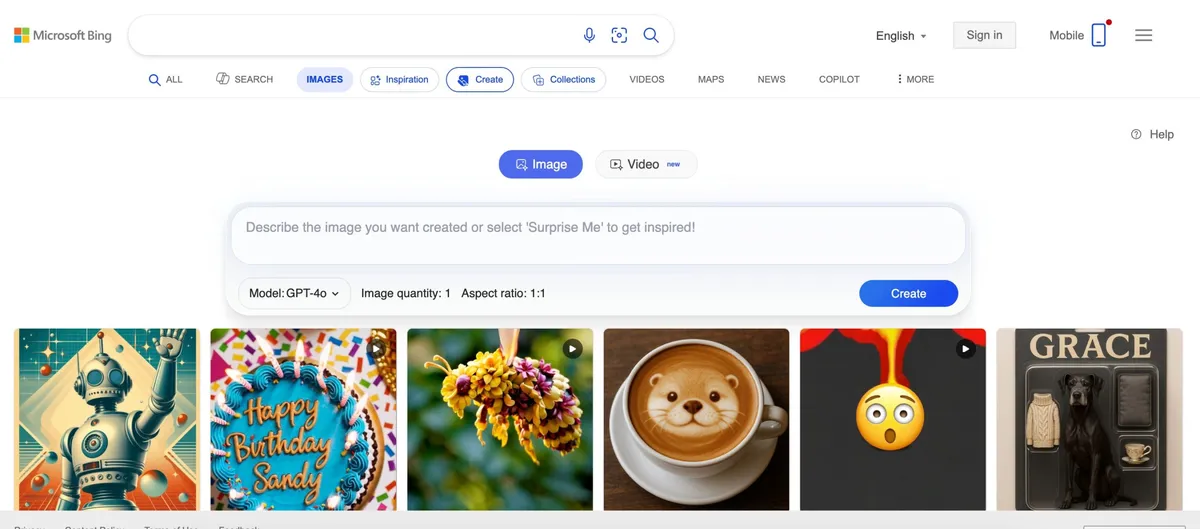
1. Microsoft Designer / Bing Image Creator—best free image generation AI for volume
Microsoft’s free image tool offers the most predictable free allowance of any browser generator: 15 fast generations daily, then unlimited standard-speed generations (up to 200 prompts per 24 hours). It runs Microsoft’s MAI-Image models, returns multiple images per prompt, and needs only a free personal Microsoft account.
Best for: bloggers and social creators who generate daily · Free tier: 15 fast/day, then standard speed · Catch: free outputs are personal-use only; small watermark on Bing outputs.
2. Google Gemini—best free image generation AI for beginners
Image creation lives inside a normal chat: describe the picture in plain English, no prompt syntax to learn. The Nano Banana 2 model handles new images and edits to uploaded photos, renders text better than most free tools, and keeps characters consistent across images. Limits are compute-based, refreshing roughly every 5 hours up to a weekly cap, and Google won’t claim ownership of your generations.
Best for: anyone with a Google account who wants zero learning curve · Free tier: free with Google account · Catch: exact limits are undisclosed; 18+ required for editing uploaded images.
3. Leonardo AI—best free image generation AI for creators
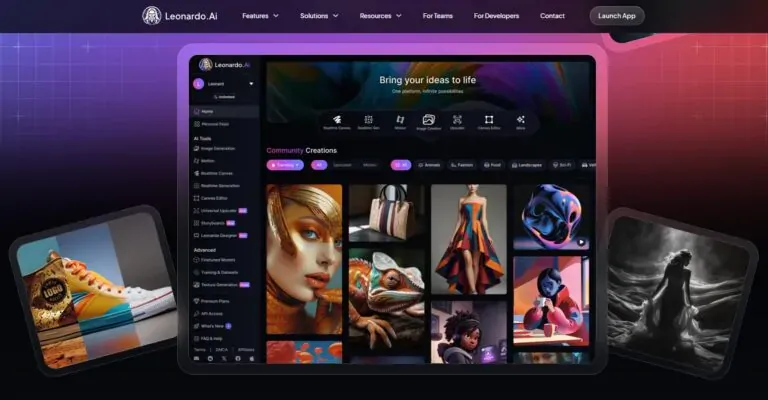
The most generous free tier for serious creators: 150 tokens a day (roughly 30–50 images), access to the Phoenix photorealism model plus Flux models, inpainting, image-to-image, and background removal—no watermark. The tradeoff is privacy: everything generated on the free tier is public by default and appears in Leonardo’s community feed, where others can remix it.
Best for: game art, characters, concept art · Free tier: 150 tokens/day · Catch: free generations are public and remixable; the interface overwhelms beginners.
4. Ideogram—best free image generation AI for text in images
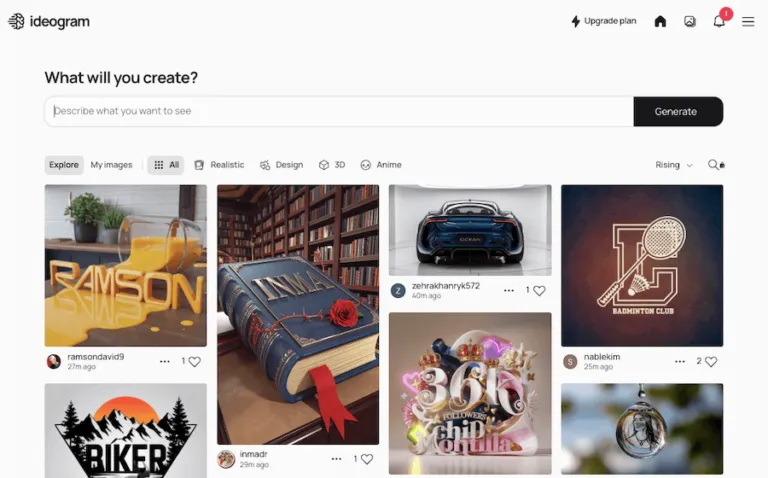
Readable text inside images is the classic AI weak spot, and Ideogram is the free tool that solved it. Its 4.5 model renders posters, thumbnails, and logo concepts with words that aren’t garbled—something every other free generator still struggles with. Free accounts get 30 credits a week (about 10 images at low quality), and commercial use is allowed, though free images are public.
Best for: thumbnails, posters, logos where words must be readable · Free tier: 30 credits/week · Catch: small weekly allowance; public by default.
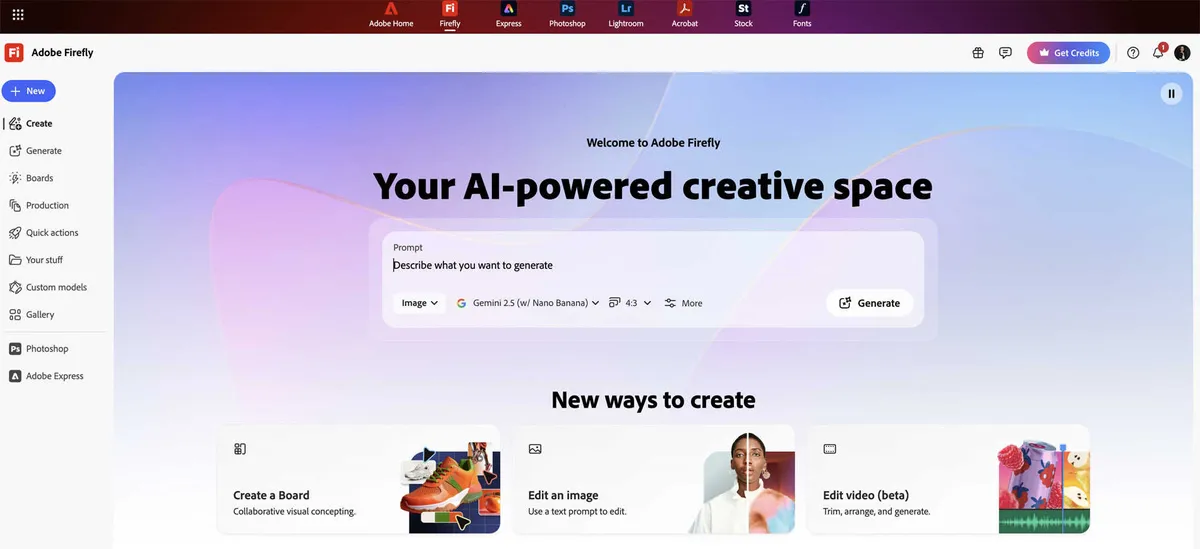
5. Adobe Firefly—best free image generation AI for commercial work
Adobe Firefly is the safest free option for business use because Adobe trains its own models on licensed and public-domain content—not scraped web images. The free tier includes daily generations, Firefly-model outputs are cleared for commercial use, and Adobe attaches Content Credentials automatically so images carry verifiable provenance.
Best for: client work and anything you sell · Free tier: free daily generations · Catch: exact daily count unpublished; Adobe account required.
6. Canva Magic Media—best for finished social designs
Canva fits when the image is one part of a finished graphic: generate the picture, then drop it straight into a template with your headline and branding. The free allowance is small—up to 20 AI uses a month on Canva Free, shared across all of Canva’s AI features—so treat it as a finishing tool, not a generation workhorse.
Best for: thumbnails and social posts you assemble in Canva anyway · Free tier: 20 AI uses/month · Catch: tiny pool shared with every Canva AI feature.
7. ChatGPT Images—best conversational editing
OpenAI’s image feature inside ChatGPT refines pictures through back-and-forth chat: “make the sky dusk,” “remove the person on the left.” The free plan includes “limited image creation” (no published number), and you own the output under OpenAI’s terms. Generation can take a few minutes on complex prompts.
Best for: iterating on one image conversationally · Free tier: limited free generation · Catch: no published limit; slower than dedicated generators.
How Do the Best Free Image Generation AI Tools Compare?
The table below compares each best free image generation AI tool on what actually differs on a free plan: how much you can generate, what signup is required, whether commercial use is allowed, and what each tool does best. If you only need one recommendation, the best free image generation AI for daily volume is Bing Image Creator, and the easiest for a first image is Google Gemini.
| Tool | Free allowance | Signup | Commercial use | Best for |
|---|---|---|---|---|
| Bing Image Creator | 15 fast/day, then standard | Microsoft account | Personal use only | Daily volume |
| Google Gemini | Refreshes every 5 hours, weekly cap | Google account | Google won’t claim ownership. | Beginners |
| Leonardo AI | 150 tokens/day | Leonardo account | Allowed, but images are public | Creators, game art |
| Ideogram | 30 credits/week | Google/Apple/Microsoft sign-in | Allowed, but images are public | Text in images |
| Adobe Firefly | Daily generations (count unpublished) | Adobe account | Yes, for Firefly models | Commercial work |
| Canva Magic Media | 20 AI uses/month | Canva account | Check Canva AI terms. | Social designs |
| ChatGPT Images | Limited (no published number) | ChatGPT account | You own the output. | Conversational edits |
*Allowances change often—check each tool’s in-app counter before planning a big batch.*
How Can You Write Image Prompts That Actually Work?
The gap between a toy and a tool is the prompt. Write yours in four parts—subject, setting, style, lighting:
- Weak: “coffee shop”
- Strong: “a cozy coffee shop at golden hour, warm lighting, shot on film, shallow depth of field”
Three habits that separate usable images from slot-machine pulls: generate 3–4 variations per prompt instead of settling for the first roll; match the aspect ratio to the destination before generating (wide for headers, square for social); and check for AI tells—warped hands, garbled text—before publishing. Any best free image generation AI rewards this routine enormously.
In practice, a strong prompt names four things clearly. Subject: the main person, object, or scene, described specifically — “a red delivery bicycle” beats “a bike.” Style: the look you want, such as flat illustration, product photography, or watercolour.
Lighting: the light that sets the mood, such as soft window light, golden hour, or bright studio light. Aspect ratio: the shape, chosen before you generate — 16:9 for blog headers and thumbnails, 1:1 or 4:5 for social posts, 9:16 for stories — because cropping a finished image usually cuts off the subject.
Copy either of these prompts into any best free image generation AI tool and change the details to fit your topic:
Example 1 — blog header (16:9): “A small home-office desk with a laptop, notebook, and cup of coffee seen from above, flat-lay photography, soft morning window light, calm neutral colours, wide composition with empty space on the left for a headline.”
Example 2 — product mockup (1:1): “A white scented candle in a glass jar on a light wooden table beside eucalyptus leaves, clean product photography, bright diffused daylight, minimal background, centred composition with space around the edges.”
Can You Use Free AI Images Commercially?
Short answer: sometimes—”free tier” never automatically means “free to sell”:
- Safest: Adobe Firefly (licensed training data, commercial use allowed) and Ideogram (commercial use allowed on the free tier).
- Allowed with caveats: Leonardo AI and ChatGPT (commercial use permitted, but Leonardo’s free images are public and remixable).
- Personal use only: Bing Image Creator’s free tier under Microsoft’s terms.
- Gray area: Gemini—Google won’t claim ownership but gives no warranty against third-party rights claims.
Two rules regardless of tool: keep prompts original (never “in the style of” a living artist), and for high-stakes commercial work, Firefly’s licensed-data approach is the conservative choice.
Licensing caution: free-plan commercial-use terms differ per tool, and they can differ again between a tool’s free and paid plans. Terms also change without notice, so a summary in any article — including this one — is not a substitute for the tool’s own current terms. Before you sell an image, publish one for a client, or use one in an ad from a best free image generation AI tool, open that tool’s official terms page, check what its free plan currently allows, and save a copy with your project files.
Where Should Bloggers and Sellers Use AI Images?
Free AI images earn their keep in specific placements: blog featured images instead of recycled stock photos; YouTube thumbnails with bold compositions that read at small sizes (our guide to making YouTube scripts with AI pairs well here);
product mockups for online sellers, cleaned up with a free AI background remover; and presentation visuals if you’re turning lecture notes into slides with AI. Match the image to its destination, keep one consistent style per project, and save your best prompts—they become a personal library that makes every future project faster.
Blog graphics. Use a best free image generation AI tool to create a featured image that matches your exact topic instead of a generic stock photo. Reuse the same style and lighting words in every prompt, and a whole series of posts will look like one brand.
Product mockups. Generate the scene around your product — a kitchen counter, desk, or shelf — with a best free image generation AI tool to show its size and everyday use. Check edges, labels, and reflections closely before you publish, because small distortions can look like product defects.
Social posts. Generate in the platform’s shape first — square or 4:5 for feeds, vertical for stories — and keep one strong subject that still reads clearly on a small phone screen. A consistent colour palette makes even a small account look deliberate.
Thumbnails. Keep thumbnails bold and simple: one face or one object, high contrast, and little fine detail, because everything shrinks on a results page. When a thumbnail needs readable words, Ideogram is the practical choice, and any best free image generation AI tool can generate two versions so you can test which earns the click.
FAQs
These are the questions readers ask most about using a best free image generation AI tool without paying. The short answers below match the detailed sections above.
Is there a completely free AI image generator with no limits?
Yes—Stable Diffusion or Flux run on your own computer are free and unlimited, but need a decent graphics card and setup time. Every browser-based best free image generation AI caps you with allowances that reset daily or weekly.
Which free AI image generator is best for beginners?
Google Gemini or Bing Image Creator. Both are free with an account you probably already have, need zero setup, and accept plain-language descriptions instead of prompt syntax.
Which free tool makes the most realistic photos?
Gemini and Bing Image Creator lead on photorealism among free browser tools. For readable text inside the image, Ideogram wins by a wide margin.
Can I sell images made with a free AI image generator?
Sometimes. Adobe Firefly and Ideogram allow commercial use on free tiers; Leonardo allows it but keeps images public. Bing Image Creator’s free tier is personal-use only. Always check the current license before selling.
Do free AI image generators add watermarks?
Bing adds a small watermark; Gemini embeds an invisible SynthID marker. Leonardo, Ideogram, Firefly, and Canva add no visible watermark on free generations.
How many free images can I generate per day?
Roughly 30–50 on Leonardo (150 tokens), 15 fast generations on Bing (then unlimited slower ones), about 4–5 a day on Ideogram’s weekly credits, and unpublished daily numbers on Firefly and ChatGPT.
Bottom Line
Start with Bing Image Creator for the biggest free allowance or Google Gemini for the easiest start. Add Ideogram the moment you need readable text, switch to Adobe Firefly for commercial work, and keep Leonardo AI for pro-level creating, Canva for finished social designs, and ChatGPT for conversational edits. That’s the complete best free image generation AI stack for 2026 — write four-part prompts, generate variations, check the license, and you’ll never pay for stock photos again.
Used together, that best free image generation AI stack covers almost every everyday image a blogger, seller, or student is likely to need.
*Freshness note: Free-tier limits and license terms verified October 2026. These change often and without notice — always check each tool’s in-app counter and current terms before planning client work.*

[…] you’re curious about the image models powering these tools, our best free AI image generation tools roundup covers the underlying generators — and if you’re a tattoo artist thinking about […]