Last checked: October 2026
Key takeaways
- There is no official “ChatGPT resume builder” app — the winning method is using ChatGPT as a chat gpt resume builder through 8 targeted prompts: master cleanup, keyword mining, bullet rewriting, skills section, summary, tailoring, proofreading, and the ATS audit.
- Feed ChatGPT your raw work history (job titles, dates, rough accomplishments) and a target job ad — vague prompts like “write my resume” produce generic filler every time — the first chat gpt resume builder rule is better inputs.
- ChatGPT writes the words, not the document: paste its output into a clean single-column template and run an ATS check before submitting.
- The 5-minute tailoring trick (one reusable prompt per job ad) beats sending the same resume to 50 postings — recruiters scan for mirrored keywords.
- Never let AI invent employers, dates, or metrics. Ask it to flag its own assumptions so you can correct them before a background check does.
Table of Contents
- What Does a “Chat GPT Resume Builder” Actually Mean?
- Before You Prompt: Gather These 5 Things
- The 8 Copy-Paste Prompts (Step by Step)
- ChatGPT vs. a Dedicated AI Resume Builder: Which Should You Use?
- Turn the Draft into a Formatted Resume
- The 5-Minute Tailoring Trick for Every Job
- How Do You Make a ChatGPT Resume ATS-Friendly?
- How Should You Check the AI Output Before You Send It?
- 5 Mistakes That Make AI Resumes Obvious
- FAQs
- Bottom Line
- Chat GPT Resume Builder Quick-Start Checklist
There’s no official ChatGPT resume builder you can download — and the apps in the Play Store with that name are third-party wrappers, not OpenAI products. But that hasn’t stopped millions of job seekers from turning ChatGPT into a chat gpt resume builder that outperforms the fill-in-the-blank templates: the trick isn’t the tool, it’s the sequence of prompts.
Most people type “write me a resume for a marketing manager” and get back polished-sounding filler that could belong to anyone. Recruiters spot it instantly, and applicant tracking systems (ATS) — the software that filters an estimated three-quarters of applications before a human sees them — don’t care how pretty the sentences are. The chat gpt resume builder method below fixes both problems: eight specific prompts that turn rough work history into a tailored, ATS-friendly resume, with a real formatting and audit step ChatGPT can’t do for you.
What Does a “Chat GPT Resume Builder” Actually Mean?
A “chat gpt resume builder” is not a single app — it is ChatGPT used as the writing engine inside a four-step workflow: you supply the facts, ChatGPT drafts and tailors the words, a clean template formats the file, and an ATS scorer audits it. That is the method this guide teaches, step by step.
Let’s clear up the confusion first. Search “chat gpt resume builder” and you’ll find two very different things: mobile apps that bolt a ChatGPT API onto resume templates, and guides (like this one) that teach you to use ChatGPT itself as the writing engine. The second approach wins — it’s the true chat gpt resume builder method — and it’s free.
Here’s the honest division of labor. ChatGPT is superb at three resume jobs: restructuring messy work history into clean sections, rewriting duty-style bullets as quantified achievements, and tailoring the same resume to different job ads in minutes. Dedicated builders — Rezi, Kickresume, Teal, and the other tools in our best AI resume builders guide — handle the parts ChatGPT can’t: ATS-safe templates, file formatting, and match scoring. The distinction matters because people search “chat gpt resume builder” expecting one app and find two halves of a workflow instead.
So the workflow that actually works: you bring the facts, ChatGPT does the writing, a simple template does the formatting, and a free ATS scorer does the final audit. Everything below follows that order. That four-part split is what makes a chat gpt resume builder different from a one-click app.
Before You Prompt: Gather These 5 Things
You need five things ready before your first prompt: your raw work history, your education and certifications, a skills brain-dump, one full target job ad, and your constraints on role and length. In this chat gpt resume builder workflow, those inputs are the raw material — gather them first and every prompt below gets easier and more truthful.
Garbage in, garbage out applies double to AI resumes. Spend 20 minutes collecting this before you open ChatGPT, and the prompts below will actually have something true to work with:
- Your raw work history — every job title, employer, start/end dates, and 3–6 rough notes per role (“handled support tickets,” “trained the new guy”). Accuracy matters more than polish here — this is the raw material ChatGPT polishes.
- Your education and certifications — schools, degrees, graduation years, plus any licenses or courses, with dates.
- A skills brain-dump — every tool, software, language, and methodology you can genuinely use. Brain-dump first; you’ll prune with the job ad later.
- One target job ad — the actual posting you’re applying to, copied in full. This is your keyword source for every tailoring step below.
- Your constraints — target role, industry, and how long the resume should be (1 page early-career, 2 pages maximum for most).
With that in hand, you’re ready. Each prompt below builds on the last, so run them in order in a single ChatGPT conversation — ChatGPT remembers context within a chat, which is what makes the later prompts smarter.
The 8 Copy-Paste Prompts (Step by Step)
Yes — the eight prompts below are the whole method, and they are copy-paste ready: build a master draft, mine the job ad for keywords, rewrite bullets as achievements, build the skills section, write the summary, tailor, proofread, and run the honesty audit. Run them in order, in one conversation, in this chat gpt resume builder sequence.
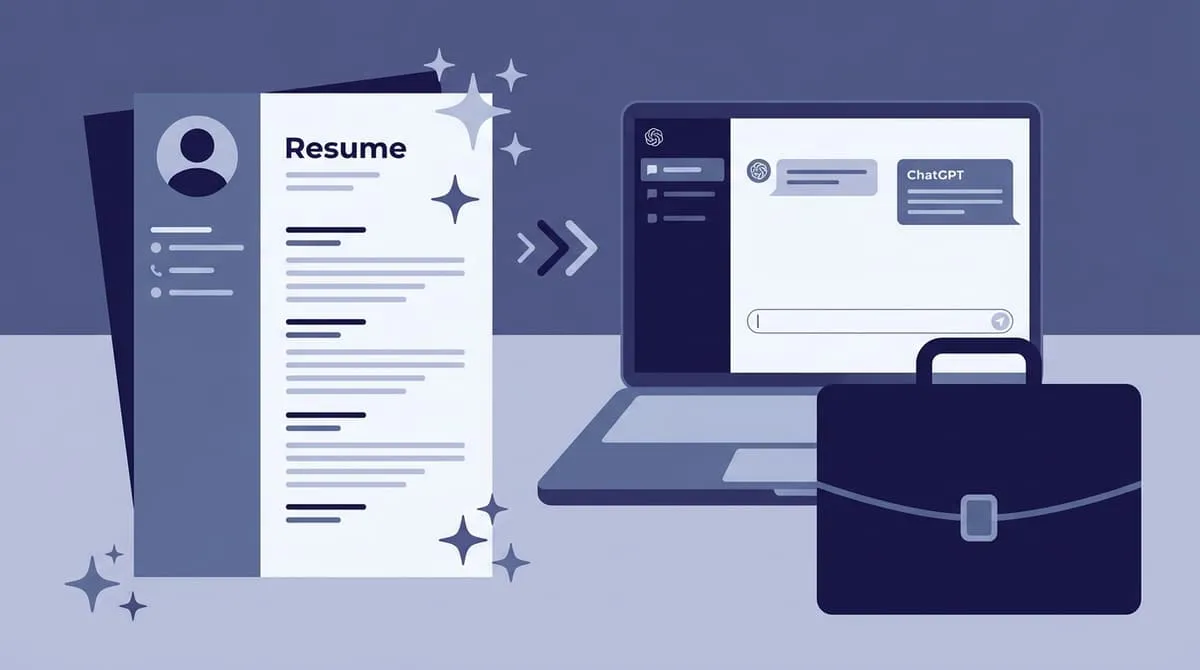
Watch: how the chat gpt resume builder workflow looks in action — a prompt typed, a draft built, and an ATS check at the end — in the walkthrough clip.
Prompt 1: Build the master draft
“Write a first draft of my resume using the information below. Use a clean structure: Summary, Skills, Experience, Education. For Experience, keep my original job titles and dates exactly as written. Where I haven’t given you a number, write [ADD METRIC] instead of inventing one. Here is my information: [PASTE YOUR GATHERED WORK HISTORY]”
This gives you the skeleton. It won’t be perfect — that’s fine. You’re about to rebuild each section properly. This master draft is the foundation of the whole chat gpt resume builder method.
Prompt 2: Mine the job ad for keywords
“From this job ad, extract the top competencies, tools, and outcomes the employer cares about. Present them as a priority list with the ad’s exact wording for each item, and note which ones I should mirror in my resume if I genuinely have them. Job ad: [PASTE THE FULL JOB AD]”
Recruiters increasingly hire for skills, not pedigrees — your resume has to echo the posting’s actual language, and this prompt is how you find it.
Prompt 3: Rewrite bullets as achievements (the most important one)
“Rewrite each role below as achievement bullets using the Problem–Action–Result format. Start every bullet with a strong action verb. Keep every fact, employer, and date exactly as I gave it. Never invent a metric — write [ADD METRIC] where a number would help and let me fill it in. Role: [PASTE ONE ROLE’S ROUGH NOTES]”
Run this separately for each job — one role per message gets you far better bullets than dumping everything in one go.
Result-first bullets are what recruiters skim for in the six seconds your resume gets. The example to copy: “Reduced average ticket resolution time from 48 hours to 19 hours by building a 30-template macro library” — it began its life as “helped customers with support issues.” Same job, same facts; the metric was always there, just buried in your notes, and surfacing metrics like that is precisely what a human reader is looking for.
Prompt 4: Build a skills section recruiters actually search
“Using the job ad keywords and my background, write a Skills section grouped as: Core Skills, Tools & Software, and Certifications. Include only skills I actually have from my background notes — flag any keyword from the ad that I don’t have evidence for instead of adding it.”
Cross-check any term you’re unsure about: ask “What is the industry-standard name for [skill]? Give me the two or three terms recruiters search for.” This is the difference between listing “making spreadsheets” and “Excel (pivot tables, VLOOKUP).”
Prompt 5: Write a summary that isn’t fluff
“Write a 3-line professional summary for this resume. Line 1: who I am professionally. Line 2: my strongest proof — years, scale, or a headline achievement. Line 3: what I’m targeting next, matched to this job ad. Resume: [PASTE YOUR DRAFT RESUME] Job ad: [PASTE THE AD]”
Ask for two versions — one analytical, one conversational — and pick the stronger. A summary that front-loads your actual proof beats “results-driven team player” every single time.
Prompt 6: The tailoring pass (your reusable 5-minute trick)
“Using my master resume and this job ad, produce: (1) a tailored 3-line Summary, (2) a reordered Skills section mirroring the ad’s language, and (3) my existing bullets re-angled toward this role’s top 5 requirements. Change nothing factual. Master resume: [PASTE] Job ad: [PASTE]”
Save this chat gpt resume builder prompt in a notes app. For every new application, you paste the new ad, run this one prompt, save the output as a new file, and apply. It’s the highest-leverage five minutes in the whole process.
Prompt 7: Proofread like a hiring manager
“Proofread this resume for grammar, typos, awkward phrasing, and inconsistent formatting. List every issue you find with the fix, and flag anything that sounds inflated, vague, or unlike a human wrote it. Resume: [PASTE YOUR FORMATTED RESUME TEXT]”
Then do one human pass yourself, out loud. You’ll catch rhythm problems no AI flags.
Prompt 8: The honesty audit
“Review this resume and list every assumption, inference, or embellishment you made across our whole conversation. For each one, quote the line, explain what you assumed, and tell me what to verify. Do not rewrite the resume — just audit it. Resume: [PASTE FINAL DRAFT]”
This is the prompt that protects you from the single biggest AI-resume risk: fabricated credentials. If ChatGPT invented something anywhere in our process, this is where it confesses. Anything flagged here gets corrected or cut — no exceptions. That audit is what makes a chat gpt resume builder safe to trust with a real application.
ChatGPT vs. a Dedicated AI Resume Builder: Which Should You Use?
It depends on the job you need done: ChatGPT is the stronger writer, and a dedicated builder is the stronger formatting and scoring tool. Most readers should use a chat gpt resume builder workflow for the words, then a dedicated builder or a free scorer for the finished file — this comparison shows why.
| What you are comparing | ChatGPT as a resume builder | Dedicated AI resume builder |
|---|---|---|
| Writing quality | Strongest at rewriting bullets, summaries and tailoring, when you give it good prompts and real facts. | Usually fills templates with plainer, more generic wording. |
| Formatting | Produces text only — you paste it into a clean single-column template yourself. | Builds the formatted document for you, with ready-made layouts. |
| ATS checking | No built-in score — use a separate free scorer, such as Rezi, for the final audit. | Often includes a built-in ATS or match score inside the tool. |
| What you are comparing | ChatGPT as a resume builder | Dedicated AI resume builder |
|---|---|---|
| Tailoring to a job ad | Excellent: paste each new ad into the tailoring prompt and re-angle the same master resume. | Varies by tool; tailoring is often a paid feature. |
| Cost | The free tier covers every prompt in this guide; paid plans add higher limits. | Free trials are common, but downloads or full features usually need a subscription. |
| Control over the facts | You see and approve every line, and you can run the honesty audit before you send it. | Faster, but it is easier to miss an invented or exaggerated line. |
For most readers, the strongest setup is both: draft and tailor with a chat gpt resume builder workflow, then run the finished file through a dedicated builder or scorer for formatting and the ATS check. Used together, the chat gpt resume builder does the thinking and the dedicated builder produces the document.
Turn the Draft into a Formatted Resume
ChatGPT cannot produce the finished document — it only writes plain text in a chat window. Paste that text into a clean, single-column template in Google Docs, Word, or a builder such as Rezi, and save the chat gpt resume builder draft as a .docx unless the posting asks for something else.
Here’s what a chat gpt resume builder workflow can’t do: produce the finished document. ChatGPT’s own output is plain text in a chat window — copy it into Google Docs (my pick — free, clean, shareable), Word, or a ChatGPT-aware builder like Rezi, Kickresume, or Teal, all of which import AI text into templates. Even when money is an issue, free tools exist for formatting and scoring, so nothing in this workflow requires a paid plan.
Three formatting rules that decide whether software can read your resume:
- Single column, standard headings. Summary, Skills, Experience, Education — exactly those words, so the ATS maps your content correctly.
- No text boxes, tables, graphics, or icons. Pretty two-column templates are the number-one cause of unparseable, auto-rejected resumes.
- Standard fonts, .docx by default. If the posting doesn’t specify a format, .docx parses everywhere. Save as “Firstname_Lastname_Role_2026.docx” — a filename a human will read in a downloads folder full of “resume_final_v3.pdf”s.
Follow all three rules and a chat gpt resume builder draft stays readable by both the software and the recruiter.
The 5-Minute Tailoring Trick for Every Job
Tailor every application — never send the master resume itself. Duplicate the master file, run the tailoring prompt with the new job ad, swap in a fresh summary and skills order, re-angle three to five bullets, and save the chat gpt resume builder copy under a role-specific file name.
Worth repeating because it’s the highest-ROI habit in this whole chat gpt resume builder guide: never send the master resume itself. Save a tailored copy for every posting, keeping the file name role-specific so you always know which version went where. Recruiters and ATS software both reward resumes that mirror the posting’s keywords, prioritise the skills the employer listed first, and drop irrelevant experience. A generic resume competes against every applicant; a tailored one competes against the job description — and wins far more often because it already looks like the role.
The workflow: duplicate the master file → paste the new job ad into your saved tailoring prompt → swap the summary and skills → re-angle 3–5 bullets → save with the role-specific filename from the formatting section above. Five minutes, once you have done it twice. It is the chat gpt resume builder habit that earns interviews.
How Do You Make a ChatGPT Resume ATS-Friendly?
Yes — a ChatGPT-written resume can pass an ATS, provided the formatting is clean and the keywords mirror the job ad. Build the file single-column with standard headings, run your chat gpt resume builder draft through a free scorer such as Rezi, and fix everything it flags before you submit.
Before you hit submit, run your resume through a free ATS check. Rezi’s free resume scorer, Jobscan’s free scans, or a similar tool will parse your file the way hiring software does. Or run this prompt as a pre-check inside the same conversation:
“Audit this resume for ATS readiness. Flag anything risky: columns, text boxes, graphics, unusual headings, tables, or missing keywords from this job ad. Then list the top 5 fixes in priority order. Resume: [PASTE] Job ad: [PASTE]”
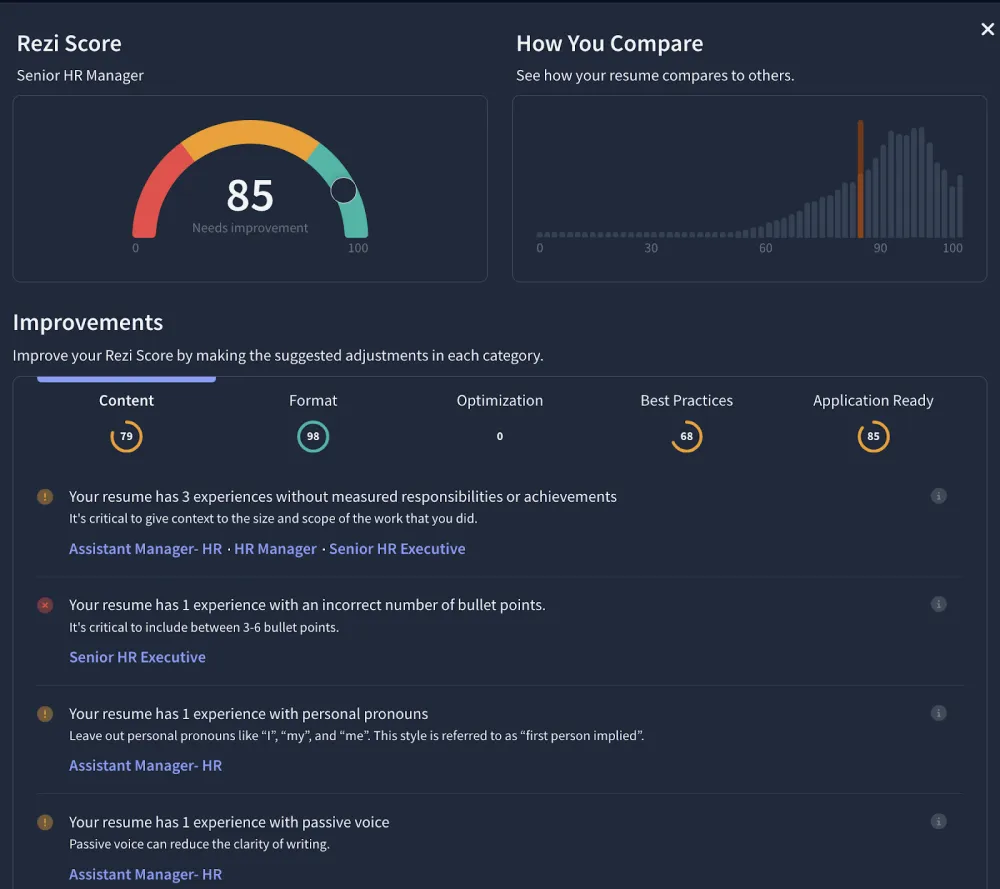
What you’re checking: does the file parse into clean sections, do the job ad’s keywords appear naturally, and is anything important trapped inside a graphic the software can’t read? Fix what the scorer flags, then re-check your edited version until the structure is clean. That audit is the final step of the chat gpt resume builder workflow before any application goes out.
If you’re also preparing the rest of your application, our guide to the best AI resume builders rounds up the dedicated tools worth paying for.
How Should You Check the AI Output Before You Send It?
Check the AI output line by line against your own records before you send anything: ChatGPT can invent numbers, inflate job titles, and add skills you never claimed. Treat every line of your chat gpt resume builder draft as a claim you may have to defend in an interview — if you cannot prove it, correct it or cut it.
Start with this fact-check prompt, run in the same conversation as the draft:
“Go through this resume line by line and highlight anything you cannot trace back to the information I gave you. List each flagged line, say whether it is a number, a job title, a date, or a skill, and tell me exactly what to verify. Do not rewrite the resume. Resume: [PASTE YOUR FINAL DRAFT] My original notes: [PASTE YOUR GATHERED WORK HISTORY]”
Then verify these four things yourself, because no prompt can check them for you:
- Facts and employer names. Every employer, team, and project named in the draft must match your own records. AI can merge two roles into one, or move a project to the wrong employer.
- Numbers. Every percentage, team size, budget, and time saving must be a number you actually gave it. Where the draft kept a placeholder such as [ADD METRIC], fill in the real figure — or delete the claim.
- Job titles and dates. Titles must match what a former employer would confirm, and start and end dates must match your real history. An upgraded title is a factual error, not a polish.
- Skills. Remove any tool, software, or certification the draft added just because it appeared in the job ad. If you could not use it in the role tomorrow, it does not belong on the resume.
Run Prompt 8’s honesty audit first, then do this check yourself, out loud, against your notes. It takes ten minutes, and it is the step that keeps an AI-assisted resume honest from the first screen to the final interview. Skip this check, and a chat gpt resume builder can do more harm than good.
5 Mistakes That Make AI Resumes Obvious
The short answer is that obvious AI resumes share the same five tells: invented facts, an empty summary, duties instead of results, broken formatting, and one generic file sent to every job. The chat gpt resume builder workflow in this guide is built to avoid each one — here is what to watch for.
- Letting it invent. The classic failure: ChatGPT upgrades “helped with onboarding” to “led onboarding for a 12-person team” — a claim that collapses in a reference check. Prompts 1, 3, and 8 exist specifically to stop this.
- The summary of nothing. “Dynamic professional with a passion for excellence seeking new opportunities” says zero. If your summary could sit on anyone’s resume, delete it.
- Responsibilities instead of results. “Responsible for managing the team calendar” versus “Cut scheduling conflicts 40% by rebuilding the team calendar system” — recruiters hire the second sentence.
- Skipping the format. A brilliant ChatGPT draft pasted into a two-column Canva template that no ATS can read. The content never reaches a human.
- One resume for fifty jobs. The whole point of the chat gpt resume builder method is cheap tailoring — if you’re not tailoring, you’re just using ChatGPT as a typewriter.
Avoid all five and your chat gpt resume builder output stops looking like AI output at all.
FAQs
Short answers to the questions readers ask most about the chat gpt resume builder method — every answer is expanded in the sections above.
Is there an official ChatGPT resume builder app?
No. OpenAI has never released a resume builder — ChatGPT itself is the tool, used through prompts like the eight in this guide. That is why this guide teaches a chat gpt resume builder workflow instead of recommending an app.
Will recruiters know I used ChatGPT for my resume?
Only if you let the output stay generic. Recruiters flag resumes full of buzzwords, vague claims, and duties with no results — exactly what raw AI output looks like. Run the prompts in order, keep your real metrics in, and tailor to each ad, and the result reads like what it is: a well-written resume.
Can ChatGPT beat applicant tracking systems?
ChatGPT helps with the content ATS systems scan for — mirrored keywords, standard headings, quantified bullets. It cannot fix formatting: a bad template will still fail the parse. Build with ChatGPT, then audit the file with a free ATS scorer before you submit.
Should I use ChatGPT or a dedicated AI resume builder?
Use both for different jobs. ChatGPT is the stronger writer — better bullets, better tailoring, better summaries. A dedicated builder is the stronger tool for formatting and scoring — templates, layout, export formats. The strongest workflow: write in ChatGPT, build in Rezi or a similar template, score before sending. Our comparison of the two approaches is in the comparison section above.
How long should my AI-written resume be?
Early career: one page. Mid-career: one to two pages. The length rule doesn’t change because AI wrote it — ChatGPT tends to pad, so use Prompt 7 to cut ruthlessly until only evidence remains.
Is it cheating to use ChatGPT on my resume?
No — it’s a writing tool, like spellcheck or a career counselor. What matters is truthfulness: every claim traceable to something you really did, which is what Prompt 8 enforces.
Bottom Line
A chat gpt resume builder isn’t an app you download — it’s a workflow you run: gather real inputs, run eight prompts in order, move the draft into an ATS-safe template, tailor it to every single ad, and audit it before you send it. Do that once and you’ll never stare at a blank page again — you’ll have a reusable machine that takes a job posting and returns a tailored, ATS-ready, truthful resume in under an hour.
This guide gives you the exact same approach every strong AI resume benefits from: step-by-step prompts, clear formatting rules, and repeating tailoring habits that scale as you apply to more jobs. Pair the method with a dedicated builder when budget tools can’t — and with honest numbers, your applications stay credible from first screen to final interview. That is the chat gpt resume builder promise: real facts in, better words out, and a file that parses cleanly.
Pricing and free tiers checked October 2026. ChatGPT’s free tier covers every prompt in this guide; Rezi and the other dedicated builders offer free scores or trials, with paid export and premium templates as the usual upsells. Nothing in this workflow requires paying for a resume.
Before you submit, run your draft through an independent ATS check — Rezi’s free resume scorer will parse the file the way hiring software does and highlight problems before a recruiter sees them. You can also review our tested picks for a dedicated AI resume builder if you want a purpose-built tool for formatting and scoring, and pair it with a matching AI cover letter and you’re applying with a complete package instead of a standalone document.
Chat GPT Resume Builder Quick-Start Checklist
Run this chat gpt resume builder checklist every time you apply. First, gather your raw work history, dates and rough notes, plus the full job ad. Second, run prompts one to four to build your master draft: structure, keyword mining, achievement bullets and a searchable skills section.
Third, run prompts five to eight for every new role: a no-fluff summary, the tailoring pass, the proofread and the honesty audit. Fourth, move the text into a clean single-column template, save it as firstname_role.docx, and re-angle three to five bullets. That is the whole method, and it works because every step builds on the last instead of starting from zero.
Once you have run the full chat gpt resume builder workflow twice, each application takes under an hour. Keep your master file current: after every project, add the result to your wins file while the numbers are still fresh, paste polished versions of your best three projects into the master, and refresh the skills section for emerging tools in your field — a chat gpt resume builder is only as good as the material you feed it.
Re-check pricing and free tiers before you renew anything, skim job ads monthly for changing language so your master file is already strong.
How long does the chat gpt resume builder method take?
About an hour the first time: 20 minutes gathering inputs, 30 minutes running the eight chat gpt resume builder prompts in order, and 10 minutes moving the text into a formatted template and running the ATS audit. After that first run, each tailored application takes about five minutes, because the master file is already built and the tailoring prompt does the repetitive work while you focus on finding a job and preparing for interviews.
One last tip: keep a “wins” file where you log every metric, compliment, and result as it happens. A chat gpt resume builder is only as good as the facts you feed it — three months from now, that wins file is the difference between a resume that sounds like everyone else’s and one that sounds like you on your best day. Start the workflow today with one real job ad, and you will never stare at a blank page again.