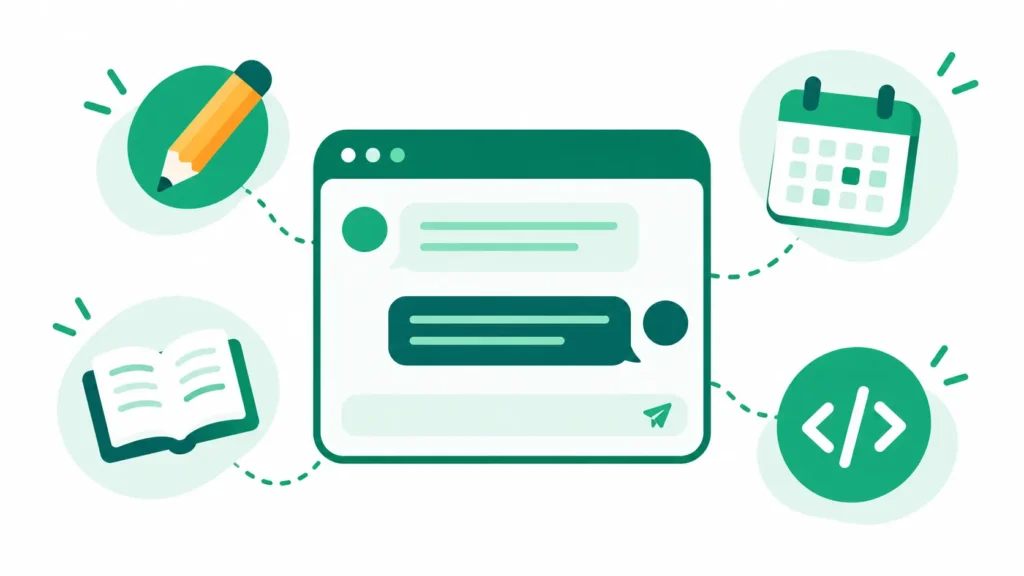
AI ChatGPT is OpenAI’s conversational AI assistant: you type or speak a request, and it writes, explains, summarizes, helps with code, analyzes files, and generates images in reply. It has a free plan with unlimited text chat and paid plans from about $8 a month that raise limits and unlock more tools.
Wikipedia reports that ChatGPT reached 900 million weekly active users in February 2026, which explains why so many people search for AI ChatGPT every day. A student in Chicago, a manager in London, a freelancer in Toronto, and a shop owner in Sydney may all use it, but for very different jobs.
This guide explains what AI ChatGPT is, what the free and paid plans include, seven practical ways to use it, how to write better prompts, and where it goes wrong. Plans and limits change often, and model names change every few months, so I describe capabilities instead of version numbers. Details were checked on October 9, 2026, and you should confirm them on OpenAI’s own pages.
Key takeaways
- AI ChatGPT is free to start. OpenAI’s plan page lists unlimited text chat for free, with limits on uploads, images, voice, and deep research.
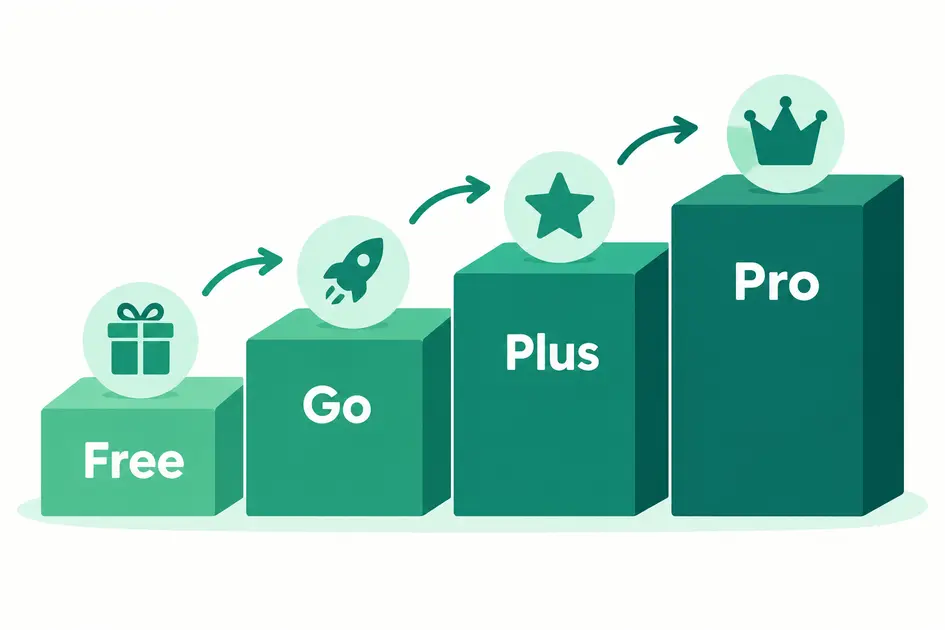
- Go costs about $8 a month in the US, plus costs $20, and Pro starts at $100, with prices localized in some countries.
- Free and Go may show ads in some regions. Paid plans such as Plus are reported to be ad-free.
- Good prompts give clear context, a goal, and a format, and they beat vague requests every time.
- AI ChatGPT can state wrong facts with confidence, so verify anything that matters.
What Is AI ChatGPT and How Does It Work?
AI ChatGPT is built on a large language model, which is a system trained on huge amounts of text to predict what words should come next. That sounds simple, but it lets the model draft emails, explain ideas, translate, summarize, and reason through problems in plain language.
Around the model, OpenAI has added tools: web search, file and image uploads, data analysis, image generation, voice conversations, deep research reports, custom GPTs, and a coding agent called Codex. Which tools you get, and how much of each, depends on your plan.
The key limitation is that it predicts plausible text, not guaranteed truth. It can produce confident mistakes, which is why checking important facts is part of using it well.
Is AI ChatGPT Free?
Yes, there is a free plan. According to OpenAI’s plans page, Free includes unlimited text chats, subject to abuse guardrails, plus limited uploads, image creation, voice chats, deep research, memory, and Codex access. Paid plans raise those limits and add tools.
AI ChatGPT Plans at a Glance
| Plan | Price | What you get | Ads |
|---|---|---|---|
| Free | $0 | Unlimited text chat, with limited uploads, images, voice, and deep research | May appear in some regions |
| Go | About $8 per month in the US, localized elsewhere | More messages, uploads, images, and voice, and longer memory | May appear |
| Plus | $20 per month | Advanced reasoning, expanded limits, projects, scheduled tasks, custom GPTs, and more Codex use | Reported ad-free |
| Pro | From $100 per month | The highest limits for heavy users | Reported ad-free |
| Business and Enterprise | Per user, per month, or custom | Team features and admin controls | Reported ad-free |
Ads appeared on Free and Go in the US in early 2026, and recent guides report that they have spread to many more countries, so check whether you see them. Prices differ by country, so confirm on OpenAI’s pricing page. For a deeper look at how it compares with Microsoft’s assistant, see our guide to Microsoft Copilot vs ChatGPT.
How to Use AI ChatGPT: 7 Practical Ways
1. Write and Edit
Use it to draft emails, outlines, and social posts, or to tighten text you already wrote. Paste your draft and ask it to shorten it, fix the tone, or point out unclear sentences. You stay in charge of the final wording.
2. Learn and Explain
Ask it to explain a topic at your level, such as “Explain compound interest to a 15-year-old, then give me three practice questions.” For schoolwork, our list of the best AI tools for students adds more options.
3. Summarize Documents
Upload an article, report, or notes and ask for a summary, key points, or action items. Free plans cap uploads, so large files may need a paid plan. Check the summary against the original for anything important.
4. Plan and Organize
Plan a trip, a weekly study schedule, a meal plan, or a project checklist. Give it your constraints, such as budget, time, and preferences, and ask for options instead of one answer.
5. Brainstorm Ideas
It is a strong brainstorming partner for video topics, product names, and article angles. See our guide to TikTok content ideas for a ready-made set of formats you can combine with AI brainstorming.
6. Analyze Data
Upload a spreadsheet and ask for trends, a summary table, or help with formulas. Spot-check the results, because it can misread columns or make calculation mistakes.
7. Get Coding Help
Ask it to explain error messages, write small scripts, or review code. OpenAI’s coding agent, Codex, is part of the plans, with limited access on Free. Always test generated code before you use it.
If you want to turn these skills into income, see our guides to using ChatGPT for making money online and how to become a freelance writer.
AI ChatGPT Prompts That Get Better Answers
The quality of your answer depends on the quality of your request. A simple formula works for most tasks: give it a role, a task, context, a format, and any limits.
Act as a career coach. Help me prepare for a job interview as a junior marketing assistant. I have two years of experience in retail. Give me five likely questions, a short sample answer for each, and one tip to improve it. Keep each answer under 80 words.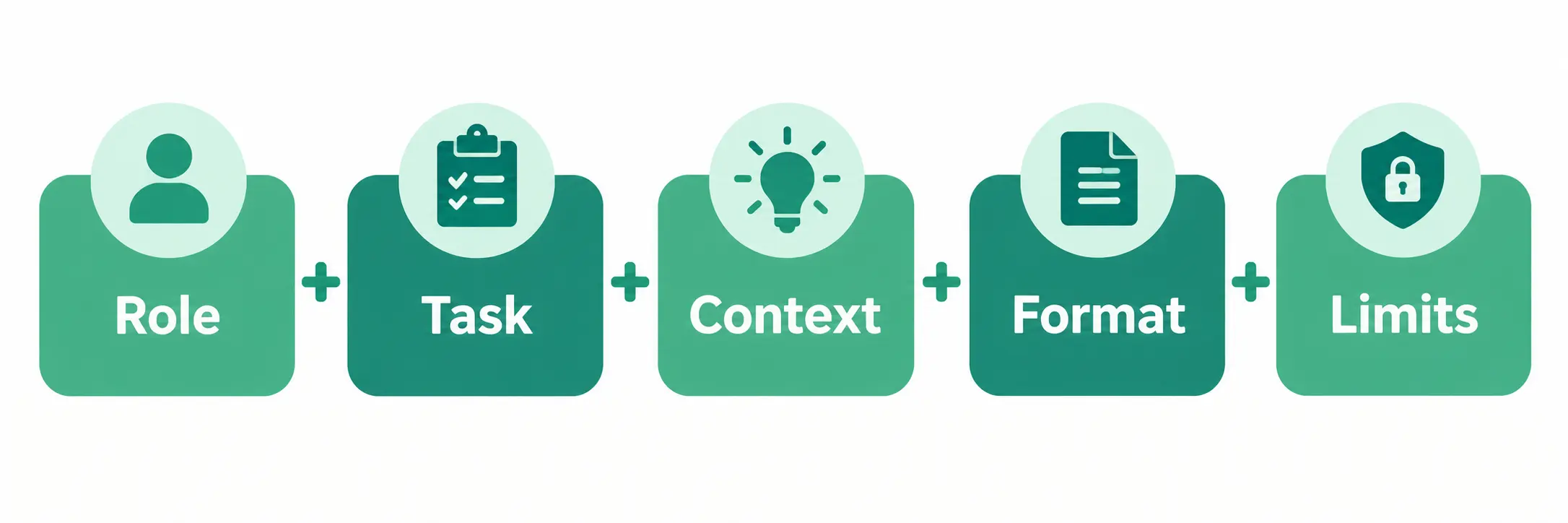
Useful follow-ups include “make it shorter,” “explain your reasoning,” “give me three alternatives,” and “what could be wrong with this answer?” Our full guide on how to write AI prompts has more techniques.
What AI ChatGPT Gets Wrong
- Made-up facts. It can invent statistics, quotes, and sources that sound real. Verify anything important.
- Out-of-date or incomplete information. Even with a web search, it may miss recent changes or key sources.
- Weak medical, legal, and financial judgment. Use it to understand a topic, not to replace a professional.
- Privacy risks. Do not paste passwords, ID numbers, private client data, or confidential work documents into a personal account. Check the data controls in your settings.
- Bias. Its answers reflect patterns in its training data, so question one-sided answers.
- Rule-breaking. Schools and employers may have rules on AI use, so follow them and disclose your use where required.
AI ChatGPT vs Other AI Assistants
ChatGPT is the best-known assistant, but it is not the only one. Google’s Gemini, Microsoft Copilot, and Anthropic’s Claude all offer free plans and similar core features, and each has its own strengths. The right choice depends on the tools you already use and the limits you hit. Our list of free AI tools like ChatGPT and our overview of AI productivity tools can help you compare. The best test is to try the same prompt in two or three assistants and keep the one that serves you best.
Common Mistakes With AI ChatGPT
Most disappointment with AI ChatGPT comes from a few avoidable habits.
- Using vague prompts. “Write something about marketing” gets generic results.
- Trusting every answer. Treat it as a fast first draft, not a final authority.
- Pasting sensitive data. Keep private and confidential material out of personal accounts.
- Paying too early. Use the free plan until you actually hit its limits.
- Copying text unchanged. Edit for accuracy, voice, and your own experience.
- Skipping follow-ups. The first answer is rarely the best one. Refine it.
Bottom Line: Who Should Use AI ChatGPT?
Almost anyone who writes, studies, plans, or codes can get value from it. Start with the free plan, learn to write clear prompts, and upgrade only if you keep hitting limits on images, files, voice, or research.
The best way to use AI ChatGPT is as a fast, capable assistant that you supervise. Verify the facts, protect your private data, and keep your own judgment in charge.
AI ChatGPT: Frequently Asked Questions
Is AI ChatGPT free to use?
Yes. OpenAI’s plans page lists unlimited text chat on the free plan, with limits on uploads, images, voice, and deep research. Go, at about $8 a month in the US, and, plus, at $20, raise those limits. Free and Go may show ads in some regions, which paid plans such as Plus are reported not to.
What can AI ChatGPT do?
AI ChatGPT can write and edit text, explain topics, summarize files, answer questions with web searches, analyze data, generate and edit images, hold voice conversations, and help with code. Some features, such as deep research and the coding agent, are limited on the free plan and expanded on paid ones.
Is AI ChatGPT safe to use?
It is generally safe for everyday tasks if you avoid sharing sensitive information. Do not paste passwords, ID numbers, or confidential documents into a personal account, verify important facts, and follow school or workplace rules. Check your privacy and data settings to control how your conversations are used.
How do I use AI ChatGPT for the first time?
Go to chatgpt.com or install the official app, create an account, and type a clear request, including what you want, who it is for, and the format you need. If the first answer is not right, ask follow-up questions, and add more context until it improves.
Can AI ChatGPT replace Google search?
Not entirely. It can search the web and summarize results, but it can make mistakes and may not show every source. Use it for explanations, drafting, and brainstorming, and use search to verify facts and find original sources.
Read Next
- Microsoft Copilot vs ChatGPT: 7 Differences & Best Pick
- How to Write AI Prompts: 7 Powerful Techniques & 2026 Guide
- ChatGPT for Making Money Online
- Top Free AI Tools Like ChatGPT Without Limits in 2026
Plans, prices, limits, and features were checked on October 9, 2026 and change often. Always confirm on OpenAI’s official pages before paying.