

If you freelance on Upwork, you know the hardest part isn’t doing the work—it’s winning it. Most jobs get 20 to 50 proposals within hours, and clients skim each one for seconds. Learning to write ChatGPT Upwork proposals the right way turns a 25-minute grind into a 5-minute task, without sounding like a robot.
Below: a practical method, the prompts that actually work, a full example proposal, and the mistakes that get AI-assisted proposals ignored.
 The ChatGPT interface: where every proposal draft in this guide begins.
Key takeaways
– ChatGPT Upwork proposals work best as a first draft, not a final send — your personal touch wins the job.
– The winning formula: paste the job post + your relevant experience + one specific idea for the client’s project, then let ChatGPT structure it.
– Keep proposals under 200 words, lead with the client’s problem (not your bio), end with one clear question.
– Never send ChatGPT’s output untouched — generic proposals are easy to spot and easy to reject.
– Disclose AI assistance only if the client asks or the job involves original creative writing.
Why Most Upwork Proposals Fail (and Where ChatGPT Helps)
Clients rarely reject proposals over skill—they reject them because the proposal is about the wrong person. The classic failed proposal: three paragraphs about “I am a hardworking professional,” zero sentences about the client’s problem.
ChatGPT fixes the blank-page problem, not the thinking problem. It’s great for structuring thoughts and tightening wording, but dangerous if you ask it to invent experience. Clients smell fabricated expertise fast, and Upwork requires honest representation of your skills.
Freelancers getting real results from ChatGPT Upwork proposals treat the AI as a writing assistant, not a ghostwriter. You bring the strategy — which jobs to bid on, why you’re a fit, your real results. ChatGPT brings speed and polish. That division of labor is the method below.
The 7-Step Method for ChatGPT Upwork Proposals That Win Jobs
Follow these in order—about five minutes per proposal.
Step 1: Feed ChatGPT the actual job post
Never write from memory. Paste the full job text in — ChatGPT can only mirror the client’s language if it can see it.
I will paste an Upwork job post below. Read it carefully and list:
1. The client's main problem in one sentence
2. The 3 most important requirements
3. Any red flags or vague details I should ask about

JOB POST:
[paste the full job description here]
This takes 30 seconds and prevents the number-one proposal killer: answering a job you didn’t fully read.
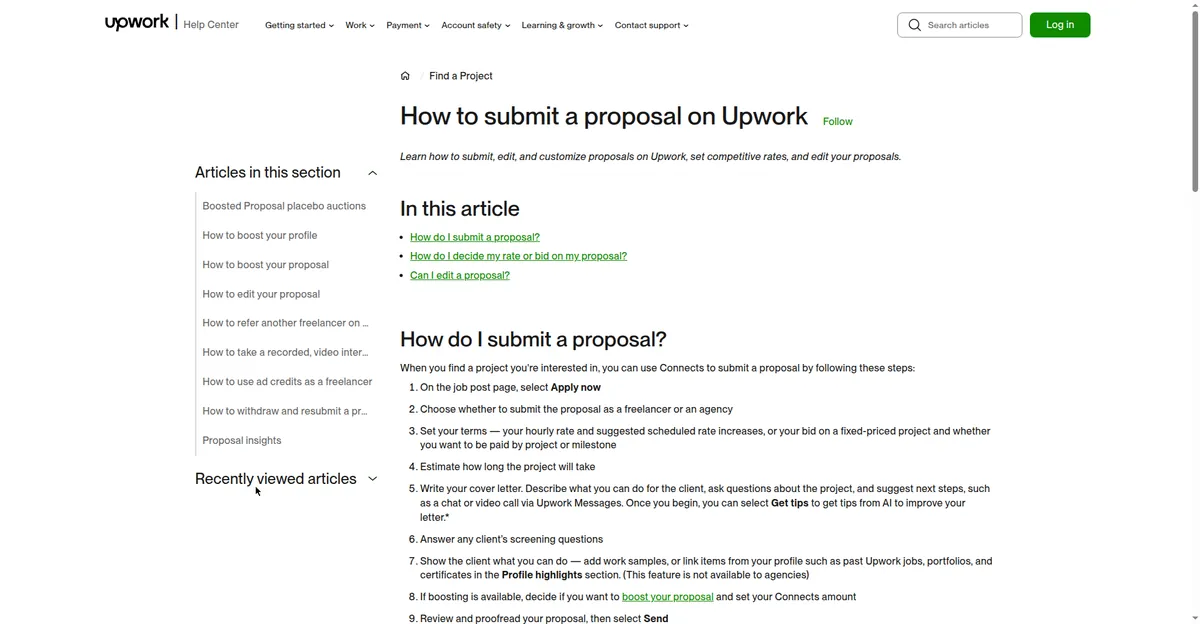 Upwork’s official proposal submission steps—the process your ChatGPT Upwork proposals plug into.
Step 2: Give ChatGPT your real ammunition.
ChatGPT can’t know your background unless you tell it. Write 4–6 bullets: relevant experience, one or two concrete results with numbers, tools you use.
Here is my background for this proposal:
- 2 years writing blog content for SaaS companies
- Wrote 40+ articles; one client grew organic traffic 60% in 6 months
- Tools: Surfer SEO, WordPress, Google Docs
- Available 20 hours/week, can start immediately

Remember these facts. Only use them — never invent experience I didn't list.
That last line is the difference between ChatGPT Upwork proposals that help you and ones that embarrass you on a discovery call.
Step 3: Ask for a short, client-first draft.
Combine the two. The prompt below forces the winning structure behind ChatGPT Upwork proposals: hook, proof, plan, and question.
Using the job post and my background above, write an Upwork proposal under 180 words:
- Opening line: name the client's specific problem (no "Dear Hiring Manager")
- One short paragraph: my most relevant result, with the number
- 2-3 bullet points: how I would approach THEIR project
- End with one specific question about their project
- Tone: confident, conversational, human. No buzzwords, no exclamation marks.
Step 4: Generate three openings, pick the best.
The first line decides whether the client clicks “read more”:
Write 3 different opening lines for this proposal. Each must reference something specific from the job post — not generic flattery. Keep each under 20 words.Pick the one that sounds most like you and delete the rest. This single step separates thoughtful ChatGPT Upwork proposals from the copy-paste crowd.
Step 5: Add one specific idea for their project.
Generic proposals say “I can do this.” The best ChatGPT Upwork proposals say, “Here’s how I’d approach your project”—with one real observation: a gap on the client’s website, a faster way to do the task. Ask ChatGPT to phrase it as a brief suggestion. One concrete idea beats three paragraphs of credentials.
Step 6: Humanize the draft
Read it aloud. Rewrite anything you’d never say; cut filler (“I am writing to express my interest”). Over 200 words? Ask ChatGPT to cut it by a third.
Step 7: Customize the final 10% every time.
Change the opening line, the project-specific idea, and the closing question for every job—that’s where clients check you read their post. The rest of the template can stay. New to freelance platforms? Our freelance websites guide compares Upwork with alternatives.
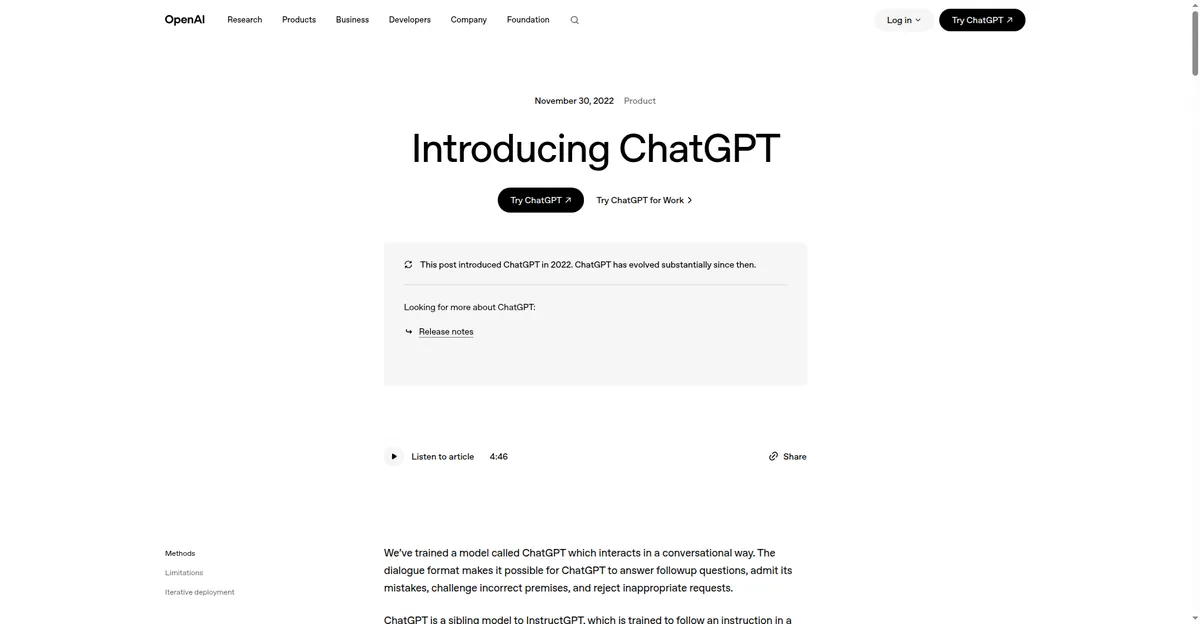 OpenAI’s ChatGPT: the free AI assistant that powers the proposal workflow in this guide.
3 Copy-Paste Prompt Templates (+ Full Example)
Here are the three prompt templates behind effective ChatGPT Upwork proposals. Fill in the brackets, paste, edit, send.
Template 1 — The quick bid:
Write an Upwork proposal under 150 words for this job: [paste job post].
My relevant experience: [2-3 bullets]. Structure: specific opening line,
one proof point with a number, 2 bullets on my approach, one closing
question. Conversational tone, no buzzwords.
Template 2 — The detailed project:
Write an Upwork proposal under 220 words for this job: [paste job post].
My background: [paste bullets]. Include: a 2-sentence diagnosis of their
problem, my step-by-step plan (numbered, 4 steps max), one relevant result
with numbers, timeline estimate, and one smart question. Professional but
warm tone.
Template 3 — The beginner (no reviews yet):
I am new on Upwork but have [X] experience in [skill]. Write an honest,
confident proposal under 160 words for this job: [paste job post]. Lead
with enthusiasm for their specific project, mention 1-2 relevant samples
or personal projects, offer a small paid trial task, end with a question.
Do not apologize for being new.
Full example—a blog-writing proposal built with the method above:
Noticed your SaaS blog hasn’t published in 3 months while competitors ship weekly — that’s a gap I can close fast.
I write SEO blog content for B2B SaaS. Last year I wrote 40+ articles for two clients; one grew organic traffic 60% in six months (happy to share samples).
For your blog I’d: 1) audit your top 10 competitors’ content gaps, 2) build a 12-article content calendar around buyer keywords, 3) deliver 2 SEO-optimized drafts per week in Surfer.
Quick question: are you targeting top-of-funnel traffic, or content that converts trials?
138 words—specific, proof-backed, ending with a question. To sharpen the prompting skill behind it, see our guide to writing AI prompts.
Mistakes That Make ChatGPT Upwork Proposals Look Robotic
Even good writers sabotage their ChatGPT Upwork proposals with these habits:
- Sending the first draft untouched. ChatGPT’s default output has a recognizable rhythm—balanced sentences, zero personality. Always rewrite the opening and closing in your voice.
- Letting it invent experience. “I’ve helped dozens of clients…” when you’ve helped three is a lie that surfaces on the first call. Use the “only use my facts” line from Step 2 every time.
- Writing about yourself first. If paragraph one starts with “I,” rewrite it to start with the client’s problem. Clients hire solutions, not resumes.
- Ignoring the connection cost. Every proposal cost connects on Upwork. Mass-applying burns money—bid selectively on jobs you’re a strong fit for.
- Skipping hidden instructions. If the client wrote “mention ‘pineapple’ so I know you read this” and you don’t, no AI polish saves you.
 Upwork’s homepage—where your proposals compete with dozens of others within hours.
Should You Tell Clients You Used AI?
Usually not. Using ChatGPT to draft and polish is no different from using Grammarly or a template—a writing aid where the ideas, experience, and judgment are yours. What matters: every claim is true, and the delivered work is yours.
Two exceptions: if the job is original creative writing (a novel, memoir), some clients consider AI use a material fact—ask when in doubt. And never fake a portfolio sample, testimonial, or credential—that’s deception and violates Upwork’s terms.
The honest rule: AI can help you say it better; never claim what isn’t true.
FAQ
Do ChatGPT-written Upwork proposals actually get replies? Only when heavily edited. Clearly templated proposals get ignored no matter the tool. Use ChatGPT for structure and speed, customize the client-specific parts, and—most importantly—target jobs you’re genuinely a fit for.
How long should an Upwork proposal be? 100–200 words. Shorter, specific proposals consistently outperform long ones. For complex or high-budget jobs, 200–250 words with a clear plan is fine. Never send a wall of text.
Can ChatGPT help if I’m new with no reviews? Yes—it arguably helps beginners most by leveling the writing playing field. Be honest about being new, lead with relevant skills or personal projects, and offer a small paid trial. Our freelance writer roadmap can help you build those first portfolio pieces.
Will Upwork ban me for using AI in proposals? No—there’s no rule against AI writing assistance. What’s banned is misrepresenting your identity, skills, or experience, AI-assisted or not. Keep every claim truthful.
Is the free ChatGPT version enough? Yes. Proposal writing is short-form drafting, not complex reasoning. Spend your money on connects instead—that’s the real cost of bidding.
Bottom Line
ChatGPT won’t win Upwork jobs for you—but sharp ChatGPT Upwork proposals help you bid faster and stand out from the generic pile. Feed it the real job post, arm it with your true experience, demand a short client-first structure, and rewrite the final 10% in your own voice.
Last updated: October 12, 2026. Upwork’s interface, connect costs, and ChatGPT’s free-tier limits change over time—if a screenshot or step looks different on your screen, the method still applies.

[…] to AI drafting. And if you’re polishing the rest of your application, see our guides on writing Upwork proposals with ChatGPT and free AI paraphrasing […]
[…] related job-application tools, see our guides on writing Upwork proposals with ChatGPT and free AI paraphrasing tools for […]
[…] niche (SaaS blogs, real-estate listings), build three portfolio samples, then pitch. Our guides to writing Upwork proposals with ChatGPT and Fiverr gig descriptions with AI cover the exact […]