
Last checked: October 2026
Finding a reliable free AI article rewriter changes everything for busy content creators. Spending hours manually editing outdated blog posts, tweaking client drafts, or polishing research papers burns precious time.
Today, Natural Language Processing (NLP) and Generative AI handle the heavy lifting. Modern rewriters do not just swap words with awkward synonyms; they understand context, preserve core ideas, and shape natural phrasing that flows cleanly. Best of all, top-performing options cost absolutely nothing to get started.
Here is an in-depth breakdown of the 7 best free AI article rewriters available in 2026, including their strengths, trade-offs, and ideal use cases.
Key Takeaways
- QuillBot is the best overall free AI article rewriter for natural paragraph rewrites. Wordtune suits sentence polishing, and Semrush AI suits SEO work.
- Every tool here is free to start, but free plans limit words, runs, or modes, so match the limit to the text you rewrite most often.
- Rewriting your own draft is ethical and useful. Spinning someone else’s article to pass it off as original is outdated and risky.
- Always review rewritten text for facts, tone, and meaning before you publish.
What Is a Free AI Article Rewriter?
A free AI article rewriter is an online tool that uses Natural Language Processing (NLP) to restyle, rephrase, and restructure written text while keeping its original meaning intact.
Unlike old-school article spinners that produced broken, spammy sentences, modern AI rewriters analyze full sentence structures. They adapt tone, clean up passive voice, and improve readability without triggering plagiarism detectors or sounding robotic.
Why Use a Free AI Article Rewriter?
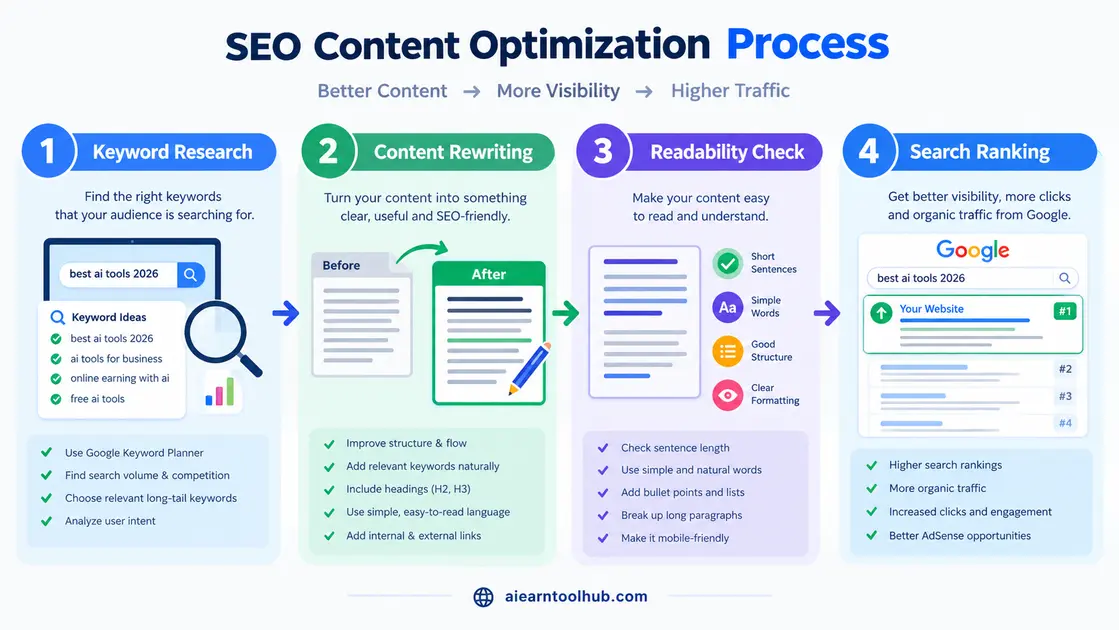
A free AI article rewriter saves time and money because it turns a slow manual edit into a quick first pass you can then polish yourself. It is most useful for refreshing old posts, tightening drafts, and finding a clearer way to say the same thing.
- Zero Upfront Cost: Start optimizing content immediately without committing to monthly subscriptions.
- Instant Accessibility: Most tools run directly inside your web browser without requiring complex installation steps.
- Continuous Updates: Free plans frequently receive underlying AI upgrades, improving fluency over time.
- Workflow Acceleration: Speed up revision cycles on existing articles to keep content fresh for search engines.
The 7 Best Free AI Article Rewriter Tools
The seven best tools are QuillBot for overall quality, Wordtune for context, Paraphraser.io for bulk text, Spinbot for quick runs, Rytr for multi-format writing, Semrush AI for SEO, and ChatGPT for flexible rewrites. Each is free to start and suits a different job. If you mostly rewrite shorter passages rather than whole articles, our guide to AI tools for paraphrasing text free covers that neighbouring task in depth.
1. Quillbot—Best Overall Free AI Article Rewriter
QuillBot remains the industry benchmark for quick, accurate rephrasing. It offers a clean dual-pane interface that lets you compare the original text against rewritten versions instantly.
- Key Features: Seven distinct paraphrasing modes (Standard and Fluency available on the free plan), real-time word customization, and direct browser extensions for Google Docs and Gmail.
- Pros: Highly natural output, minimal manual editing required, easy-to-use interface.
- Cons: 125-word limit per attempt on the free tier; advanced modes require a paid subscription.
- Best For: Students, bloggers, and editors who need fast, natural-sounding paragraph rewrites.
2. Wordtune—Best Context-Aware Rewriter
Wordtune rephrases entire thoughts rather than substituting words individually. It analyzes full paragraphs to offer alternative phrasing that improves punchiness and flow.
- Key Features: Deep contextual understanding, casual vs. formal tone switches, and sentence expanding or shortening.
- Pros: Exceptional readability improvements; works seamlessly inside Google Docs and web browsers.
- Cons: Free tier limits users to 10 rewrites per day; limited full-article bulk processing.
- Best For: Copywriters and editors polishing key sections, introductory hooks, or email sequences.
3. Paraphraser.io — Best for Bulk Text Rewriting
If strict character caps slow you down, Paraphraser.io provides generous word allowances per run, making it ideal for processing long-form drafts.
- Key Features: Up to 1,000 words per session on the free tier, multiple writing modes (Fluency, Standard, and Creative), and multi-language support.
- Pros: No compulsory account sign-up for quick edits; handles large chunks of text rapidly.
- Cons: Creative mode can occasionally stray from original context; the interface contains ads.
- Best For: Freelancers and SEO writers handling large volumes of raw text on tight deadlines.
4. Spinbot—Best Unlimited Free Rewriter
Spinbot is a long-standing tool that has replaced traditional synonym spinning with modern AI-driven rephrasing models.
- Key Features: Instant one-click rephrasing, no strict daily usage caps, and available API connections for developers.
- Pros: Fast processing speeds with zero account requirements; completely free to use.
- Cons: Output requires careful proofreading; embedded ads can interrupt editing workflows.
- Best For: Web developers needing lightweight automated edits and creators making quick content drafts.
5. Rytr—Best Multi-Purpose AI Writing Assistant
While widely known as a full AI writer, Rytr includes a powerful rephrase tool alongside its content generation suites.
- Key Features: 10,000 free characters per month, 20+ tone settings, built-in plagiarism checking, and over 40 template use cases.
- Pros: Excellent tone customization; stores edit history for future reference.
- Cons: Monthly character allowance resets monthly rather than daily; not specialized purely for paraphrasing.
- Best For: Social media managers and content marketers who manage blogs, video scripts, and post captions in one place.
6. Semrush AI—Best Free AI Rewriter for SEO
Semrush AI Paraphrasing Tool brings search engine optimization principles straight to content rephrasing.
- Key Features: Preserves core target keywords naturally, offers multiple rewrite modes (Simplify, Expand, Summarize), and includes readability scoring.
- Pros: Purpose-built to maintain keyword balance; backed by Semrush’s search intelligence data.
- Cons: Generates lower output volume per submission on the free tier.
- Best For: SEO specialists and niche site owners seeking to refresh content while protecting ranking signals.
7. ChatGPT — Most Flexible AI Article Rewriter
ChatGPT stands out as an extraordinarily versatile rewriter when guided by targeted prompts.
- Key Features: Custom instructions for tone, format, reading level, and style; no rigid sentence boundaries; multi-step editing capabilities.
- Pros: Adapts to virtually any voice or audience; capable of restructuring entire post frameworks.
- Cons: Quality relies heavily on prompt precision; key target terms must be explicitly requested in the prompt.
- Best For: Power users and strategist-level writers who want full control over every structural shift.
How Do the 7 Best Free AI Article Rewriters Compare?
The table below compares all seven tools on what each does best, its free limit, its standout feature, and whether you can use it without signing up. Read across for a quick shortlist, then look for the limit that would slow your own workflow first.
| Tool | Best For | Free Limit | Standout Feature | No Sign-Up Needed |
|---|---|---|---|---|
| Quillbot | General Rewriting | 125 words/run | 7 Paraphrasing Modes | No |
| Wordtune | Sentence Editing | 10 rewrites/day | Deep Context Analysis | No |
| Paraphraser.io | Bulk Content | ~1,000 words/run | High Input Allowance | Yes. |
| Spinbot | Quick Rephrasing | Unlimited | Instant Output & API | Yes. |
| Rytr | Multi-Format Content | 10,000 chars/mo | Built-In Plagiarism Check | No |
| Semrush AI | SEO Content | Usage Capped | Natural Keyword Preservation | No |
| ChatGPT | Flexible Prompt Edits | Open Access | Unlimited Style Customization | No |
How Do You Choose the Right Free AI Article Rewriter for Your Workflow?
Choose the right tool by matching it to the job in front of you: the length of the text, whether SEO keywords must stay, and how much control you need over tone. Start with the use cases below, pick the tool named for yours, and test it on one paragraph before trusting it with a full article.
- For Quick Paragraph Edits: Use Quillbot for clean, natural-sounding sentences.
- For Detailed Sentence Polishing: Choose Wordtune to improve flow and impact.
- For Long-Form Drafts: Rely on Paraphraser.io to bypass strict word limits.
- For Search Engine Optimization: Pick Semrush AI to maintain target keyphrase balance.
- For Custom Style Control: Leverage ChatGPT with custom tone prompts.
How Can You Get Better Results From a Free AI Article Rewriter?
You get better results from a free AI article rewriter by feeding it clean, short sections, choosing the mode and tone on purpose, and checking every output before you use it. The tool does the first pass; your review is what makes the result accurate, original, and safe to publish. These five practical habits make the biggest difference.
- Proofread Every Output: Always check facts, names, and tone before hitting publish.
- Process Text in Paragraphs: Feed tools single sections instead of massive articles to preserve narrative coherence.
- Select Tone Intentionally: Match modes (e.g., Formal, Academic, Creative) explicitly to your targeted audience.
- Run Plagiarism Checks: Verify output with tools like Grammarly or Copyscape to confirm originality.
- Chain Tools Sequentially: Pass raw drafts through Quillbot for phrasing, Wordtune for clarity, and Semrush AI for search intent alignment.
What Is the Difference Between Rewriting and Article Spinning?
Rewriting improves a text you have the right to use, by changing its wording, structure, and flow while keeping its meaning and adding your own judgement. Article spinning is the older practice of swapping synonyms mechanically, usually to turn one article into many near-copies or to disguise where a text came from.
Spinning is outdated and risky because the results read unnaturally, search engines are good at spotting low-value near-duplicates, and rewording someone else’s work does not make it yours. Ethical rewriting means working on your own draft, or on a source you cite, and using a free AI article rewriter to express the idea more clearly — not to hide copying. If an idea came from somewhere else, credit that source even after you rewrite it.
What Does a Good Rewrite Look Like? A Worked Before-and-After Example
A good rewrite keeps every fact from the original, but changes the sentence structure, tightens the wording, and sounds like a person wrote it. Here is a short example using a writer’s own draft.
Before: Our company was founded in 2019 and we provide marketing services to small businesses who want to grow their online presence and get more customers through social media and search engines.
After: Founded in 2019, we help small businesses win more customers through social media and search, by building an online presence that people can actually find.
- Same facts: The year, the audience, and the two channels did not change.
- New structure: One long, flat sentence became a shorter sentence that leads with the benefit.
- Stronger verbs: Provide and grow became help and win, which read more naturally.
How Do You Check a Rewrite Before You Publish It? A Quality Checklist
Check a rewrite by comparing it with your source, item by item, before it goes anywhere public. A free AI article rewriter can change a date, soften a claim, or drop a qualifier without warning, so this short review is not optional.
- Meaning: Does every sentence still say what the original said, with nothing added or lost?
- Facts: Do names, dates, numbers, and product details still match the source exactly?
- Originality: Are any long phrases still copied word for word? Rewrite or quote those.
- Voice: Does it sound like you, and does the tone suit the reader it is for?
- Keywords: Do your important terms appear naturally, rather than repeated to force a ranking?
- Read-aloud test: Read it out loud. Any sentence you stumble on needs another edit.
Frequently Asked Questions About Free AI Article Rewriters
Is it legal to use a free AI article rewriter?
Yes, using an AI rewriter is legal as long as the output does not violate copyright laws or reproduce protected creative works without permission.
Can rewritten AI content rank on Google?
Yes. Google’s search guidance evaluates content based on E-E-A-T (Experience, Expertise, Authoritativeness, Trust). Rewritten material ranks well when it offers genuine value, matches search intent, and reads naturally.
Will AI rewriters pass plagiarism checks?
Most modern AI rewriters produce unique sentence structures that pass standard plagiarism scans. However, running outputs through an independent plagiarism checker is always recommended before publication.
How do free AI rewriters compare to paid versions?
Free versions handle basic rewriting, rephrasing, and grammar cleanup reliably. Paid tiers unlock unlimited word limits, advanced styling modes, team collaboration features, and API access.
What is the difference between an article rewriter and a paraphrasing tool?
An article rewriter reshapes longer passages and whole sections, including their structure and flow. A paraphrasing tool works at sentence and short-paragraph level, restating the same idea in new words. In practice the two overlap, and many writers use a paraphrasing tool for single passages and a rewriter for full drafts.
Is it safe to use a free AI article rewriter on my own old blog posts?
Yes, it is safe, because the content is yours to revise. Rewrite section by section, update any facts or examples that have aged, and check the result against the checklist above before you republish, so the refreshed post is more accurate than the original, not just differently worded.
Final Verdict
The right free AI article rewriter depends on your specific workflow demands. For general clarity and premium fluency, QuillBot stands out. For heavy-volume processing, Paraphraser.io is unbeatable, and for advanced, unconstrained rewriting, ChatGPT delivers top-tier control.
Combining these free tools allows you to optimize articles faster, maintain consistent publishing schedules, and outpace your competition with minimal friction.


[…] published drafts after generating initial outlines in Docs, explore our tested round-up of the Best Free AI Article Rewriter Tools for further text […]
[…] from the best AI tools for small business owners, utilizing solutions like Google AI tools or an AI article rewriter, you can automate routine tasks, focus on business growth, and lower operating overhead […]
[…] you’re a blogger after low-competition wins, RankIQ or NeuronWriter is your entry point. If you run a content operation and need a full audit-to-publish workflow, […]