Introduction
Last checked: October 2026
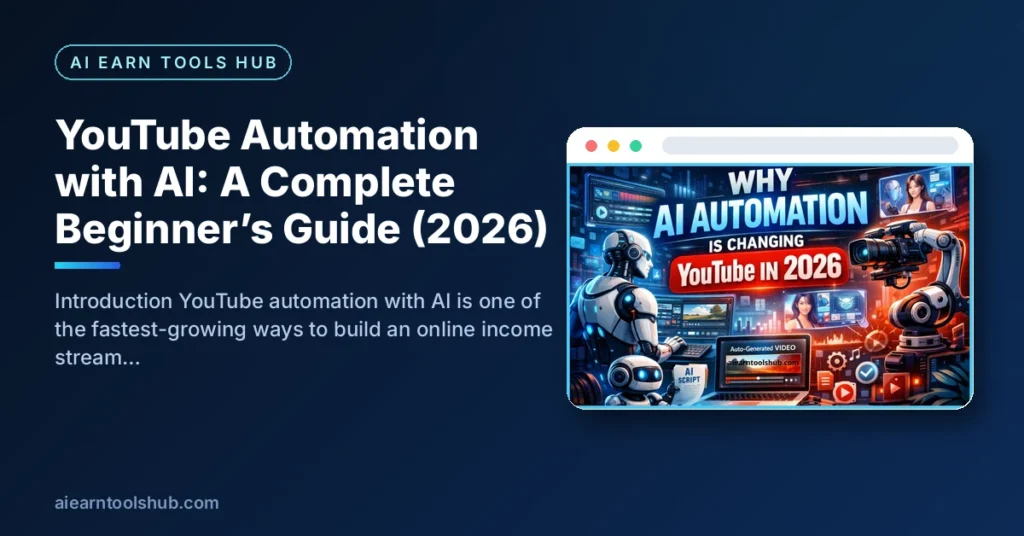
YouTube automation with AI is one of the fastest-growing ways to build an online income stream without showing your face or spending hours editing videos. With the rise of advanced AI tools, creating high-quality YouTube content has become easier, faster, and more scalable than ever before.
In this guide, you’ll learn exactly how YouTube automation with AI works, why it matters, and how you can start your own automated YouTube channel—even as a complete beginner. Whether your goal is passive income or building a digital brand, this strategy can help you get there efficiently.
Why AI Automation Is Changing YouTube in 2026?

YouTube automation with AI matters because it removes the biggest barriers to content creation: time, skill, and consistency. Traditionally, running a YouTube channel required scripting, filming, editing, voiceovers, and SEO optimization. Now, AI can handle most of these tasks.
Here’s why this approach is powerful:
- Scalability: You can produce multiple videos daily
- Low Cost: No need for expensive equipment or teams
- Speed: AI tools reduce hours of work into minutes
- Accessibility: Anyone can start, even without experience
As YouTube continues to reward consistent and engaging content, automation gives creators a competitive edge.
Top YouTube Automation with AI Tools, Methods, and Tips

Short answer: you do not need dozens of apps for YouTube automation with AI — you need one reliable tool for each stage of production. A script writer, a voiceover tool, a video editor, a thumbnail designer, and a keyword tool cover the whole workflow, and the sections below name a proven option for each job.
What Are the Best Tools for Creating Automated YouTube Videos?
The best tools for YouTube automation with AI are ChatGPT or Jasper for scripts, ElevenLabs or Murf AI for voiceovers, Pictory, InVideo or Synthesia for video creation, Canva for thumbnails, and TubeBuddy or VidIQ for keyword research and SEO. Start with one tool per category instead of paying for everything at once.
To succeed with YouTube automation with AI, you need the right tools. Here are some of the best categories:
The Main Categories of Automation Tools
- Script Writing Tools
AI writing tools can generate engaging video scripts in seconds.
- Voiceover Tools
Turn scripts into realistic human-like voiceovers.
- Video Creation Tools
Create videos without filming anything.
- Thumbnail & Design Tools
Attractive thumbnails improve click-through rates.
- SEO & Keyword Tools
Optimize your videos to rank higher.
How Can You Get Better Results from YouTube Automation with AI?
You get better results from YouTube automation with AI by choosing one focused niche, opening every video with a clear hook, and publishing on a schedule you can actually keep. Quality and retention matter more than volume, so improve one thing at a time — the title, the first 30 seconds, or the pacing — and check your analytics before changing anything else.
- Focus on high-demand niches like finance, tech, health, or motivation
- Keep videos short, engaging, and value-driven
- Use strong hooks in the first 5 seconds
- Upload consistently (at least 3–5 times per week)
- Optimize titles, descriptions, and tags with keywords
How Does AI Help Automate Your YouTube Channel?
Used well, YouTube automation with AI works by handing the slow, repetitive production work to software: drafting scripts, generating voiceovers, assembling visuals, adding captions, and suggesting titles and keywords. You still choose the niche, check the facts, and make the final creative decisions, which is what keeps the channel original.
The Basic Process at a Glance
The process is simple and repeatable:
- Choose a Niche
Pick a topic with high search demand and monetization potential. - Keyword Research
Find low-competition, high-volume keywords related to your niche. - Script Generation
Use AI tools to create engaging scripts. - Voiceover Creation
Convert your script into audio using AI voice tools. - Video Production
Combine visuals, clips, and voiceover using video tools. - Upload & Optimize
Add SEO-friendly titles, descriptions, and tags. - Scale Content
Repeat the process to grow your channel faster.
Key Benefits of Running an Automated Channel
The key benefits of YouTube automation with AI are speed, lower cost, and consistency: one person can research, produce, and publish videos every week without a camera, a studio, or a team. An automated channel is also easier to systematize, because every video follows the same checklist and the results are easier to measure and improve.
How to Choose the Right Tools
When selecting tools, consider:
- Ease of Use: Beginner-friendly interface
- Pricing: Free or affordable plans
- Output Quality: Natural voice and HD video
- Speed: Faster production saves time
- Integration: Works well with other tools
Start simple—don’t overwhelm yourself with too many tools at once.
Benefits of YouTube Automation with AI for Passive Income
Yes — YouTube automation with AI can create semi-passive income, because a video you publish once can keep earning from ads, affiliate links, and sponsors for months or years. It is not effort-free, though: the income only becomes passive after you have done the upfront work of research, production, and optimization, and after the channel qualifies for monetization.
The Main Passive Income Advantages
YouTube automation with AI offers several powerful advantages:
- Passive Income Potential: Earn through ads, affiliates, and sponsorships
- No Camera Needed: Perfect for introverts or privacy-conscious creators
- Time Efficiency: Create videos in minutes instead of hours
- Global Reach: YouTube’s audience is worldwide
- Scalable Business Model: Run multiple channels simultaneously
With consistency, this model can turn into a long-term income stream.
What Does a Realistic Workflow for YouTube Automation with AI Look Like, Step by Step?
A realistic workflow for YouTube automation with AI takes a beginner about two to four hours per video at first, then less as the checklist becomes routine. It follows seven repeatable stages — niche, topic, script, voiceover, visuals and editing, upload and SEO, and review — and the honest secret is that AI speeds up every stage but replaces none of your judgment.
Steps 1 and 2: Choose and Validate Your Topic
- Step 1: Pick one niche and one viewer. Choose a topic you understand well enough to spot AI mistakes in, and write down exactly who the video is for. A channel about “money” is too broad; a channel that explains budgeting apps to first-time earners is a niche you can own.
- Step 2: Validate the topic before you produce it. Search YouTube for your idea, study the titles and view counts of recent videos in the niche, and use TubeBuddy or VidIQ to check demand. If nobody is searching for the topic, no amount of AI polish will save the video.
Steps 3 and 4: Script and Voiceover
- Step 3: Draft the script with AI, then edit it like a human. Ask the tool for a hook in the first two lines, short spoken sentences, and one clear takeaway. Then fact-check every claim, delete filler, and add an example or opinion of your own — this human pass is what separates original content from mass-produced filler.
- Step 4: Generate the voiceover and listen to all of it. Pick one consistent voice, fix pronunciations of names and numbers, and cut long pauses. Never publish a voiceover you have not listened to end to end, because one misread statistic can destroy trust.
Step 5: Build the Visuals and Edit for Retention
- Step 5: Build the visuals and edit for retention. Match each script section to licensed stock footage, screen recordings, charts, or your own graphics, and change the visual every few seconds. Add captions, keep the pace tight, and remove any clip you do not have the right to use.
Steps 6 and 7: Upload, Optimize, and Improve
- Step 6: Upload and optimize properly. Write a title that promises one clear benefit, put the main keyword near the start of the description, add chapters, and design a thumbnail with two to four large words that do not simply repeat the title.
- Step 7: Review the analytics and iterate. After a few days, check click-through rate and audience retention in YouTube Studio. A weak thumbnail hurts clicks, a falling retention graph points to a slow section, and both are fixable on the next video.
What AI Does — and What You Must Still Do
The table below shows where AI genuinely helps in this workflow and where your own work is still required:
| Stage | What AI does | What you must still do |
|---|---|---|
| Script | Drafts structure and wording | Fact-check, add examples, set the tone |
| Voiceover | Reads the script in a natural voice | Fix pronunciation and listen fully |
| Editing | Assembles clips and captions | Check rights, pacing, and quality |
| Upload and SEO | Suggests titles and keywords | Choose the promise and the thumbnail |
Follow this same workflow for your first ten videos before you change tools or niches. Consistency is what turns YouTube automation with AI from an experiment into a system you can measure.
Which Faceless Niches Work Best for YouTube Automation with AI?
The faceless niches that work best for YouTube automation with AI are personal finance explainers, software tutorials, history and geography stories, language learning, and well-researched list videos. Each one can be produced with voiceover, stock visuals, and screen recordings, but each also carries a different risk that beginners usually ignore.
Three Popular Faceless Niches
- Personal finance and “make money online” explainers. Pros: strong advertiser demand and endless searchable questions. Cons: this is trust-sensitive content, so never give personal financial advice, promise returns, or repeat a money claim you have not verified.
- Software and AI tool tutorials. Pros: people search for these every day, and screen recordings make production simple. Cons: tools change their interfaces often, so tutorials go out of date and need updating or replacing.
- History, geography, and true-story channels. Pros: storytelling is evergreen and works well with narration and maps. Cons: research takes longer than the script itself, and images must be licensed or public domain.
Two More Faceless Niche Ideas
- Language learning and vocabulary. Pros: lessons follow a repeatable format that is easy to batch-produce. Cons: one wrong pronunciation or translation undermines the whole channel, so a fluent check is essential.
- Motivation, quizzes, and list videos. Pros: fast to produce and easy to test as a complete beginner. Cons: this is the most saturated and most repetitive format, so generic AI compilations are the hardest to monetize and the easiest for viewers to ignore.
How to Choose Your Faceless Niche
Whichever niche you choose for YouTube automation with AI, pick the one where you can add something original — better research, clearer examples, or a point of view — because originality is what YouTube rewards and what copy-paste channels lack.
How Does Monetization Really Work for YouTube Automation with AI?
Monetization for YouTube automation with AI works the same way as for any other channel: you must first be accepted into the YouTube Partner Program, and only then can you earn a share of advertising revenue. According to YouTube’s official Partner Program page, a channel becomes eligible with 1,000 subscribers plus either 4,000 qualified watch hours in the last 12 months or 10 million qualified Shorts views in the last 90 days.
Why Original Content Matters for Approval
Meeting those numbers does not guarantee acceptance. YouTube reviews the channel, and watch hours earned from Shorts views in the Shorts feed do not count toward the 4,000 watch hours. Your content must also be original: channels built from reused clips, mass-produced templates, or near-identical videos with little commentary or educational value can be rejected for monetization even when the subscriber and view thresholds are met. In practice, that means every automated video still needs your own script, structure, and value added on top of what the tools generate.
How Much You Can Realistically Earn
Set honest expectations about the money as well. There is no fixed payment per view: earnings depend on the niche, the country your viewers are in, how long they watch, and the time of year, and finance or software topics usually attract stronger advertiser demand than entertainment. Most new channels earn nothing for their first weeks or months, while paying for a voiceover, stock, or editing subscription in the meantime, so treat YouTube automation with AI as a business you are building, not a salary that starts on day one.
Other Income Routes Beyond Ads
The good news is that ad revenue is not the only income route. Before and after Partner Program acceptance, the same videos can earn through clearly disclosed affiliate links to tools you genuinely use, sponsorships once you have a loyal niche audience, and your own digital products or services. Channels that stack two or three of these routes on top of original, consistent videos are the ones that turn automation into a durable income stream.
YouTube Automation with AI FAQs (Beginner Questions Answered)
Beginners usually ask the same five questions about YouTube automation with AI — whether it is allowed, what it pays, and whether a faceless channel can be monetized. You will find short, honest answers to each one directly below.
Quick Answers to Beginner Questions
- Is YouTube automation with AI allowed?
Yes, as long as your content follows YouTube’s policies and provides value. Avoid spammy or reused content. - How much can I earn?
Earnings vary based on niche, views, and monetization methods. Some creators earn from $100 to thousands per month. - Do I need experience to start?
No. AI tools make it beginner-friendly and easy to learn.
Growing and Monetizing a Faceless Channel
- How long does it take to grow a channel?
Typically 1–3 months to see traction if you post consistently. - Can I monetize a faceless channel?
Yes, many faceless channels are successfully monetized through ads and other income streams.
Conclusion
YouTube automation with AI is a game-changing opportunity for anyone looking to build an online income stream in 2026. By leveraging AI tools, you can create high-quality content quickly, scale your efforts, and grow a profitable channel without traditional barriers.
The key to success is consistency, smart keyword targeting, and delivering value to your audience. Start small, learn the process, and scale as you gain confidence. With the right approach, YouTube automation can become a powerful digital asset.