Best Free AI Coding Tools in 2026
Last checked: November 2026
The best free AI coding tools in 2026 are GitHub Copilot for everyday autocomplete, Cursor for AI-native editing, Claude Code for complex reasoning, Windsurf for value, and OpenAI Codex for automation. This guide compares the best free AI coding tools by strength and ideal user, so you can choose the best free AI coding tools for your own stack instead of installing all of them.
Key Takeaways
This box sums up the best free AI coding tools in this guide in under a minute.
- Best all-rounder: GitHub Copilot — fast autocomplete and chat inside the editors developers already use.
- Best AI-native editor: Cursor — deep repository awareness and multi-file editing for full-stack projects.
- Best for complex work: Claude Code — deep reasoning for large refactors, architecture, and hard debugging.
- Best value and automation: Windsurf for a generous free tier on tight budgets, and OpenAI Codex for agent-style automation of repetitive tasks.
- Start free: test the best free AI coding tools on your own projects, and pay only when a free limit slows real work.
- Stay in control: judge the best free AI coding tools by the code you actually keep, and review every suggestion before you ship it.
The software development world has changed dramatically in the last two years. Coding is no longer just about memorizing syntax, debugging line by line, or spending hours searching documentation. Today, developers use AI coding tools to generate functions, review pull requests, refactor applications, detect bugs, and even build full-stack projects with natural language prompts. It feels a little like having a supercharged pair programmer sitting next to you twenty-four hours a day.
The competition between AI coding assistants has become intense. Tools like GitHub Copilot, Cursor AI, Claude Code, Windsurf, and OpenAI Codex are battling to become the ultimate developer companion. Each tool approaches programming differently. Some focus on lightning-fast autocomplete, while others specialize in autonomous agents capable of handling large-scale coding tasks with minimal supervision.
According to multiple 2026 developer comparisons and industry reports, AI-native development environments are now becoming standard across startups, enterprises, and freelance workflows. Developers are increasingly combining several AI tools together instead of relying on just one assistant. That shift shows how quickly AI-assisted programming is evolving from a novelty into an essential part of software engineering.
Why Are AI Tools for Coding Important in 2026?
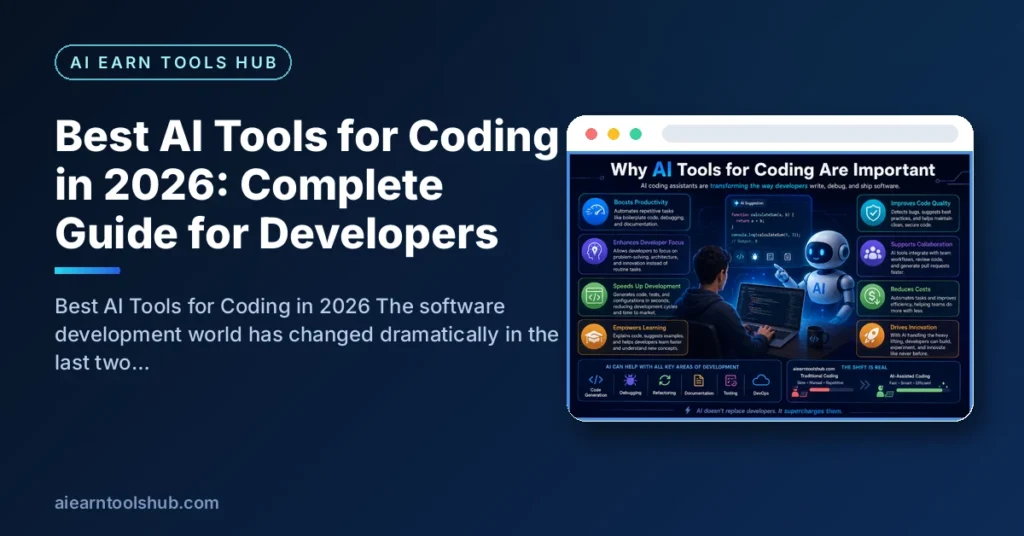
AI coding tools matter in 2026 because they speed up writing, debugging, testing, and documentation while developers focus on design and decisions. That is why the best AI tools for coding now work inside the editor, the terminal, and the review process instead of sitting outside the workflow.
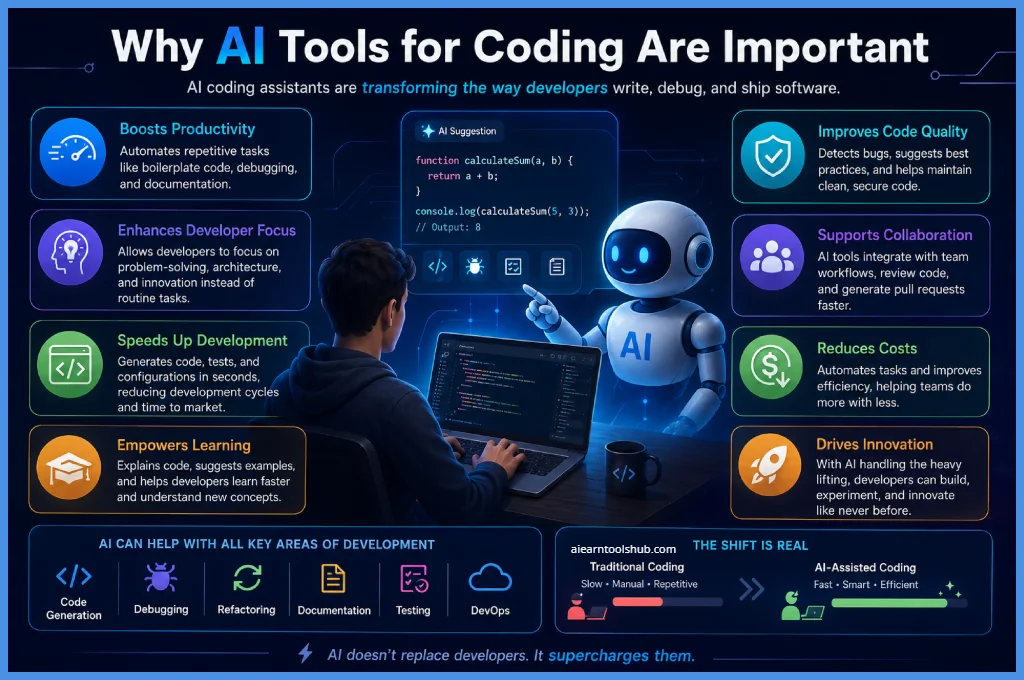
The Rise of AI-Powered Development
AI coding assistants exploded in popularity because they solve one painful problem every programmer understands: repetitive work. Writing boilerplate code, fixing small syntax mistakes, formatting APIs, creating test cases, and searching Stack Overflow used to consume huge chunks of time. Modern AI tools compress these tasks into seconds.
Think about it like upgrading from a bicycle to a sports car. You still need to know where you are going, but the speed difference changes the entire experience. Developers now focus more on architecture, logic, and creativity while AI handles repetitive implementation details. Research from recent GitHub studies and academic datasets analyzing hundreds of thousands of AI-generated pull requests shows massive adoption of agentic coding workflows across open-source projects.
Another reason for rapid adoption is accessibility. New programmers can now build applications much faster without mastering every framework or language detail first. AI tools explain unfamiliar code, generate examples, and teach concepts interactively. Instead of feeling overwhelmed by documentation, developers can ask natural questions like, “Build a responsive React dashboard with authentication,” and receive usable code instantly.
The growth of AI coding tools also reflects the pressure companies face to ship software faster. Businesses want shorter development cycles, better automation, and lower engineering costs. AI coding assistants are becoming the bridge between productivity and scalability.
How Developers Are Using AI in Daily Workflows
Modern developers rarely use AI for just one thing anymore. The workflow has evolved beyond simple autocomplete suggestions. Developers now use AI for:
| Workflow Area | AI Usage |
|---|---|
| Code generation | Creating functions and components |
| Debugging | Identifying errors and suggesting fixes |
| Refactoring | Improving architecture and code quality |
| Documentation | Explaining legacy systems and APIs |
| Testing | Writing unit tests and integration tests |
| DevOps | Automating deployment scripts and configurations |
Community discussions across Reddit and developer forums reveal an interesting pattern. Many programmers combine tools depending on the task. Cursor may handle day-to-day editing, while Claude Code tackles architecture-level reasoning and GitHub Copilot handles fast inline suggestions.
That hybrid workflow is becoming surprisingly common because no single AI tool dominates every category yet.
How to Choose the Best Free AI Coding Tools
Choose among the best free AI coding tools by testing completion accuracy, multi-file understanding, security controls, and price on your own projects first. The best free AI coding tools for you are the ones that stay accurate on your stack and your budget, not the ones with the longest feature list.
At a glance, the best free AI coding tools compared:
| Tool | Best for | Standout strength | Watch out |
|---|---|---|---|
| GitHub Copilot | Everyday coding in your current editor | Fast autocomplete and chat in VS Code and JetBrains | Deep architectural reasoning is lighter than Claude Code |
| Cursor | AI-native, multi-file projects | Deep repository awareness and multi-file editing | Higher pricing tiers; learning curve for beginners |
| Claude Code | Complex engineering and large codebases | Deep reasoning for architecture, refactors, and debugging | Often slower than lightweight autocomplete tools |
| Windsurf | Budget-conscious developers and students | Generous free tier and AI-native workflow | Less enterprise adoption so far |
| OpenAI Codex | Automation and background tasks | Autonomous agents for pull requests and bug fixes | Works best when humans supervise asynchronously |
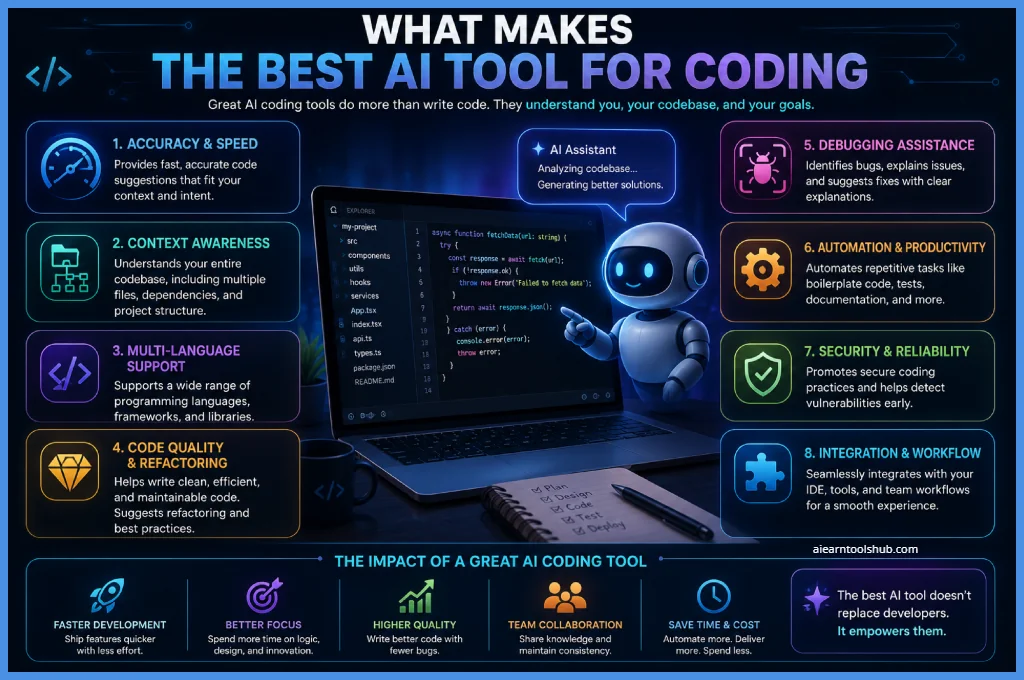
AI Code Completion Accuracy and Speed
The first thing developers notice in an AI coding tool is autocomplete quality. A bad autocomplete engine feels distracting and annoying. A great one feels magical. High-quality AI assistants predict code blocks, detect patterns inside repositories, and understand naming conventions without needing constant prompting.
GitHub Copilot still leads in mainstream autocomplete adoption thanks to deep integration with editors like VS Code, JetBrains IDEs, and Neovim. Multiple comparisons in 2026 still describe Copilot as the safest “default” AI assistant for developers.
Autocomplete quality matters because it directly affects development flow. Developers hate interruptions. When AI predictions are accurate, coding becomes smoother and faster. It almost feels like the software can read your mind.
Multi-File Understanding in AI Coding Software
Modern software projects are enormous. A simple bug fix can affect dozens of files. This is where advanced AI coding tools separate themselves from basic assistants.
Tools like Cursor AI and Claude Code excel because they understand broader project context. Instead of focusing on one file at a time, they can analyze dependencies, architecture, and application flow.
Academic studies comparing pull request acceptance rates across coding agents found that different tools excel in different task categories. Claude Code performed exceptionally well for feature implementation and documentation, while Cursor showed strong performance in bug-fixing tasks.
This shift toward “agentic coding” is changing development culture. AI is moving beyond assistant behavior into autonomous execution.
Security, Privacy, and Team Collaboration
Large organizations care deeply about privacy and governance. Enterprises cannot simply feed sensitive source code into random AI models without safeguards. That concern explains why enterprise-ready platforms remain highly valuable.
Tools integrated into enterprise ecosystems often offer:
- Repository-level permissions
- Audit logs
- Team collaboration
- Security scanning
- Compliance support
- Self-hosted options
For enterprise teams already using GitHub infrastructure, Copilot remains appealing because it integrates naturally with existing workflows and repositories.
GitHub Copilot – Best AI Coding Assistant for Developers
GitHub Copilot is one of the best free AI coding tools for everyday development because it adds fast autocomplete and chat inside the editors developers already use. Among the best free AI coding tools, it is also the safest mainstream starting point for most teams.
Key Features and Pricing
GitHub Copilot remains the most recognizable AI coding assistant in the market. Backed by GitHub and OpenAI, it became popular because of its seamless integration into existing developer workflows. You install it, open your editor, and it immediately starts suggesting code.
The latest versions of Copilot now include the following:
- Inline code completion
- AI chat inside the IDE
- Pull request generation
- Autonomous coding agents
- Documentation assistance
- Multi-language support
Industry reports estimate that GitHub Copilot still holds massive market share among paid coding assistants in 2026. Its strongest advantage is familiarity. Developers already working inside GitHub ecosystems can adopt Copilot without changing their workflow.
Pricing remains relatively affordable compared to some newer competitors, which makes it especially attractive for teams.
Best Use Cases for Copilot
Copilot shines brightest in fast-paced daily coding. It works exceptionally well for:
- Frontend development
- Backend APIs
- Python scripting
- Java applications
- Boilerplate generation
- Test writing
Imagine having a super-fast typing assistant who predicts your next move. That is essentially the Copilot experience. It may not always provide deep architectural reasoning like Claude Code, but it dramatically reduces repetitive typing.
Developers who prioritize stability and simplicity often prefer Copilot because it feels polished and predictable.
Cursor AI – Advanced AI Tool for Coding Projects
Cursor is one of the best free AI coding tools when you want an AI-native editor with deep repository awareness and multi-file editing. Developers who outgrow simple autocomplete often move to Cursor from other best free AI coding tools.
Why Developers Love Cursor
Cursor AI exploded in popularity because it reimagined the IDE itself instead of simply adding AI into an existing editor. Cursor feels built around AI from the ground up.
Many developers describe Cursor as what traditional coding environments should have become years ago. It offers:
- Deep repository awareness
- Conversational coding
- Multi-file editing
- Context-aware refactoring
- AI-powered navigation
- Background agents
Several 2026 comparisons rank Cursor as the best overall AI-native development environment. Developers particularly love its ability to understand entire codebases rather than isolated snippets.
Using Cursor feels like working with an intelligent engineering partner rather than a simple autocomplete plugin.
Pros and Cons of Cursor AI
| Pros | Cons |
|---|---|
| Excellent context awareness | Higher pricing tiers |
| Strong multi-file editing | Learning curve for beginners |
| AI-native interface | Heavy AI reliance |
| Fast refactoring | Requires strong hardware for best performance |
| Great conversational workflow | Some enterprise concerns |
Cursor is especially powerful for startups, indie hackers, and full-stack developers building complex products quickly.
Claude Code – AI Coding Tool for Complex Development
Claude Code is one of the best AI tools for coding for complex, multi-step work such as large refactors, architecture planning, and hard debugging. It behaves more like an autonomous engineering partner than a typing assistant.
Autonomous Coding Agents
Claude Code has become famous for something unique: deep reasoning. While many AI assistants focus on quick suggestions, Claude Code focuses on solving complicated engineering problems.
Reports from Anthropic engineers reveal workflows involving thousands of AI sub-agents running coding tasks overnight. That sounds futuristic, but it reflects where software development is heading.
Claude Code excels at:
- Architecture planning
- Multi-step debugging
- Large-scale refactoring
- Documentation generation
- Repository-wide analysis
- Complex backend logic
The tool behaves less like autocomplete and more like an autonomous engineering assistant.
When Claude Code Performs Best
Claude Code becomes extremely valuable when projects become messy and complicated. Imagine inheriting a legacy codebase with poor documentation, outdated architecture, and hidden dependencies. Traditional autocomplete tools struggle there. Claude Code thrives.
Academic research analyzing thousands of pull requests found Claude Code leading several advanced coding categories. Developers consistently praise its reasoning ability in large-scale engineering tasks.
The tradeoff is speed. Claude Code is often slower than lightweight autocomplete tools, but the quality of reasoning can be significantly better.
Windsurf – Affordable AI Coding Software
Windsurf is one of the best free AI coding tools on a budget because it combines an AI-native workflow with a generous free tier. For students and freelancers comparing the best free AI coding tools, it is the value pick in this guide.
Features That Stand Out
Windsurf became popular because it delivers powerful AI capabilities at a lower price point. Developers looking for an affordable alternative to Cursor often land on Windsurf.
Key strengths include:
- Generous free tier
- AI-native workflow
- Agentic development features
- Real-time debugging
- Multi-model support
- Fast onboarding
Several comparisons describe Windsurf as the “best value” AI coding tool currently available.
For students and freelancers, pricing matters. Windsurf’s accessible plans make advanced AI-assisted development available without huge monthly subscriptions.
Ideal Users for Windsurf
Windsurf is excellent for:
- Students learning development
- Indie developers
- Freelancers
- Startup founders
- Budget-conscious programmers
It may not dominate enterprise adoption yet, but its growth shows that developers care deeply about balancing features with affordability.
OpenAI Codex and ChatGPT for Programming
OpenAI Codex is one of the best AI tools for coding for automation because it can take on pull requests, bug fixes, and feature work as an agent. Together with ChatGPT, it suits developers who want coding help beyond the editor.
Mobile Coding and Automation
OpenAI Codex continues evolving rapidly. Recent announcements expanded Codex into mobile experiences, allowing developers to manage coding tasks remotely from phones and tablets.
That shift sounds small, but it represents a much larger transformation. Developers increasingly expect AI coding agents to work continuously in the background while humans supervise asynchronously.
Codex supports:
- Automated pull requests
- Feature implementation
- Bug fixing
- Code explanation
- Remote workflows
- Multi-agent development
This creates a future where AI agents function almost like junior engineers operating independently.
Comparing Codex With Other AI Coding Tools
| Tool | Best Strength | Ideal User |
|---|---|---|
| GitHub Copilot | Fast autocomplete | Everyday developers |
| Cursor AI | AI-native coding workflow | Full-stack developers |
| Claude Code | Deep reasoning | Advanced engineers |
| Windsurf | Budget-friendly AI IDE | Students and freelancers |
| OpenAI Codex | Autonomous coding agents | Automation-focused teams |
Each tool serves a different style of programming.
Should You Choose Free or Paid AI Coding Tools?
The best free AI coding tools are enough for learning and small projects, while paid plans are worth it for large codebases, team controls, and advanced agents. Start free, and pay only when a limit slows real work.
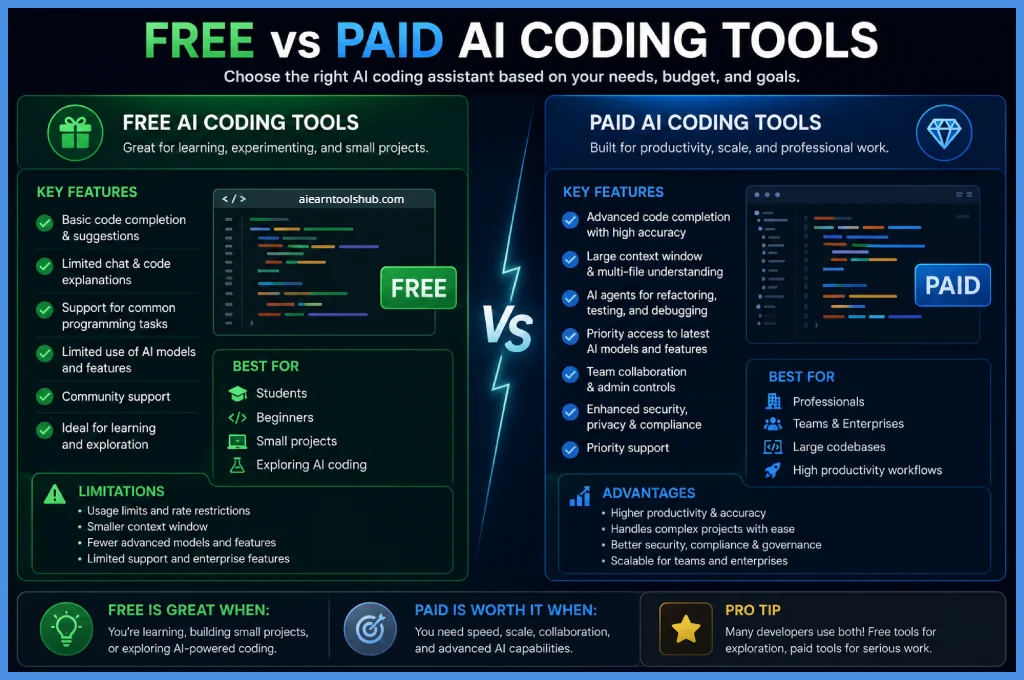
Choosing between free and paid AI coding assistants depends heavily on workflow complexity. Free tools work surprisingly well for learning and experimentation. Paid tools unlock advanced context windows, larger repositories, autonomous agents, and faster responses.
Free tiers are usually enough for
- Students
- Beginners
- Small scripts
- Learning frameworks
Paid tiers become valuable when handling:
- Enterprise repositories
- Large codebases
- Team collaboration
- Advanced refactoring
- Autonomous workflows
The market is shifting rapidly toward usage-based pricing because AI inference costs remain extremely high. One recent report revealed that an AI coding project consumed over $1.3 million in API tokens within a month during large-scale autonomous testing.
That statistic highlights the enormous infrastructure costs behind modern AI coding systems.
Which AI Coding Tool Is Best for Each Use Case?
The right pick from the best free AI coding tools depends on the job: beginners need simplicity, teams need governance, and freelancers need flexibility. Match the best free AI coding tools to your use case below instead of chasing a single overall winner.
Best for Beginners
Beginners should prioritize simplicity and low cost. The best starting points are:
These tools reduce learning friction while helping developers understand syntax and project structures.
Best for Teams and Enterprises
For enterprise environments, the strongest options are:
These platforms offer better compliance, governance, and large-scale collaboration features.
Best for Freelancers and Solo Developers
Freelancers benefit most from flexible AI-native tools:
These environments maximize productivity while minimizing repetitive work.
How Should You Evaluate the Best Free AI Coding Tools on Your Own Projects?
Evaluate the best free AI coding tools on your own repository, with your own tasks, for at least a few days before you pay anything. A demo always looks fast; your codebase is where the best free AI coding tools prove whether their suggestions are right.
Test It on Your Own Repo Tasks
Give each tool the same real tasks: fix a known bug, add a small feature, write tests for an existing function, and explain an unfamiliar file. Note how long each task takes with and without the tool, and how much of the suggested code you keep. The best free AI coding tools should save editing time without adding review time.
Check Suggestions Before You Trust Them
Read every suggestion as if a junior developer wrote it: run the tests, check edge cases, and look for invented functions, outdated patterns, and security problems. Confident-but-wrong code is the main risk of the best free AI coding tools, so keep your review, testing, and version control habits in place while you evaluate.
Beginner Picks vs Pro Picks
Beginners should start with one simple tool, such as GitHub Copilot or Windsurf, and use it to learn patterns while still writing most code themselves. Experienced developers can add a stronger agent, such as Cursor or Claude Code, for multi-file work. At both levels, the best free AI coding tools are the ones that fit your current projects and budget.
Future of AI Coding Assistants
The future of the best free AI coding tools is agentic: assistants that plan, test, and deploy under human supervision rather than only suggesting lines of code.
The next wave of AI development tools will likely focus less on autocomplete and more on autonomy. We are entering an era where AI agents can:
- Plan software architecture
- Coordinate across repositories
- Write tests automatically
- Deploy applications
- Monitor bugs continuously
- Optimize performance without prompting
Research datasets already show hundreds of thousands of AI-generated pull requests across GitHub repositories. That trend will only accelerate.
The future developer may look less like a traditional coder and more like a technical director guiding intelligent software agents.
Human creativity, decision-making, and product thinking will still matter enormously. AI will not replace developers entirely. Instead, it will amplify productivity for programmers who learn to collaborate with intelligent systems effectively.
Conclusion
In short, the best free AI coding tools are Copilot for everyday speed, Cursor for AI-native editing, Claude Code for deep reasoning, Windsurf for value, and Codex for automation. Pick one of the best free AI coding tools, test it on your own work, and keep the one that saves you real time.
The best AI tool for coding depends entirely on your workflow, budget, and project complexity. There is no universal winner because every platform specializes in different strengths.
If you want the safest mainstream option, GitHub Copilot remains the easiest recommendation. If you want the most advanced AI-native coding experience, Cursor AI stands out. Developers handling deep architectural tasks may prefer Claude Code, while budget-conscious users often lean toward Windsurf.
The smartest developers are increasingly combining several AI coding assistants together instead of relying on one platform alone. That hybrid approach unlocks the strengths of each tool while minimizing weaknesses.
AI-assisted programming is no longer experimental. It is rapidly becoming the default way modern software is built.
Free AI Coding Tools: Frequently Asked Questions
These short answers cover the questions readers ask most about the best free AI coding tools, from price to whether AI can replace developers.
1. What are the best free AI coding tools in 2026?
The best overall AI coding tool in 2026 depends on your needs. Cursor AI is widely praised for AI-native workflows; GitHub Copilot dominates mainstream adoption; and Claude Code excels at advanced reasoning tasks.
2. Is GitHub Copilot better than ChatGPT for coding?
GitHub Copilot is better for inline coding assistance inside IDEs, while ChatGPT and Codex are stronger for explanations, debugging, and broader programming discussions.
3. Are AI coding assistants worth paying for?
Yes. Paid AI coding tools can dramatically increase productivity, especially for professional developers working on large repositories and complex applications.
4. Which AI coding assistant is best for beginners?
GitHub Copilot and Windsurf are excellent choices for beginners because they are simple to use and provide helpful coding suggestions without overwhelming workflows.
5. Can AI replace software developers completely?
AI can automate repetitive coding tasks, but human developers still handle architecture, creativity, business logic, and strategic decision-making. AI works best as a productivity amplifier rather than a replacement.
The best free AI coding tools are the ones that fit your stack and your budget – start with one of the best free AI coding tools above, free tier first, and switch only when it slows you down.
6. Which free AI coding tools can I start with?
Start with the free tiers — Windsurf has a generous free tier, and GitHub Copilot is a simple starting point for beginners. The best free AI coding tools are enough for learning and small projects: test them on your own repo tasks, and pay only when a free limit slows real work.
- Free Unit Converter: 7 Best Tools to Convert Anything (2026)
- AI Note Taker: 7 Best Free Tools for Notes & Summaries (2026)
- AI Book Generator: 7 Best Free Tools to Write a Full Book (2026)
- AI Prompt Generator: 7 Best Free Tools That Work (2026)
- How to Remove Background from Video Free: AI Tools That Do It in Seconds (2026)