
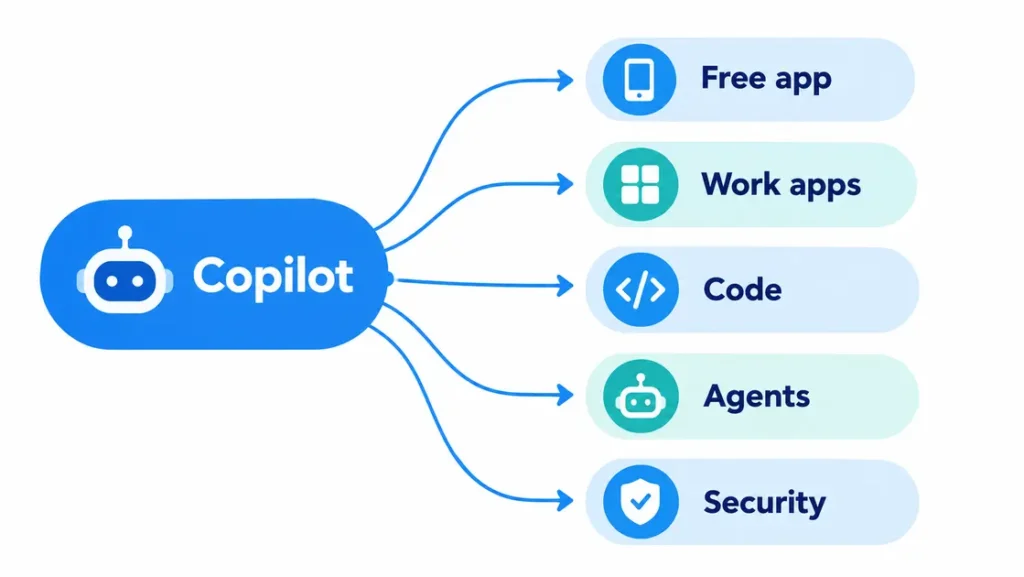
A Microsoft AI tool is any Microsoft product that uses artificial intelligence to write, analyze, code, design, or automate work, and almost all of them carry the Copilot name. Start with the free Microsoft Copilot app. Use Microsoft 365 Copilot for work documents, GitHub Copilot for code, and Copilot Studio or Microsoft Foundry to build custom AI agents.
That sounds tidy until you go looking. Search “Copilot,” and you land on several products, several price lists, and several logins. A student in Lahore, a freelancer in Karachi, an analyst in Toronto, and a developer in London can all say they use Copilot and mean four different things.
This guide untangles it. For every Microsoft AI tool below, you get what it does, what it costs, and who it actually suits. Prices are US list prices checked on October 7, 2026. Microsoft changes plans often, so confirm on the official page before you pay.
Key takeaways
- “Copilot” is a brand covering several different products, not one app.
- The free Microsoft Copilot app is the easiest Microsoft AI tool to try first.
- Microsoft 365 Copilot costs $30 per user per month and sits on top of a qualifying Microsoft 365 license.
- GitHub Copilot is billed separately and has a free plan.
- Copilot Studio is for building agents with little or no code. Microsoft Foundry is for developers who want full control.
Why Every Microsoft AI Tool Seems to Share the Same Name
Microsoft put the Copilot label on products built by different teams for different buyers. A free chat app, an add-on for Word and Excel, and a coding assistant now share one word and very little else. That is the whole source of the confusion.
| Product | Built for | Where you use it | Starting cost |
|---|---|---|---|
| Microsoft Copilot | Individuals | Web, Windows, mobile apps | Free |
| Microsoft 365 Copilot | Work teams | Word, Excel, PowerPoint, Outlook, Teams | $30 per user per month (enterprise) |
| GitHub Copilot | Developers | GitHub, VS Code, and other editors | Free plan, paid from $10 per month |
| Copilot Studio | Makers and IT admins | Browser, publishes to Teams or a website | Usage-based credits |
| Microsoft Foundry | Developers and data teams | Azure-based platform | Pay for what you consume. |
| Security Copilot | Security teams | Security operations tools | Organization licensing |
Which Microsoft AI Tool Fits You?
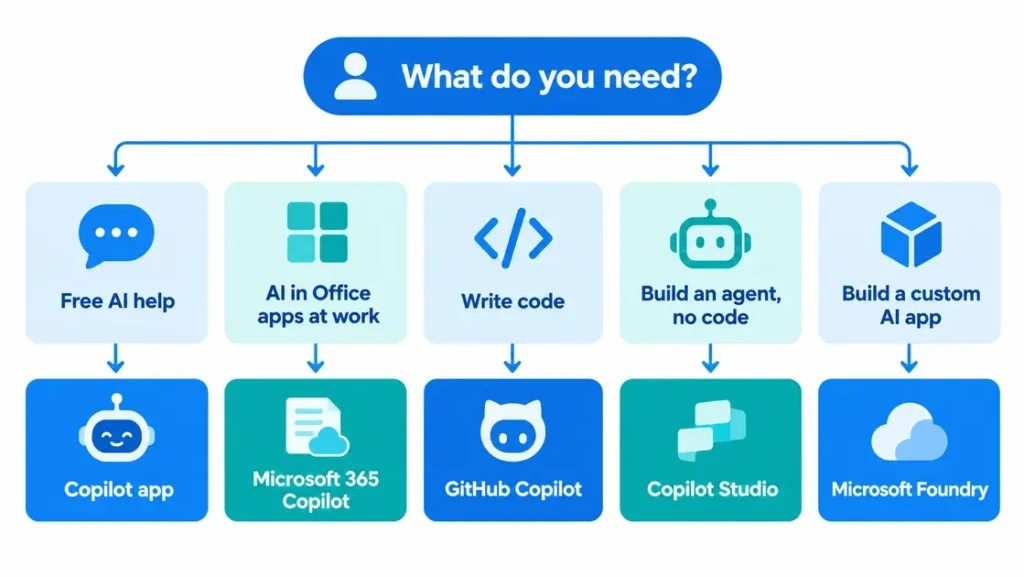
Choose by the job in front of you, not by the name on the box.
| If you want to… | Use this Microsoft AI tool. |
|---|---|
| Ask questions and draft text for free. | Microsoft Copilot app |
| Use AI inside Office apps for personal work. | Microsoft 365 Premium (consumer plan) |
| Add AI to company email, meetings, and documents. | Microsoft 365 Copilot |
| Write and review code faster. | GitHub Copilot |
| Build an internal helper bot without coding. | Copilot Studio |
| Build a custom AI app with your choice of models. | Microsoft Foundry |
| Speed up security investigations. | Security Copilot |
1. Microsoft Copilot: The Free Starting Point
The Microsoft Copilot app is a general assistant you can open on the web, on Windows, or on your phone. It answers questions, drafts text, summarizes ideas, and helps you plan. It cannot see your company files, which is exactly why it is a safe first step.
Want AI inside your own Word, Excel, and PowerPoint files? The consumer route is Microsoft 365 Premium at $19.99 per month. It replaced the standalone Copilot Pro plan, which Microsoft has retired. Microsoft 365 Personal ($9.99) and Family ($12.99) also include Copilot features for the subscription owner.
One caveat worth knowing: some features arrive country by country. What you see in Karachi may differ from what a friend sees in London, so check your own account before paying. If you are weighing it against other chatbots, our list of free AI tools like ChatGPT without limits is a good next stop.
It suits students, freelancers, and anyone testing AI for the first time. It will not help if you need answers drawn from your company’s internal files.
2. Microsoft 365 Copilot: AI Inside the Apps You Already Use at Work
Microsoft 365 Copilot works inside Word, Excel, PowerPoint, Outlook, and Teams, and it can draw on your organization’s data. That is the real gap between it and the free app. It can summarize a meeting you missed or draft a reply using the email thread you are looking at.
There is also Microsoft 365 Copilot Chat, a free work-tier chat included with many eligible Microsoft 365 plans. It is web-grounded chat with enterprise protections, not the full paid product. Plenty of teams begin there.
The paid version costs $30 per user per month on an annual commitment. Microsoft 365 Copilot Business, aimed at organizations of up to 300 users, lists at $21 per user per month. Microsoft has also run a promotional $18 rate, but reports differ on when it ends, so check the date on Microsoft’s page.
On data safety, Microsoft states that prompts and responses under commercial licenses stay within your tenant and are not used to train its foundation models. Confirm the current wording in Microsoft’s documentation before sending sensitive files through any AI tool.
This one pays off for teams that live in email, meetings, and office documents. If only a few people would use it each week, buy seats for the heavy users first and expand later.
3. GitHub Copilot: The Coding Assistant
GitHub Copilot is not the same product as Microsoft 365 Copilot. It sits inside code editors and on GitHub, where it suggests code, answers questions about a codebase and can take on larger tasks in agent mode. GitHub belongs to Microsoft, but plans and billing are separate.
| Plan | Price | Who it suits |
|---|---|---|
| Copilot Free | $0 (2,000 code completions per month) | Trying it out |
| Copilot Pro | $10 per month | Everyday developers |
| Copilot Pro+ | $39 per month | Heavy agent and model use |
| Copilot Max | $100 per month | Highest individual allowance |
| Copilot Business | $19 per seat per month | Teams |
| Copilot Enterprise | $39 per seat per month | Large organizations |
Paid plans include a monthly allowance of AI credits, so heavy agent work can use it up faster than simple inline suggestions. The full breakdown is on GitHub’s individual plans page.
Verified students get a separate free plan. If you are still sorting out coursework tools, see our guide to the best AI tools for students in 2026. And if you never write code, skip this one entirely, because it will do nothing for your Word documents.
4. Copilot Studio: Build an AI Agent Without Writing Code
Copilot Studio is Microsoft’s low-code platform for custom agents. You describe what the agent should do, connect it to your knowledge sources, and publish it to Teams, Microsoft 365 Copilot, or a website. If “agent” is a new word for you, our explainer on AI agents vs chatbots covers the difference in plain language.
Picture a 20-person accounting firm in Toronto where staff keep asking where the expense policy lives. A simple agent built on that one document could answer in seconds and spare the office manager a dozen interruptions a day. Small, boring jobs like that are where Studio does well.
Pricing is usage-based; using Copilot Credits, you buy in advance or pay for as you go. Microsoft says that for organizations licensed for Microsoft 365 Copilot, usage of agents published to Microsoft 365 Copilot is included in the license. Details are on the official Copilot Studio page.
It fits IT admins and business teams who want a helper bot without hiring developers. If you need custom code, unusual models or deep production controls, look at Foundry instead.
5. Microsoft Foundry: For Teams That Need Full Control
Microsoft Foundry, formerly Azure AI Foundry, is where developers build custom AI applications and agents. It offers a broad model catalog from several providers, tools for evaluation and monitoring, and consumption-based pricing for model tokens and compute.
The quickest way to separate it from Studio: pick Foundry when you need full-code control, model choice, and production operations. Pick Copilot Studio when low-code building and Microsoft 365 integration matter more. Many organizations use both, with a Studio agent handing specialist tasks to a Foundry agent. Microsoft’s AI agents adoption page shows how the two fit together.
This is a tool for engineering teams shipping AI features to customers. If nobody on your team writes code, you can safely ignore it.
6. Security Copilot: AI for Security Teams
Security Copilot brings generative AI into security operations, helping analysts investigate incidents and summarize threats faster. It is sold to organizations rather than individuals, so licensing depends on your company’s Microsoft agreement. Ask your Microsoft partner for current terms.
Unless you work in a security operations center, this is not the Microsoft AI tool you are looking for.
What Does a Microsoft AI Tool Cost? The Base Licence Trap
The number on the Copilot page is rarely the number on your invoice. Microsoft 365 Copilot is an add-on. You must already hold a qualifying Microsoft 365 license, and that base price counts too.
| Setup | Base license | Copilot add-on | Per user | 10 users per month |
|---|---|---|---|---|
| Microsoft 365 E3 + Microsoft 365 Copilot | $39 | $30 | $69 | $690 |
Smaller businesses on a business plan add Copilot Business at $21 per user per month on top of whatever their base plan costs. The E3 figures are illustrative list prices as reported in licensing guides in September 2026, billed annually, before tax or promotions. Confirm your own base price with Microsoft or your reseller, because prices in Pakistan, the UK, and Canada also differ from US figures.
When a Microsoft AI Tool Is the Wrong Call
Microsoft’s biggest strength is integration. These tools shine when your files, email, and meetings already live in Microsoft 365. If your team works mainly in Google Workspace, the case for Microsoft 365 Copilot gets much weaker.
For standalone writing, research or analysis, a general chatbot may serve you just as well, and many have free tiers. Our guide to how to write AI prompts will improve your results with any of them. Ask where your work actually lives before you ask which tool is best.
Try It Yourself: A Five-Minute Microsoft AI Tool Test
Do not take any guide’s word for it, this one included. Open the free Microsoft Copilot app, paste in a rough 300-word email you wrote, and use this prompt:
Rewrite this email to be shorter and more polite. Keep every date and number exactly as written. List anything you changed.Then check three things. Did it keep every date and figure intact? Did it list its changes honestly? Does the result still sound like you? That five-minute check tells you more about whether a Microsoft AI tool earns a place in your routine than any feature list.
Common Mistakes to Avoid
- Treating every Copilot as one product. GitHub Copilot will not help in Excel, and Microsoft 365 Copilot will not complete your code.
- Forgetting the base licence. Budget for the add-on plus what you already pay for Microsoft 365.
- Buying for everyone at once. Start with a small group, measure real use, then expand.
- Pasting confidential data into a consumer app. Use the work-tier tools your company approves for client or internal files.
Bottom Line: Which Microsoft AI Tool Is Worth Your Money?
For most individuals, the best Microsoft AI tool is the free Copilot app. It costs nothing and shows you quickly whether AI fits your daily work. Pay only when a specific need appears: Office integration, code help or access to company data.
Teams should pilot Microsoft 365 Copilot with a small group first, and developers should try the GitHub Copilot free plan before upgrading. Whatever you choose, match the Microsoft AI tool to the job, count the base licence, and test it on one real task before rolling it out.
Frequently Asked Questions
What is Microsoft’s AI tool called?
Microsoft’s AI tools are mostly called Copilot. The name covers the free Microsoft Copilot app, Microsoft 365 Copilot for work, GitHub Copilot for coding and Security Copilot for security teams. Developers can also use Copilot Studio and Microsoft Foundry to build custom AI apps and agents.
Is Microsoft Copilot free?
Yes, the consumer Microsoft Copilot app has a free tier you can use on the web, in Windows and on mobile. Paid options add Office integration, such as Microsoft 365 Premium at $19.99 per month. Some features vary by country, so check what appears in your own account.
What is the difference between Microsoft Copilot and Microsoft 365 Copilot?
Microsoft Copilot is a general AI assistant for individuals. Microsoft 365 Copilot is a paid work product that sits inside Word, Excel, PowerPoint, Outlook and Teams and can use your organization’s data. It costs $30 per user per month and needs a qualifying Microsoft 365 licence.
Is GitHub Copilot owned by Microsoft?
Yes. GitHub is a Microsoft subsidiary, and GitHub Copilot is its AI coding assistant. It is billed separately from Microsoft 365 Copilot, with a free plan and paid individual plans starting at $10 per month.
Which Microsoft AI tool is best for beginners?
Start with the free Microsoft Copilot app. It needs no company licence and no setup beyond signing in. Once you know what you use AI for every day, you can decide whether Microsoft 365 Premium, GitHub Copilot or a work plan is worth paying for.

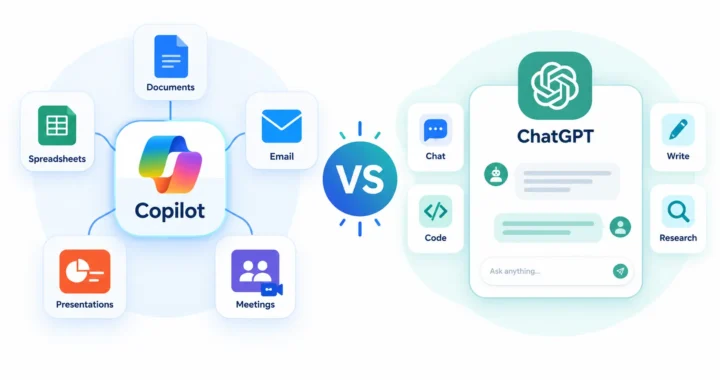


[…] apps, and it works with what you give it. That is more flexible, but you do the feeding. Our Microsoft AI tool guide explains which Copilot versions can see work data and which […]