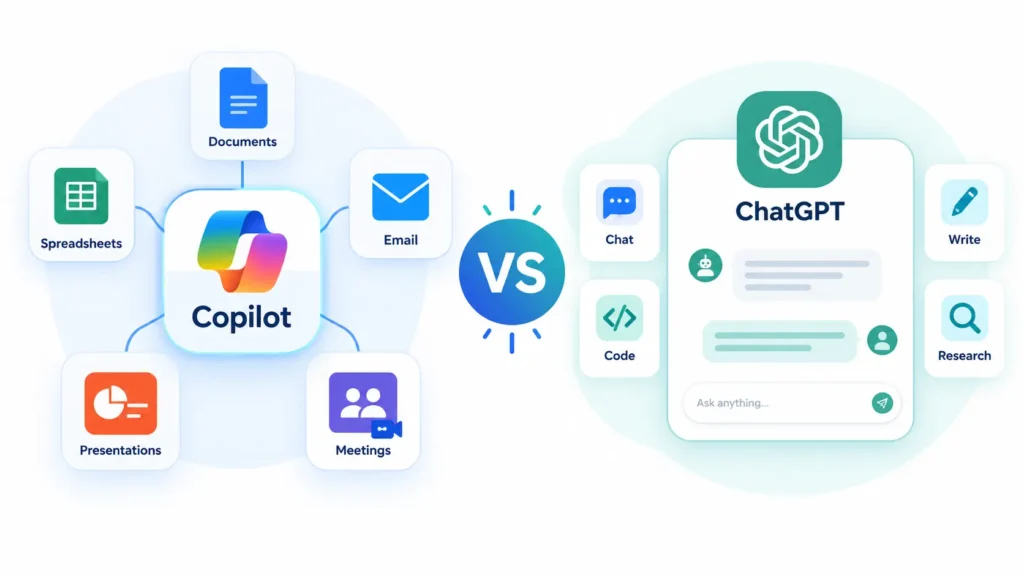
Microsoft Copilot vs ChatGPT comes down to where you work. Choose Copilot if your day lives in Word, Excel, Outlook, and Teams and you want AI that can use your work files. Choose ChatGPT if you want a standalone assistant with more model choice, custom GPTs, and built-in coding tools.
For plain chat, Microsoft Copilot vs ChatGPT is closer than the marketing suggests. Both have leaned heavily on OpenAI’s models, so a quick question often gets a similar answer. The real differences sit around the model: where the tool lives, what data it can reach, what it costs, and who controls it.
A student in Lahore, a freelancer in Karachi, an analyst in Toronto, and a developer in London would each pick differently, and each would be right. This Microsoft Copilot vs ChatGPT guide shows you the seven differences that matter, then matches them to who you are. Prices are US list prices checked on October 7, 2026, and model names change every few months, so I compare capabilities instead of version numbers.
Key takeaways
- Microsoft Copilot vs ChatGPT is a comparison of two different products from different companies, even where they share underlying models.
- Copilot’s edge is integration with Microsoft 365 and your work data. ChatGPT’s edge is flexibility as a standalone tool.
- The common paid entry points cost about the same: ChatGPT Plus is $20 per month, and Microsoft 365 Premium is $19.99.
- Both have free plans, so you can test them side by side before paying.
- Many people end up using both for different jobs.
Is Microsoft Copilot the Same as ChatGPT?
No. ChatGPT is OpenAI’s own product, and it runs OpenAI’s models. Microsoft Copilot is Microsoft’s assistant, built into Windows, Edge, the web, and the Office apps. Microsoft has leaned on OpenAI’s models for Copilot, but it now also offers Anthropic’s Claude models in some work plans and uses its own models in places.
So in the Microsoft Copilot vs ChatGPT question, the honest answer is “related, not identical.” If you only ask general questions, you may struggle to tell them apart. Once you add your files, your email, and your admin settings, they behave very differently.
Microsoft Copilot vs ChatGPT: 7 Key Differences
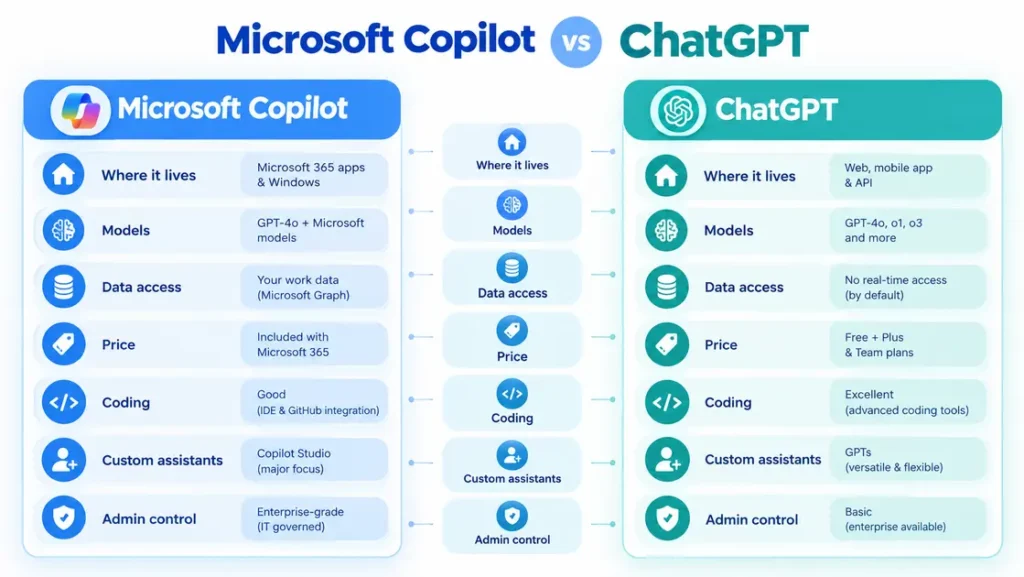
| Area | Microsoft Copilot | ChatGPT |
|---|---|---|
| Where it lives | Windows, Edge, web, and Office apps | Web, desktop, and mobile apps, API |
| Models | OpenAI plus other vendors, and Microsoft’s own | OpenAI models |
| Your data | Work email, files, and meetings (paid work plan) | What you upload or connect |
| Price entry point | Free, then $19.99 (Premium) | Free, then $20 (plus) |
| Coding | GitHub Copilot (separate product) | Codex on paid plans |
| Custom tools | Copilot Studio agents | Custom GPTs |
| Admin control | Microsoft 365 admin center | Business and enterprise plans |
1. Where each one lives
Copilot is spread through the Microsoft world. You meet it in Windows, in the Edge browser, on the web, and, with the right plan, inside Word, Excel, PowerPoint, Outlook, and Teams. You do not go to it so much as it shows up where you already are.
ChatGPT is a destination. You open the app or website, work there, and move results elsewhere. That feels simpler at first and clunkier when you do the same task all day inside Office files.
2. The models underneath
ChatGPT runs OpenAI’s lineup, and OpenAI usually ships new models there first. Copilot mostly runs OpenAI’s models too, but Microsoft decides which model handles a task, and it has added other vendors’ models in some plans.
The trade-off is visibility. ChatGPT often lets you pick the model yourself. Copilot more often routes for you, which is easier to use but gives you less control.
3. Access to your own data
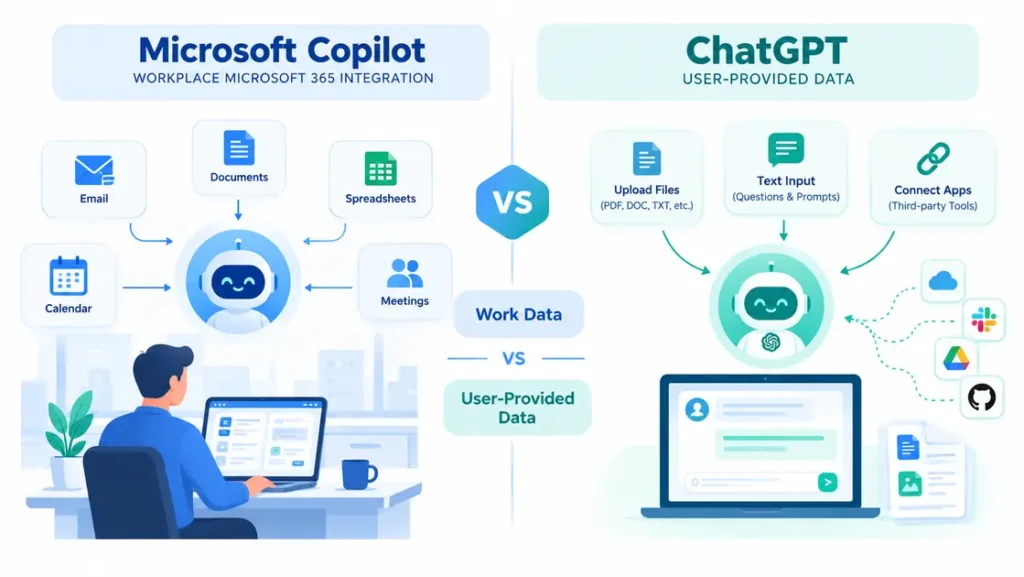
This is the biggest practical gap. The paid work version, Microsoft 365 Copilot, can draw on your organization’s email, files, and meetings through Microsoft’s data layer. It can summarize a thread you missed or draft a reply in context.
ChatGPT starts blank. You paste text, upload files, or connect apps, and it works with what you give it. That is more flexible, but you do the feeding. Our Microsoft AI tool guide explains which Copilot versions can see work data and which cannot.
4. Price
In the Microsoft Copilot vs ChatGPT price comparison, both have a free plan, and both charge about $20 for the standard paid tier. The details differ, so compare what each price includes.
| Tier | Microsoft | ChatGPT |
|---|---|---|
| Free | Copilot app, $0, with usage limits | $0, with ads in some markets |
| Budget | No direct match | Go, about $8 per month in the US, priced by region |
| Standard | Microsoft 365 Premium, $19.99 per month | Plus, $20 per month |
| Power user | Higher Microsoft 365 tier | Pro, from $100 per month |
| Work (per user) | Microsoft 365 Copilot, $30, plus a base licence | Business, $20 billed annually or $25 monthly |
Microsoft 365 Premium is not only an AI plan. It also bundles the Office apps and cloud storage, so you are paying for more than a chatbot. ChatGPT Plus is the AI alone. Check OpenAI’s pricing page and Microsoft’s own page before buying, because both companies change plans often and regional prices differ in Pakistan, the UK, and Canada.
5. Coding
Microsoft’s coding assistant is GitHub Copilot, which is a separate product with its own plans. It has a free tier and paid plans from $10 per month. ChatGPT includes Codex, its coding agent, on paid plans, with usage that scales by tier.
Neither is a clear winner for every developer. Many use an editor assistant for inline suggestions and a chat tool for bigger questions.
6. Custom assistants
ChatGPT lets you build custom GPTs, which are tuned chat assistants you can reuse or share. Microsoft’s route is Copilot Studio, a low-code platform for building agents that publish to Teams, Microsoft 365 Copilot, or a website. See the official Copilot Studio page for what it can do.
If the word “agent” is new to you, our guide to AI agents vs chatbots explains the difference. A custom GPT is easier for an individual. Copilot Studio is built for organizations with Microsoft accounts and shared data.
7. Privacy and admin control
Under commercial licenses, Microsoft states that prompts and responses stay within your organization’s tenant and are not used to train its foundation models. IT admins manage Copilot through the Microsoft 365 admin tools.
ChatGPT’s business and enterprise plans also offer admin controls. The risk is the consumer app. Pasting client files into a personal account of either tool can break company rules. Use whichever tool your employer has approved, and read the current data terms yourself before sharing sensitive material.
Microsoft Copilot vs ChatGPT: Which One Should You Choose?
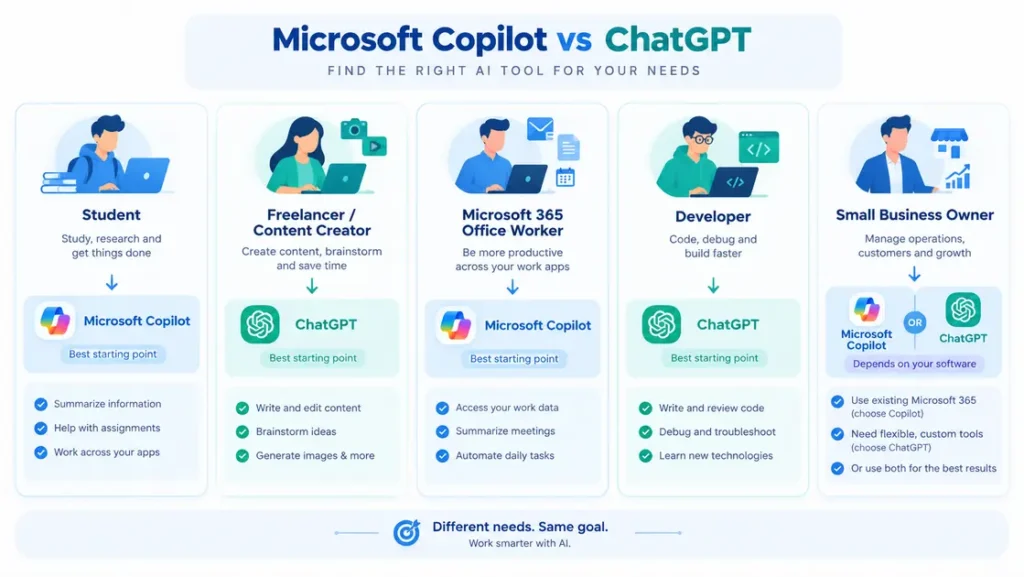
Here is how the Microsoft Copilot vs ChatGPT choice plays out for the most common types of users.
| If you are… | Start with | Why |
|---|---|---|
| A student on a tight budget | Both free plans | Test each on real coursework before paying. See our list of the best AI tools for students. |
| A freelancer or content creator | ChatGPT | Flexible model choice and custom GPTs suit varied client work. Our guide to using ChatGPT for making money online shows practical ideas. |
| An office worker in Microsoft 365 | Copilot | It works inside the apps you already use all day. |
| A developer | Try GitHub Copilot and ChatGPT. | They solve different parts of the coding workflow. |
| A small business owner | Whichever matches your software | Microsoft 365 shops lean Copilot. Mixed-tool teams often prefer ChatGPT. See AI tools for business. |
Run Your Own Microsoft Copilot vs ChatGPT Test
Do not take any comparison’s word for it, this one included. Open both free apps and paste the same prompt into each:
Write a polite 120-word email asking a client for a payment update. Then list two risks in the wording.Then judge four things. Is the tone right for your client? Did it follow the word limit? Were the two risks actually useful? How did it handle a follow-up like “make it firmer”? Ten minutes of this tells you more than any feature list. If your prompts feel weak, our guide to how to write AI prompts will help.
Common Mistakes to Avoid
Most wrong turns in the Microsoft Copilot vs ChatGPT decision come from a few predictable assumptions.
- Assuming they are identical. They share some models, not features, data access, or controls.
- Judging by model names. Names change every few months. Judge by the job each tool does for you.
- Paying before testing. Both free plans are enough to see which style you prefer.
- Using a personal account for work files. Stick to the tool your employer approves.
Bottom Line: Microsoft Copilot vs ChatGPT
In the end, Microsoft Copilot vs ChatGPT is a question about your workflow, not about which AI is smarter. If you spend your day inside Microsoft 365, Copilot is the natural fit, because it reaches your files and apps. If you want a flexible assistant for research, writing, and coding that works anywhere, ChatGPT is the safer default.
For most individuals, the smart move is to try both free plans for a week and pay for one only when you keep hitting its limits. For teams, pick the tool that matches the software you already own and pilot it with a small group first.
Microsoft Copilot vs ChatGPT: Frequently Asked Questions
Does Microsoft Copilot use ChatGPT?
Microsoft Copilot has run mainly on OpenAI’s GPT models, the company behind ChatGPT, but it is a separate product built by Microsoft. It now also uses other models, including Anthropic’s Claude in some work plans, so the two are no longer identical underneath.
Is Microsoft Copilot better than ChatGPT?
Neither wins everywhere. Copilot is better when your work lives in Microsoft 365 and you want AI that can use your emails and files. ChatGPT is better as a standalone assistant with more model choice, custom GPTs, and coding tools. For plain chat, the difference is small.
Which is cheaper, Microsoft Copilot or ChatGPT?
Both start free. ChatGPT Plus costs $20 per month, and Microsoft 365 Premium costs $19.99 per month while also bundling Office apps and storage. For work, Microsoft 365 Copilot adds $30 per user per month on top of a base license.
Which is better for coding, Copilot or ChatGPT?
For code inside an editor, GitHub Copilot is Microsoft’s option, with a free plan and paid plans from $10 per month. ChatGPT includes Codex on paid plans. Many developers use both, so test each on your own project before paying.
Can you use Microsoft Copilot and ChatGPT together?
Yes. They are separate products, so you can use both. A common split is Copilot for work documents and email inside Microsoft 365, and ChatGPT for research, brainstorming and coding help. Keep confidential company files in whichever tool your employer approves.